38
Disk format
Delete midi
3
3
3
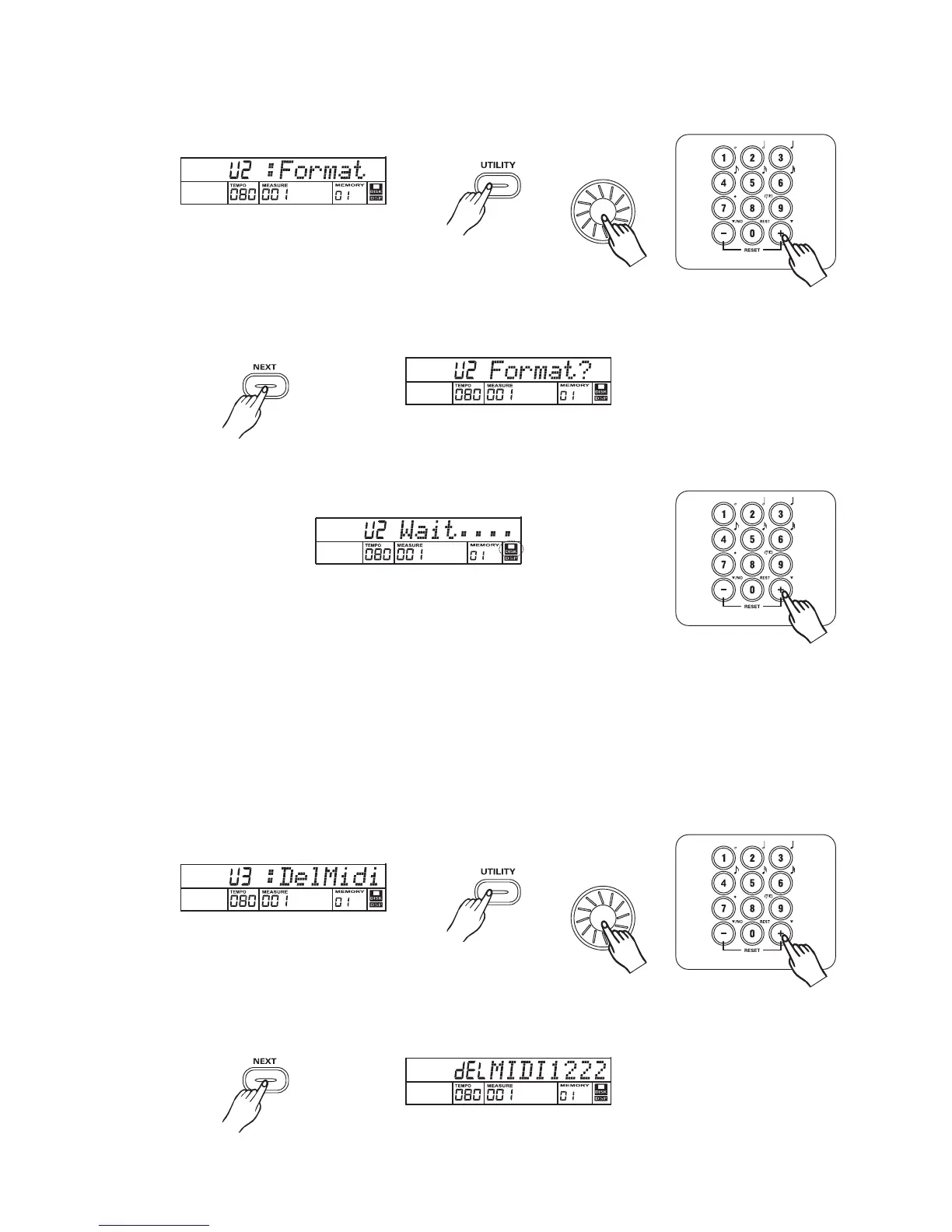
Press button and then press button or rotate data dial,LCD will display: U2:Format..[UTILITY] [+]
Press button."FORMAT?" Will appear on the display.[NEXT]
Press button to execute the format operation (or press button to cancel ).[+] [-]
"Wait...." Will appear and disk icon will flash on the display when format is in process.
When the disk has been formatted,"Format OK"will display on the LCD.
Note:
1.There will not be any action if you press any buttons when the disk is formatting.
2.When a write-protected disk is loading,"Protect!" Will be displayed.
Select the disk midi deletion function by pressing the and button or rotate
data dial,"DelMid" will appear on the display.
[UTILITY] [+]
Press button and the disk song name(.midi) will display.[NEXT]



 To Next Page