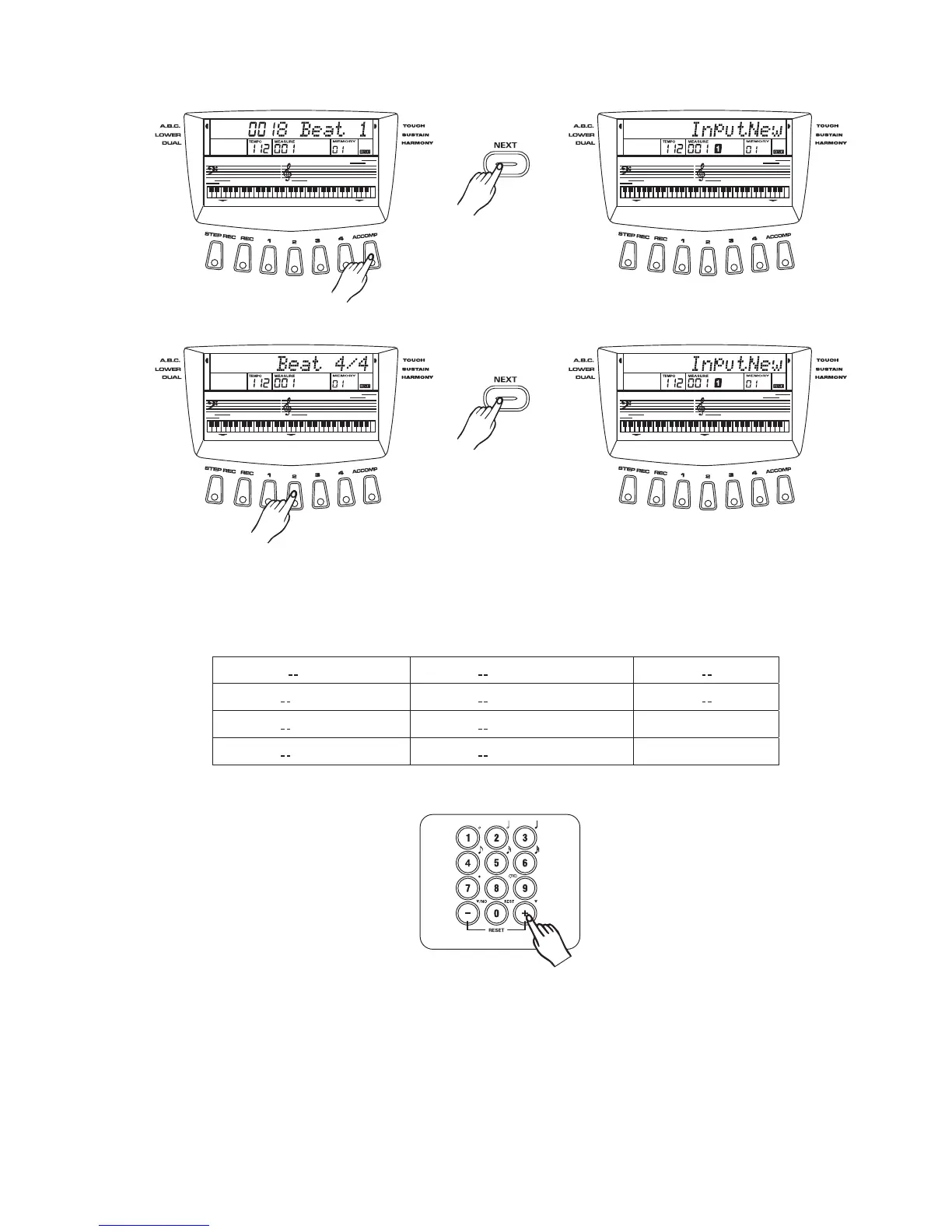
Step record
Select ACCOMP track:
Select MELODY track:
Press NEXT:
Press NEXT:
Input the note and time value
Play the keyboard or chord to input the note. Press key input the time
value (see fig. Below).
[0] ~ [9]
Press any keys of , , and with any keys of to together can get
other chord and time value.
[7] [8] [9] [0] [1] [6]
[
1
]
]
]
]
]
semibreve semiquaver tercet
[
[3
[4
[5
[9
[6 [10
[7
[8
2
]
]
]
]
]
minim demisemiquaver rest
quarter note dot
quaver slur
3
45
Example:
Dotted note
Play keyboard to input the note value. Then press number key and together to input
the time
[7] [1]
value to get dotted semibreve.
Tercet note
Play keyboard to input the note value. Then press and together to input the time value
t
[8] [4]
o get the first note of the tercet quarter note.



 To Next Page