page 15 of 73
3D models
3D models can be prepared in one of the following formats: RAW, DXF 3D, BMP (grayscale).
RAW triangles (a 3D format generated by e.g. Rhinoceros 3D or Blender)
This is a text file consisting of the co-ordinates of the triangles making up the surfaces.
Please do not confuse this file format with the RAW files used in digital photography, they
do not have anything in common.
DXF 3D (a 3D format generated by e.g. Rhinoceros 3D or AutoCad)
To prepare a 3D dxf file suitable for MegaCut 3D software, please draw your shape using
such objects as 3D Face or 3D Polyline (polyface mesh – surface mesh). All 3DSolid objects
as well as other objects not representing surfaces (Arc, Line, Circle) will be ignored.
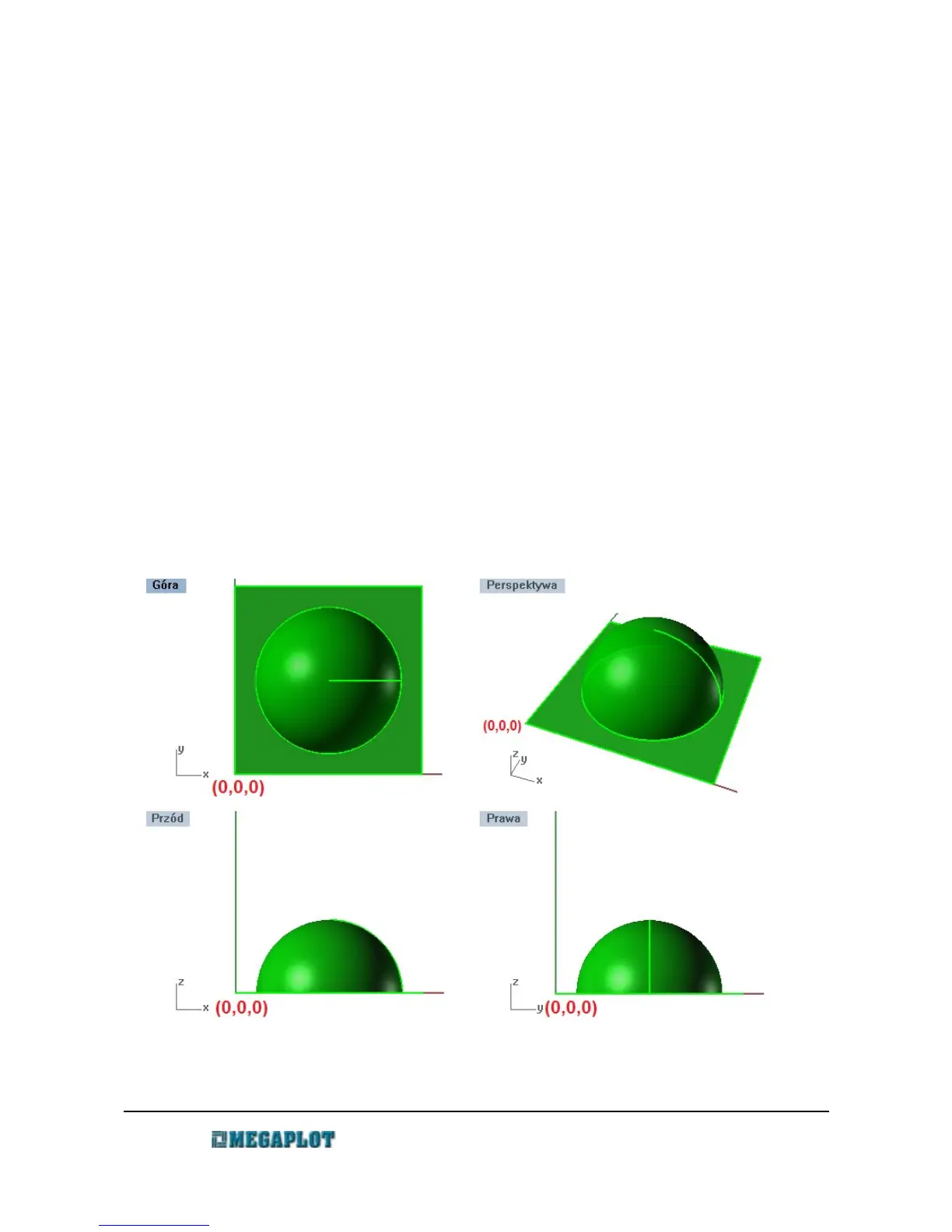
When desiging a 3D model, make sure to place it in the first quarter of the co-ordinates
system, as close to the 0,0 position as possible and aboce the Z axis 0 position. The 3D
model should have a continuous surface with no holes in it in order to prevent tooling
between two such unlinked surfaces.
www.megaplot.com phone: +48 693 707 575 office@megaplot.com



 To Next Page