page 61 of 73
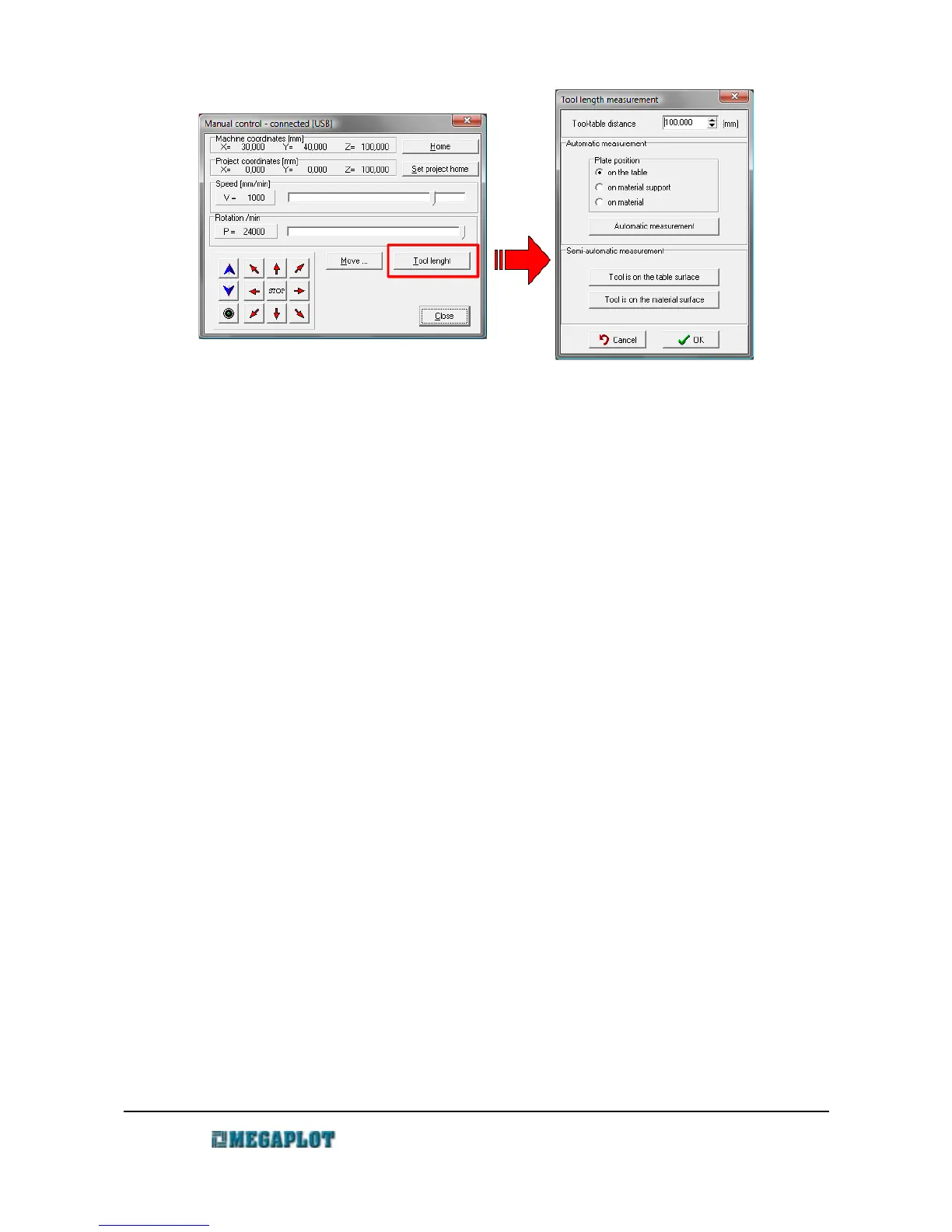
• go to Manual Control \ Tool length
• press Automatic measurement
• message will show up: “Place the pad under the tool”
• place the plate under the tool
• confirm by clicking OK in the software
• wait till the tool touches the plate and the spindle moves back up
• put away the measuring plate
• confirm by clicking OK in the software
If you put the measuring plate directly on the aluminum table of the router, any small movement
of the plate may prematurely end the measuring process. To avoid this, put a thin piece of isolation
on the bottom of the measuring plate. Make sure you remeasure the plate thickness and insert the
correct value in the configuration.
CAUTION! Always place the plate with the insulated side down. Otherwise, the measuring
process will not work properly and may result in breaking the tool, damaging the router or injury.
Semi-automatic tool length measurement
Alternatively, you can measure the tool length in the following way:
• move the spindle to the location of the measurement
• open Manual Control and Tool Length
• insert 999 for tool length (to allow for unlimited movement down)
• move the spindle down very slowly until the tool reaches the table (make sure to do it
www.megaplot.com phone: +48 693 707 575 office@megaplot.com



 To Next Page