page 20 of 73
MegaPlot.
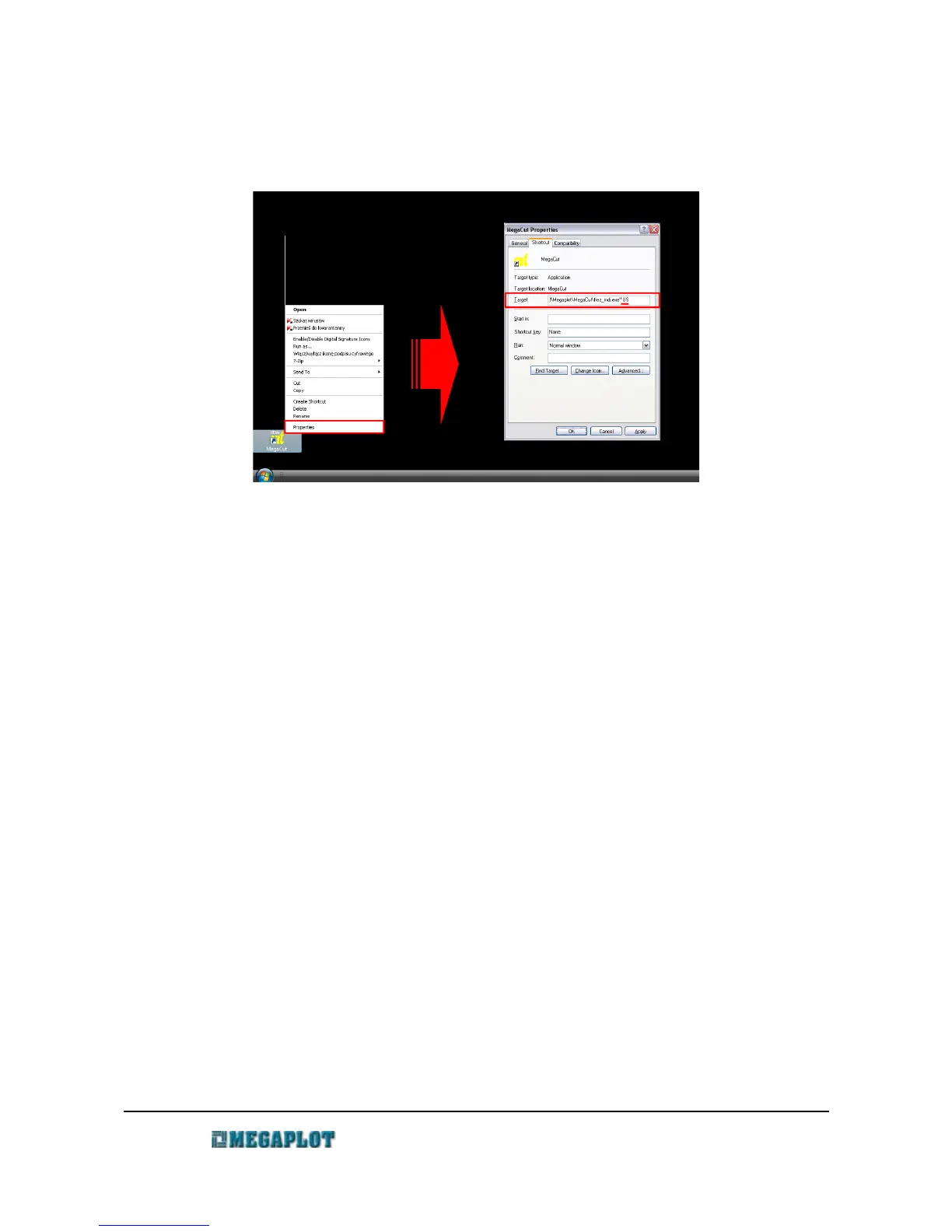
To force the MegaCut application to start in a different language (provided it is available), you
need to modify the MegaCut shortcut icon located on your PC desktop.
At the end of the Target element line, add a space and the required language code (US, PL, IT,
SL, etc.). When done, the line should look as follows:
"C:\Program Files\Megaplot\MegaCut\frez_mdi.exe" PL
Control Window - enlarged
The control window can be switched to a special touch-screen friendly mode (See Manual
Control window). While the functionality remains the same, the modified look with larger buttons,
etc. is better suited for operation with fingers, instead of a mouse.
To force the modified view, you will need to modify the software shortcut again (as explained
above when changing the language version. After a space, add TouchPanel so the line looks like
this:
"C:\Program Files\Megaplot\MegaCut\frez_mdi.exe" touchPanel
www.megaplot.com phone: +48 693 707 575 office@megaplot.com



 To Next Page