page 24 of 73
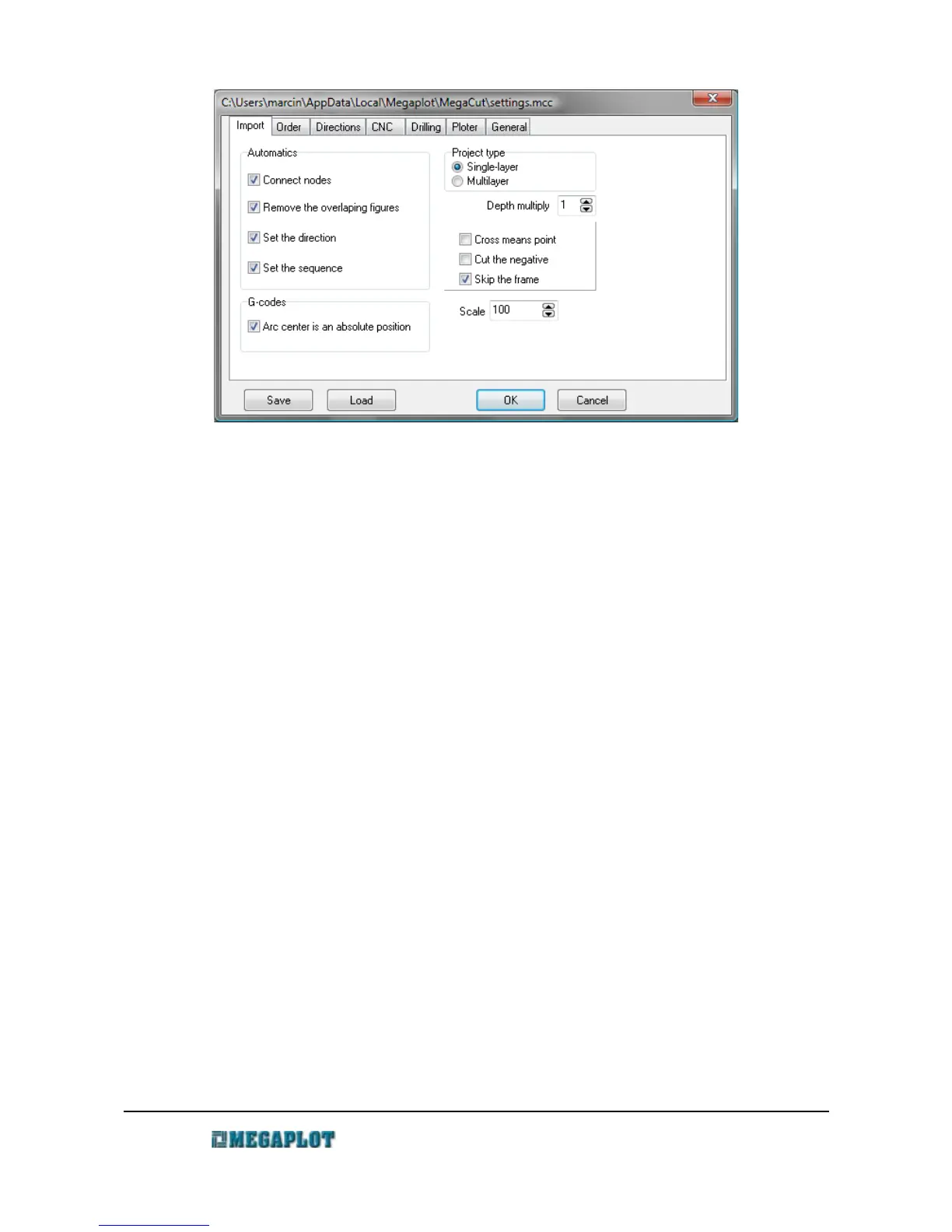
Connect the nodes – the software will automatically connect all overlapping nodes in order to
turn the lines into closed shapes
Delete overlapping shapes – the software will delete all overlapping shapes in order to avoid
double-passes. For best performance, however, it is recommended you
avoid having overlapping lines so delete them prior to exporting your
shape to plt or dxf.
Set cutting direction – the software will determine the cutting direction
Set cutting sequence - the software will determine the cutting sequence
Project type
Single-layer – all tooling will be done on the same depth
Multi-layer - the tooling will be done on different depths/layers. Layers are indicated by
different colors and each layer/color has a corresponding tooling depth
For more details, please go to: Multi-layer drawings.
Depth multiplier – this only applies to multi-layer drawings in the plt format. The depth of
each layer in automatically preset as the pen width*depth multiplier.
Prior to starting a cut, please double check or adjust the cutting deoths
values for each layer. This parameter is ignored for all other types of
drawings.
Cross means point – the machine will drill a hole at the intersection of two lines crossing at 90
degree angle. For more details, please see Drilling.
Cut the negative – the negative of a shape will be cut. This parameter is closely related to two
www.megaplot.com phone: +48 693 707 575 office@megaplot.com



 To Next Page