Printing Reports
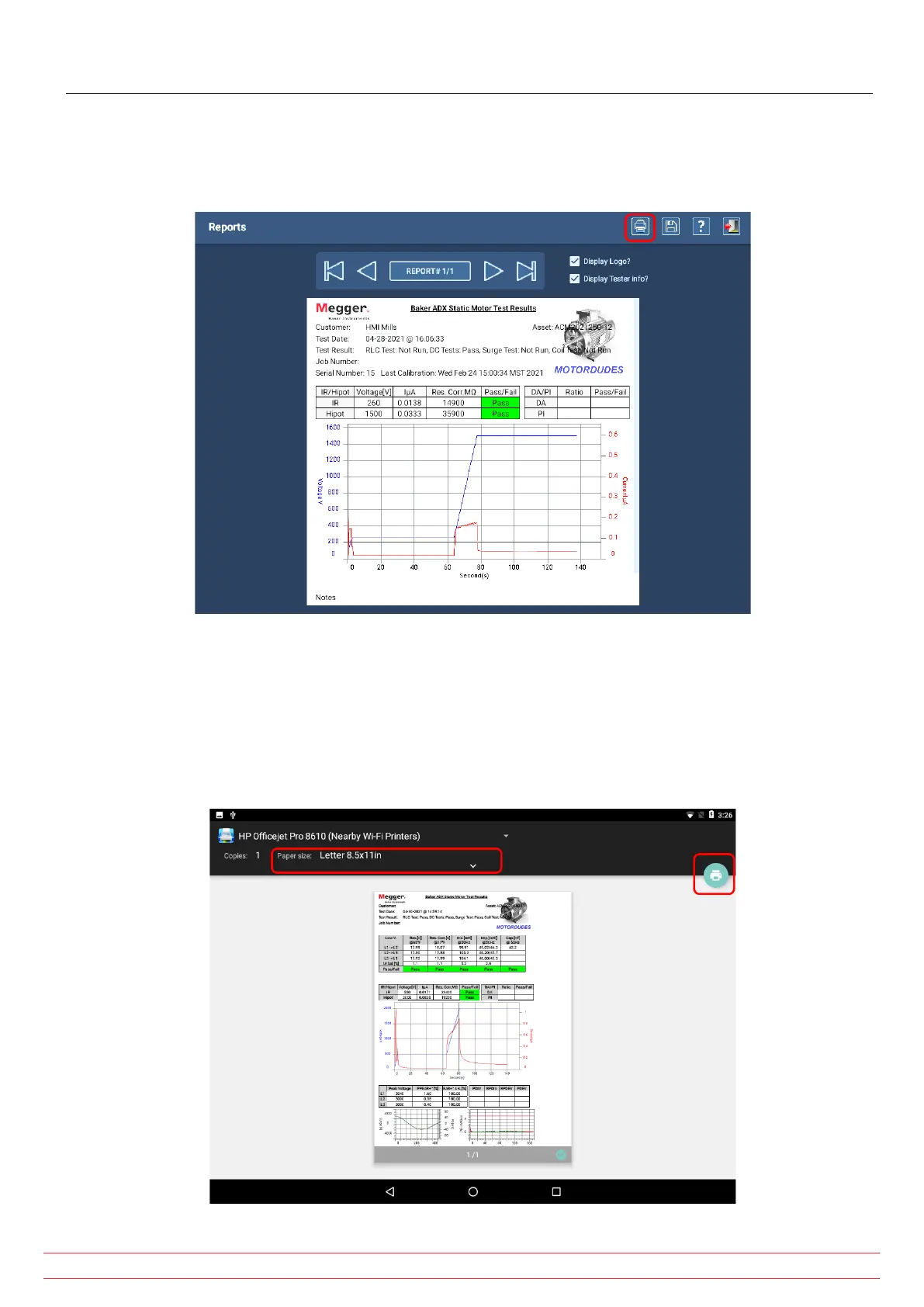
After you select reports for viewing via the Reports screen, click on the Print icon at the top of the screen as shown
below to start the printing process.
Fig 154: Starting the printing process from the Reports screen.
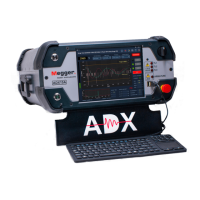
The PrintHand application will start shortly, opening the following screen to preview the selected report and check you
settings.
5. Ensure that the proper printer is selected, along with settings such as paper size.
6. Press the print icon to the right to proceed.
Fig 6: Previewing report, printer selected, and options in PrintHand.
www.megger.com
Megger Baker ADX User Guide
160
Printing Reports


 To Next Page