Selecting an Asset and Test Configuration
For any test mode you want to work in, best practice is to first select an Asset that has the test configuration you want
to use assigned as the active test configuration.
NOTE: Test procedures provided in the User Guide follow the best practice of selecting an asset first.
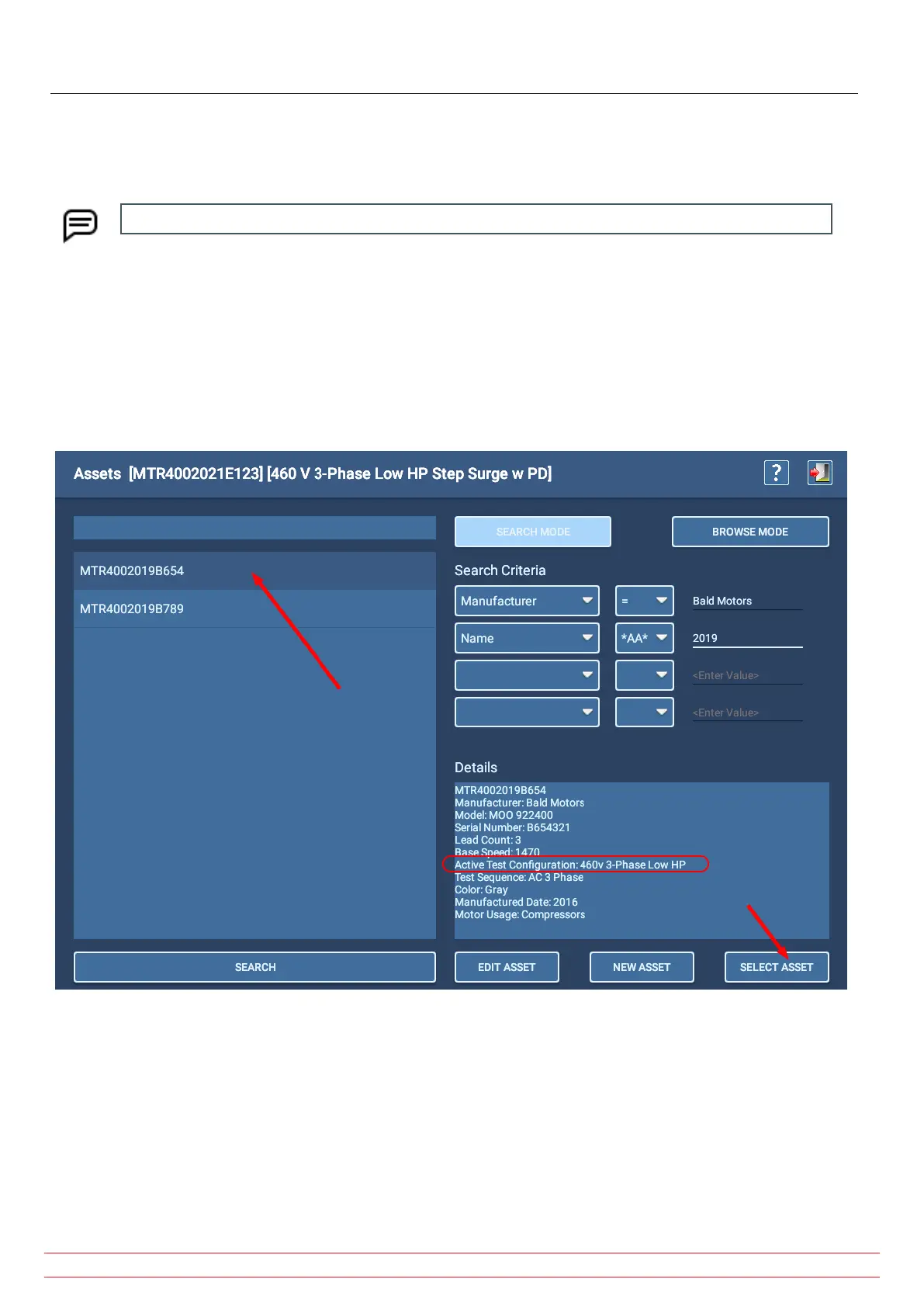
1. Press the ASSETS icon in any test mode screen to open the Assets screen.
2. Use the Browse or Search Mode features to locate the asset needed. Attributes that are created—along with
standard nameplate information—are used to help you find your assets.
3. When you see the target asset in the list, click on or touch the asset to highlight it.
4. Look at the Details section to see if the active test configuration line shows the test configuration you want to use.
If so, press Select Asset to return to the Main Menu you started from then select the test you want to run.
Fig 74: Selecting asset for testing; confirm active test configuration in Details section.
www.megger.com
Megger Baker ADX User Guide
79
Selecting an Asset and Test Configuration


 To Next Page