www.megger.com
Megger Baker ADX User Guide
68
Test Sequences
Test Sequence Edit
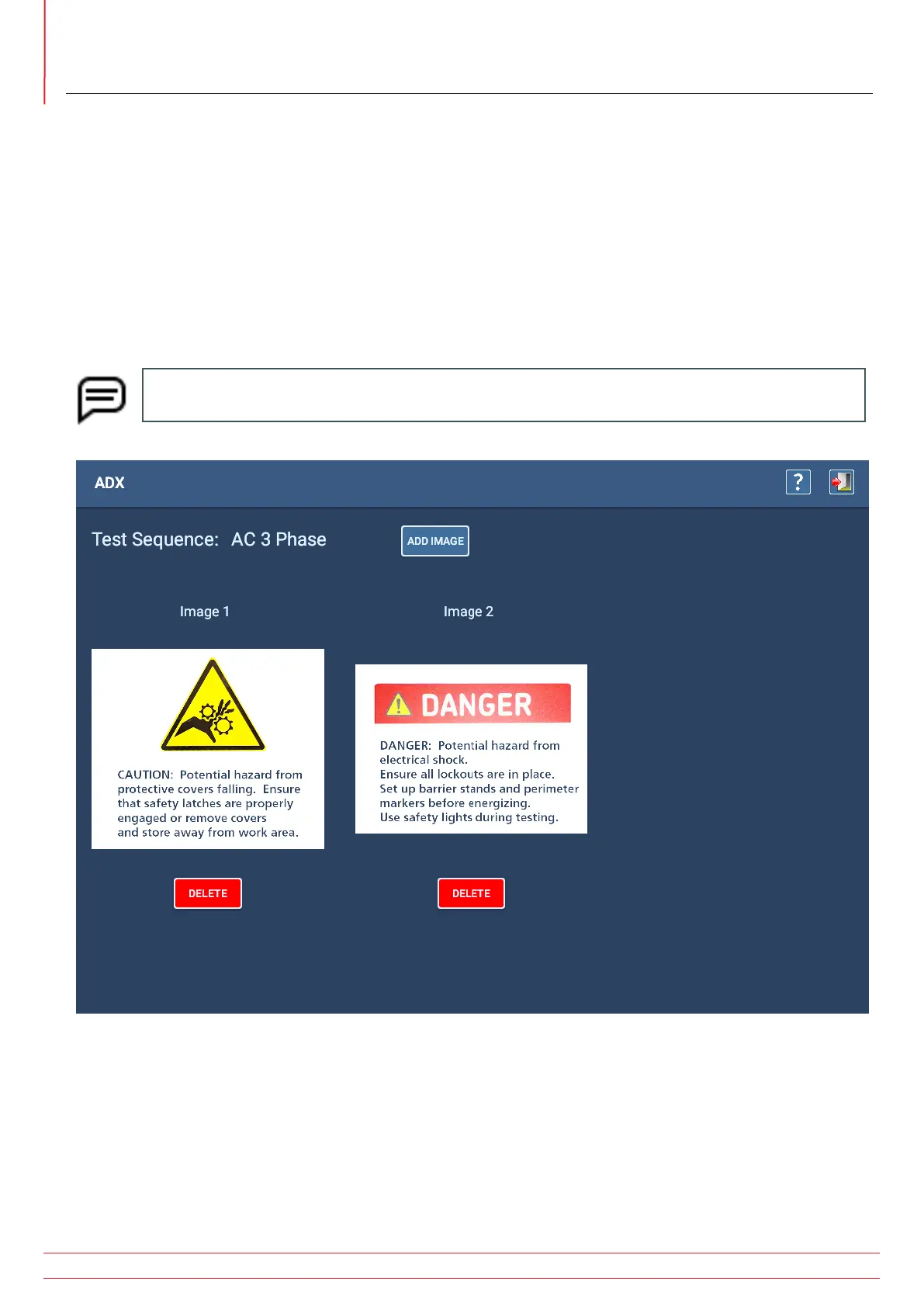
Pressing the EDIT SEQUENCE button opens this screen. From here, you can select up to three images (graphics, photos)
to add to the sequence.
Such images typically include process or safety messages. They appear in the Safety segments of a sequence as shown
earlier in the example flow diagram.
Creating sequence images might include taking a picture of a Job Safety Analysis (JSA), or capturing a screen from
a PDF that contains relevant information. You can also create image files from MS PowerPoint slides that contain
information you want to convey in a sequence prior to testing.
Common file formats include .png and .jpg, which are typically smaller in size.
NOTE: MS PowerPoint slides can be saved as image files, so you can easily import them for use with
Sequences or Assets.
Fig 65: Editing test sequence; adding images.


 To Next Page