Editing Roles
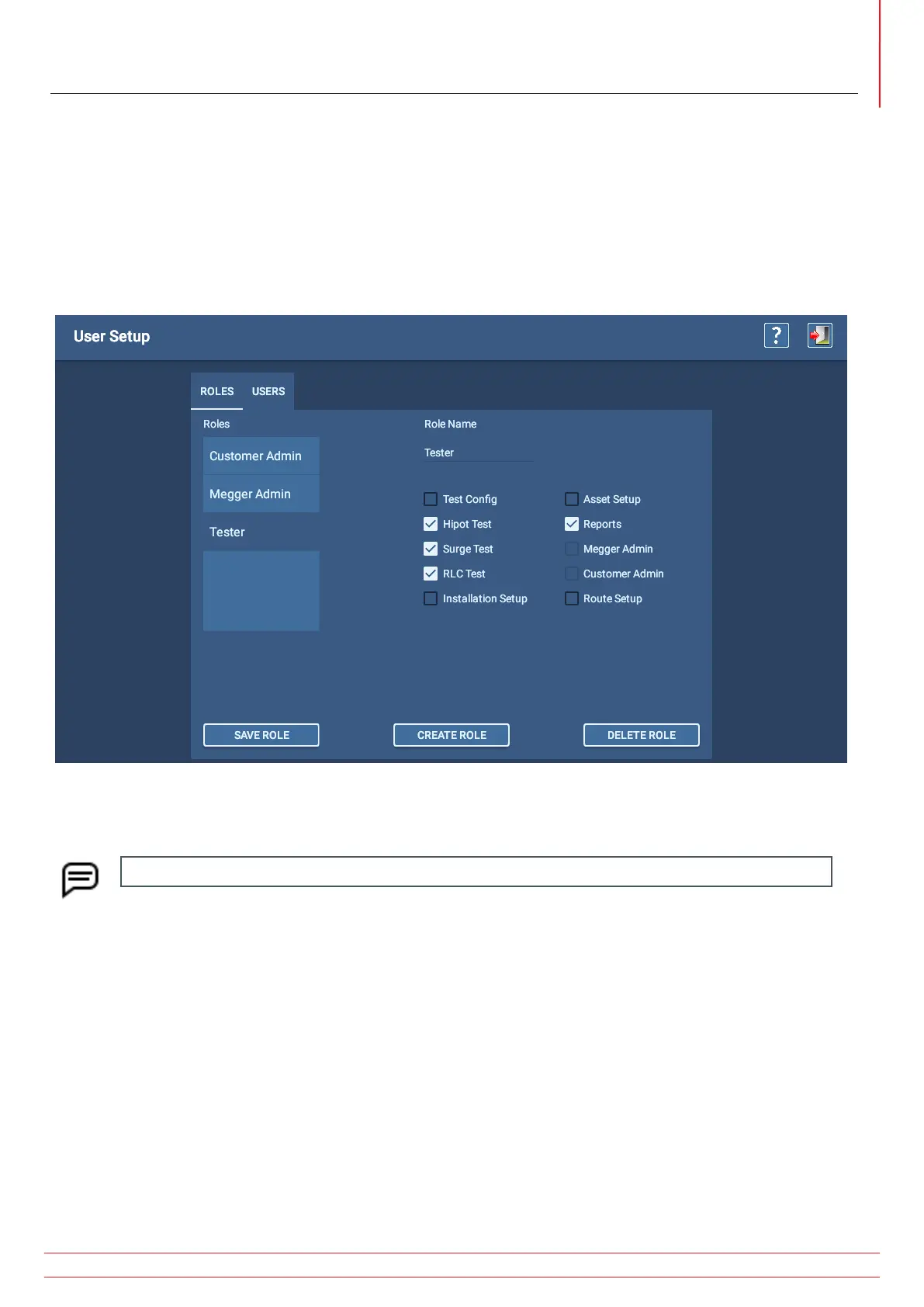
1. Click on or press the Roles tab to start the process.
2. Click on or press the role you want to edit to select it.
3. Click on or press the check boxes next to each task that you want to assign to or remove from the selected role.
Checking each box grants permission to the role to perform the associated task.
4. When you have completed task assignments, click on SAVE ROLE.
Fig 32: Editing a role.
NOTE: Admin roles cannot be edited or deleted.
www.megger.com
Megger Baker ADX User Guide
31
Creating Roles



 To Next Page