Information subject to change without notice 19
4.4 PC Software Update
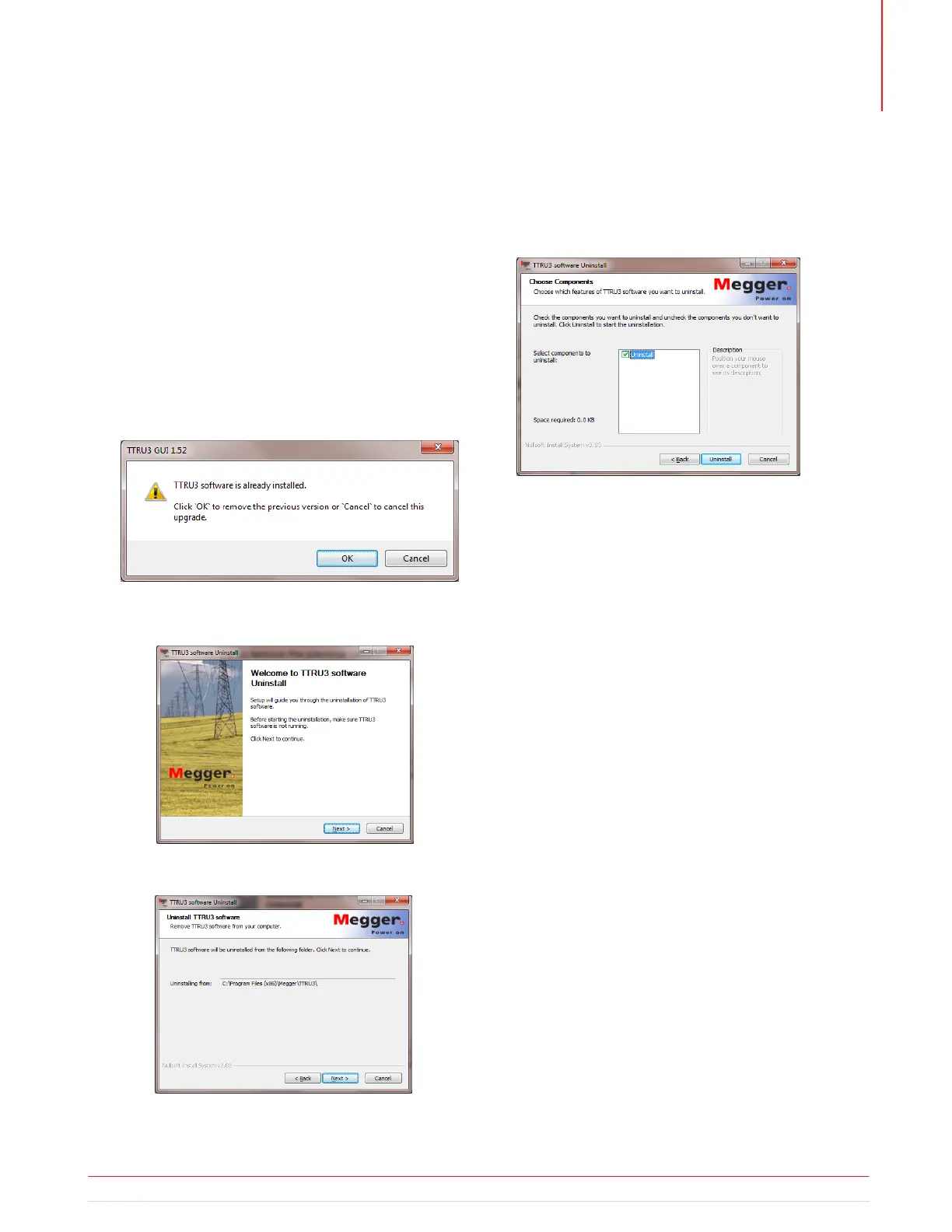
If a previous version of PC Software is installed, you
will be required to uninstall before installing the new
version.
1. Locate the installer for the TTRU3 TTRU3_install-
er_X.xx.exe.
X.xx is the version.
2. Double click to launch the installer.
3. Click OK to remove the previous version.
4. Click Next
5. Click Next
6. Click Uninstall.
7. Click Finish.
8. Proceed with the installation instructions in
section 4.3.
4.5 PowerDB Installation
TTRU3 data can be imported into PowerDB. In ad-
dition, the TTRU3 can be controlled from PowerDB.
To install PowerDB, download the latest version
from www.powerdb.com. Follow the instructions on
screen to install PowerDB.
When prompted, choose to install the optional soft-
ware for the TTRU3 and proceed with the installation
instructions from section 4.3.
Preparing for test



 To Next Page