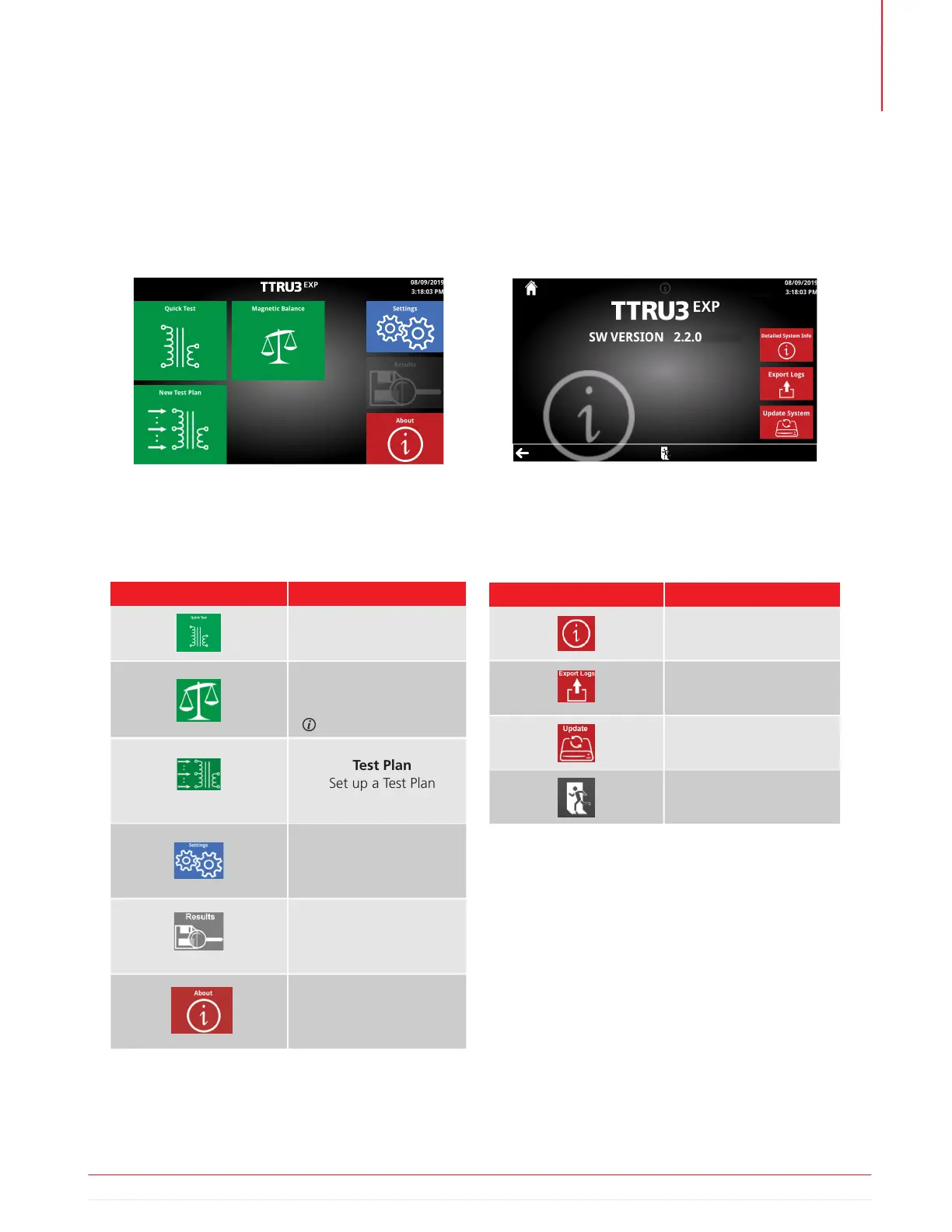
5.5 Home Screen
The home screen appears after boot up. All major
functions can be initiated from the Home screen.
When in doubt, return to the home screen with the
home button to get your bearings.
5.5.1 Home Screen Buttons
Button Description
Quick Test
Set up a quick test
Test Plan
Set up a Test Plan
5.6 About Screen
The about screen is where you will find useful
system information, including model, SW, and HW
versions. You can also update your TTRU3 system
and export logs for troubleshooting
5.6.1 Help Screen Buttons
Button Description
Update
Check USB drive for
updates
Exit
Return to the Home
Detailed System Info
Information about system
Export Logs
Export logs to USB drive
Results
View saved results
About
View system information
Update TTRU3
Export Logs
Settings
Modify instrument and
test settings
Magnetic Balance
Set up a magnetic
balance test
Optional SW Feature
Operation
Information subject to change without notice 21



 To Next Page