2
Only one winding can be OLTC
3
Options displayed based on Tap Labels & # Taps
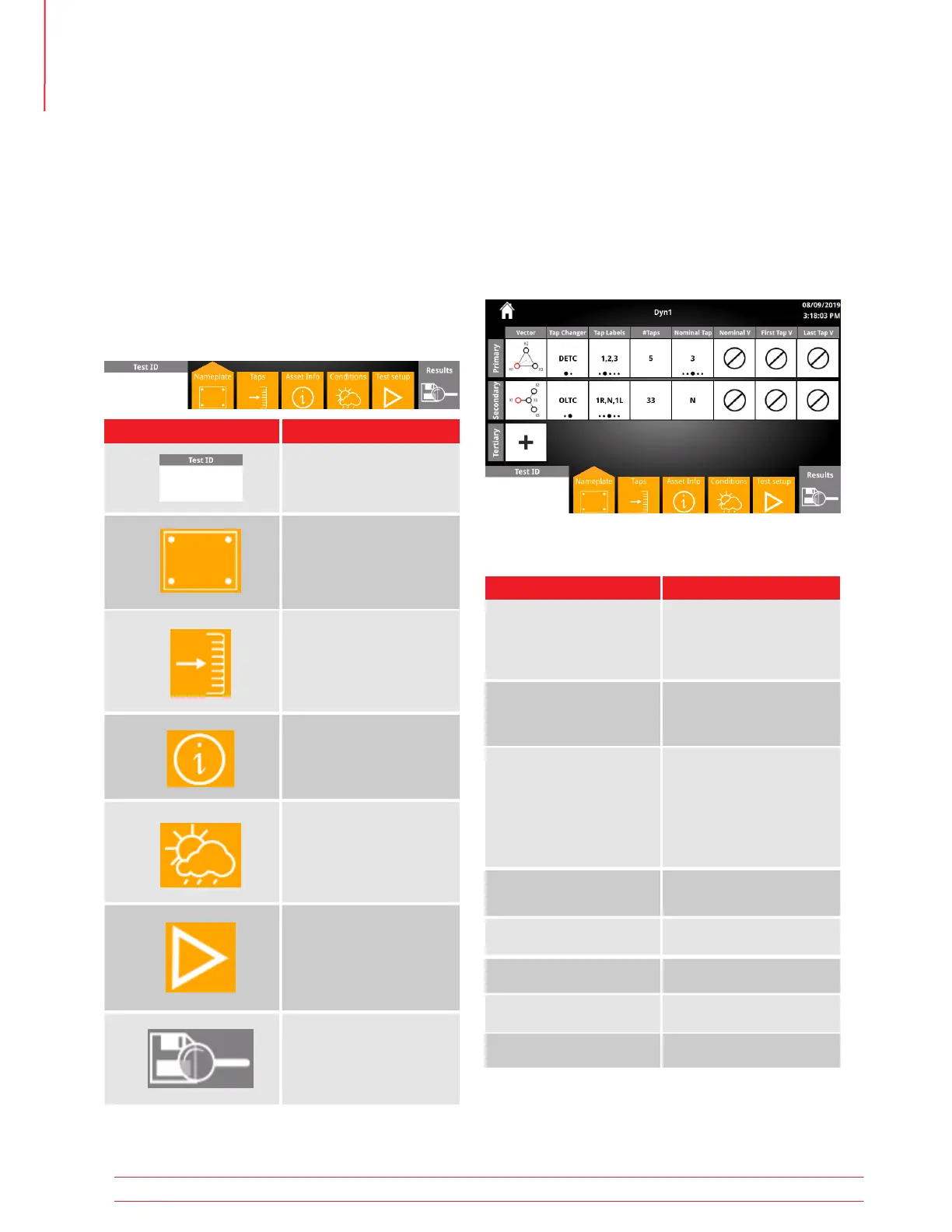
5.19.3 Nameplate Options
Test Plan Nameplate is the first screen displayed
when New Test Plan is clicked. Nameplate
includes all fields required to configure and
execute turns ratio tests. Other fields not
required for tests can be found under Asset Info.
5.19.2 Nameplate
Option Available Settings
See vector select
in Settings
Primary/Secondary/
Tertiary Vector
Tap Labels
Tap Changer
Nominal Tap
First Tap V
#Taps
Nominal V
Last Tap V
DETC
OLTC
2
1-150
A,B,C
1,2,3
1R,N,1L
+1,0,-1
Custom
1-150
3
1-999,999
1-999,999
1-999,999
5.19.1 Test Plan Buttons
New Test Plan allows for complete transformer
nameplate entry and provides results for each tap
combination tested.
At the bottom of each Test Plan screen are naviga-
tion buttons. Use these buttons to configure the Test
Plan. The screen displayed is indicated by an arrow at
the top of the button.
5.19 New Test Plan
Option Available Settings
Set Test Plan ID
Test Plan Taps
Verify & update tap voltag-
es calculated from name-
plate
Test Plan Nameplate
Configure fields required
to run Turns Ratio tests
Test Plan Asset Info
Additional Nameplate
fields
1
Test Plan Test Setup
Select taps and begin
making measurements
Test Plan Test Conditions
Conditions in the field
during tests
1
Test Plan Results
View results for the Test
Plan
1
Not required to run tests
Operation
36 TTRU3 User Manual us.megger.com



 To Next Page