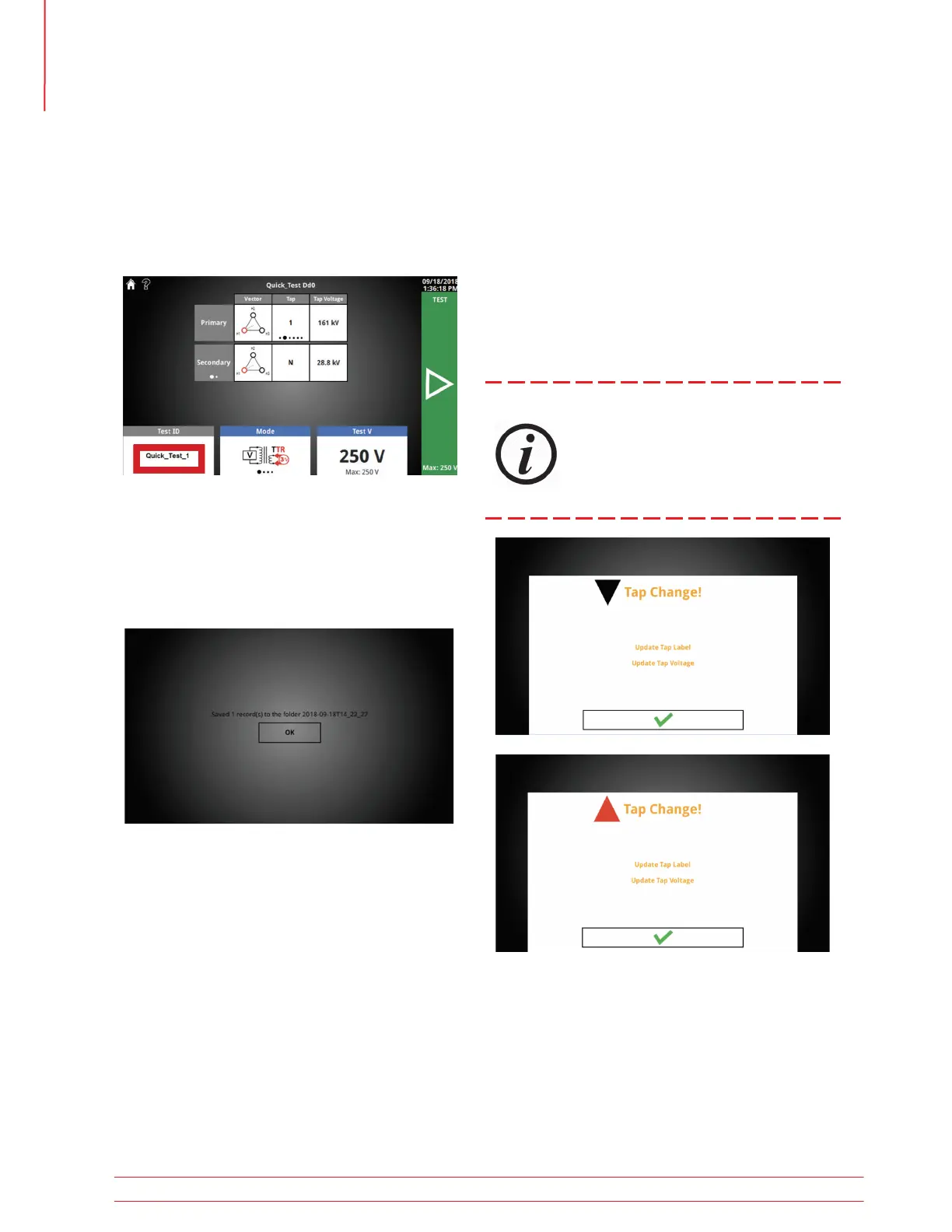
5.18 OLTC Tap Change
Home Screen
Pressing the physical tap up or tap down button
while on the home screen will display a notification
that the tap change is in progress. An progress bar
will display while the tap change button is depressed.
After releasing the tap change button, a message
will appear alerting the user to update the OLTC tap
label and voltage. This message will disappear after
two seconds.
OLTC operation assumes the tap changer
cable has been connected to the OLTC.
There is no feedback that the tap has been
changed - it is the responsibility of the
user to confirm the tap position before
beginning the next test.
5.17.5 Export Success
Insert a thumb drive to export results. A brief
progress bar followed by the screen below will be
displayed after a successful export. The folder can
be found in the root of the thumb drive.
Test IDs will be incremented after each save, export,
or print (_1, _2, _3, etc). This allows for quickly test-
ing multiple taps, and when exported from the All
Results screen the results will be grouped into excel
and PDF reports.
5.17.4 Test ID Grouping
Operation
34 TTRU3 User Manual us.megger.com



 To Next Page