5.14 Quick Test Setup
Quick test is a simple ratio test. Includes phase devi-
ation and excitation current measurements. Calcu-
lated ratio and error % available if tap information is
entered
5.14.1 Quick Test Options
Options Available Settings
See Primary Vector
Selection Screen (5.9.2)
Primary Vector
Secondary Vector
Primary Tap
Secondary Tap
Primary Tap Voltage
Secondary Tap Voltage
Test ID
Mode
0 - 999,999V
See Secondary Vector
Selection Screen (5.9.3)
Auto
3Ø Step Up
3Ø Step Down
1Ø Step Up
1Ø Step Down
Options based on
Default Nameplate
Secondary
Tertiary
13 character
Alphanumeric
Test V
1 – 125V Step Up
(ADV model)
1 – 250V Step Up
(EXP / PRO model)
1 - 48V Step Down
Predictive Taps
On
Off
5.13.1 Administrative
Options
Option Availabe Settings
Off
On
Hides PC USB CD Drive
Overwrite all Settings with
factory settings
Custom PC Export folder
USB-B
Show Thumb Drive
Restore Factory Settings
Export Folder
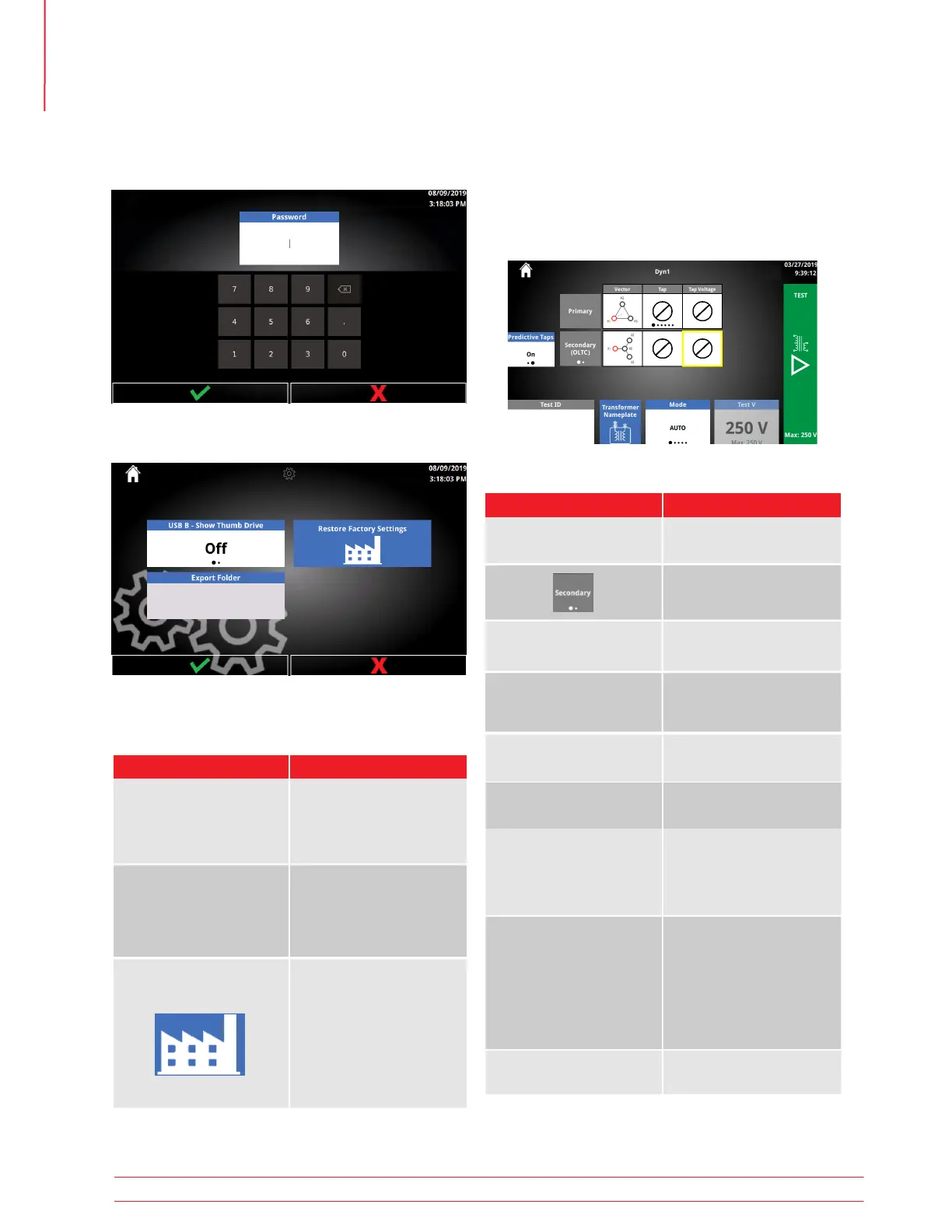
Infrequently changed settings set by an administrator.
After clicking Administrative, a password prompt will
be displayed. The password is 2621.
5.13 Administrative Settings
Operation
30 TTRU3 User Manual us.megger.com



 To Next Page