5.6.2 Update
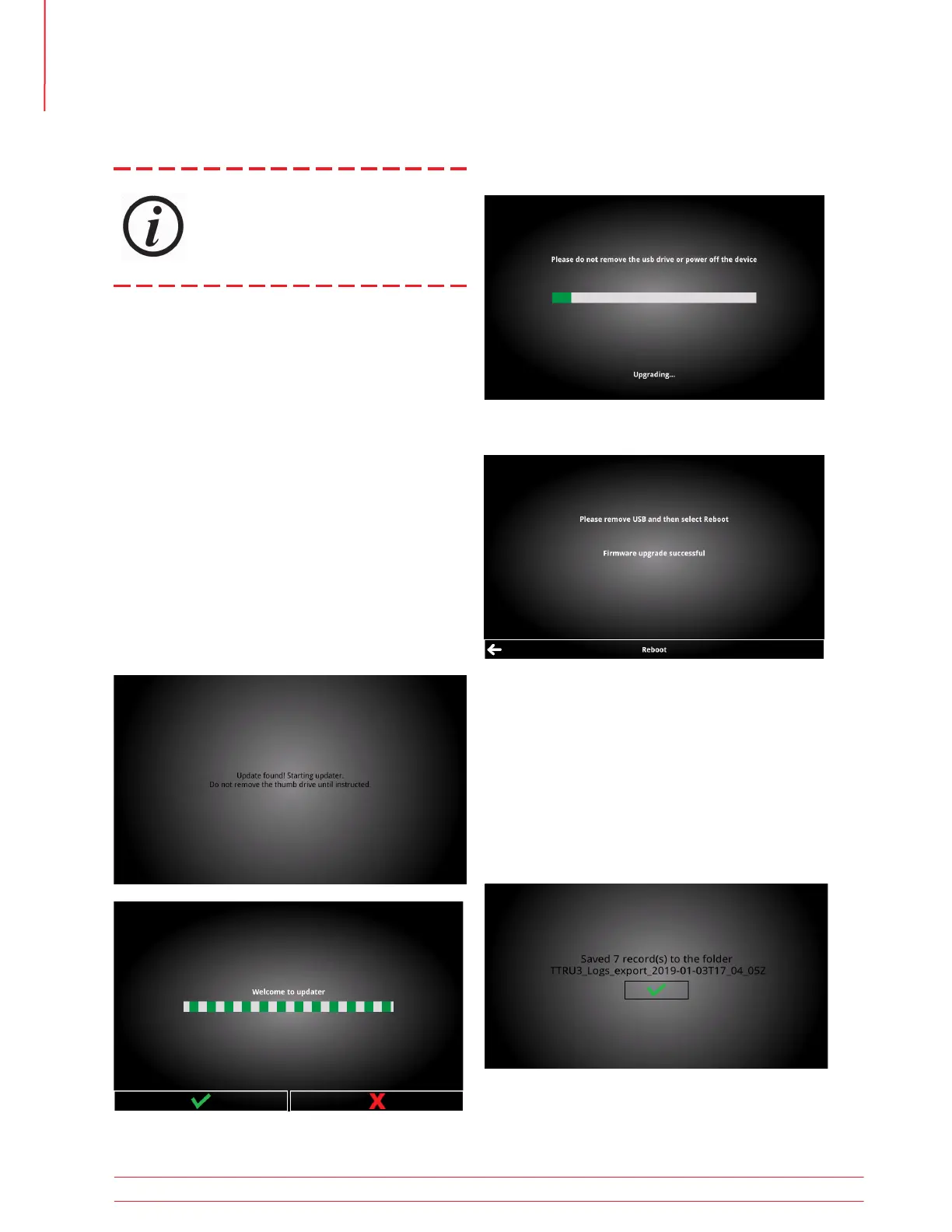
To update the system:
1. Check www.megger.com/TTRU3 for updates
from a PC.
2. If an update is available, review the patch notes.
It is recommend to update only when absolutely
necessary.
3. Download the update
4. Copy the ttru3_update_vX.x.x.tar.gz file to the root of
a thumb drive
X.x.x is the version of the update
5. Remove thumb drive from PC
6. Insert thumb drive into any USB A port
7. Select Update
8. Press continue to proceed with the update
Updates can be performed at an ASC or
Megger Factory. If the user chooses to
install updates, they accept responsibility
for all intended and unintended changes
to the TTRU3.
9. Wait for the update to complete
10. Remove the thumb drive and click Reboot
5.6.3 Export Logs
To export logs:
1. Insert thumb drive into any USB A port.
2. Select Export Logs.
3. Logs will be exported with a date/time stamp.
Operation
22 TTRU3 User Manual us.megger.com



 To Next Page