5.19.11 Conditions 5.19.14 Test Setup
Option Available Settings
Commission
Acceptance
Warranty
Bushing Repair
LTC Maintenance
Breaker Maintenance
Fault Operation
Retest
Routine
Reason
Weather
Ambient Temp Unit
Sunny
Cloudy
Humid
C
F
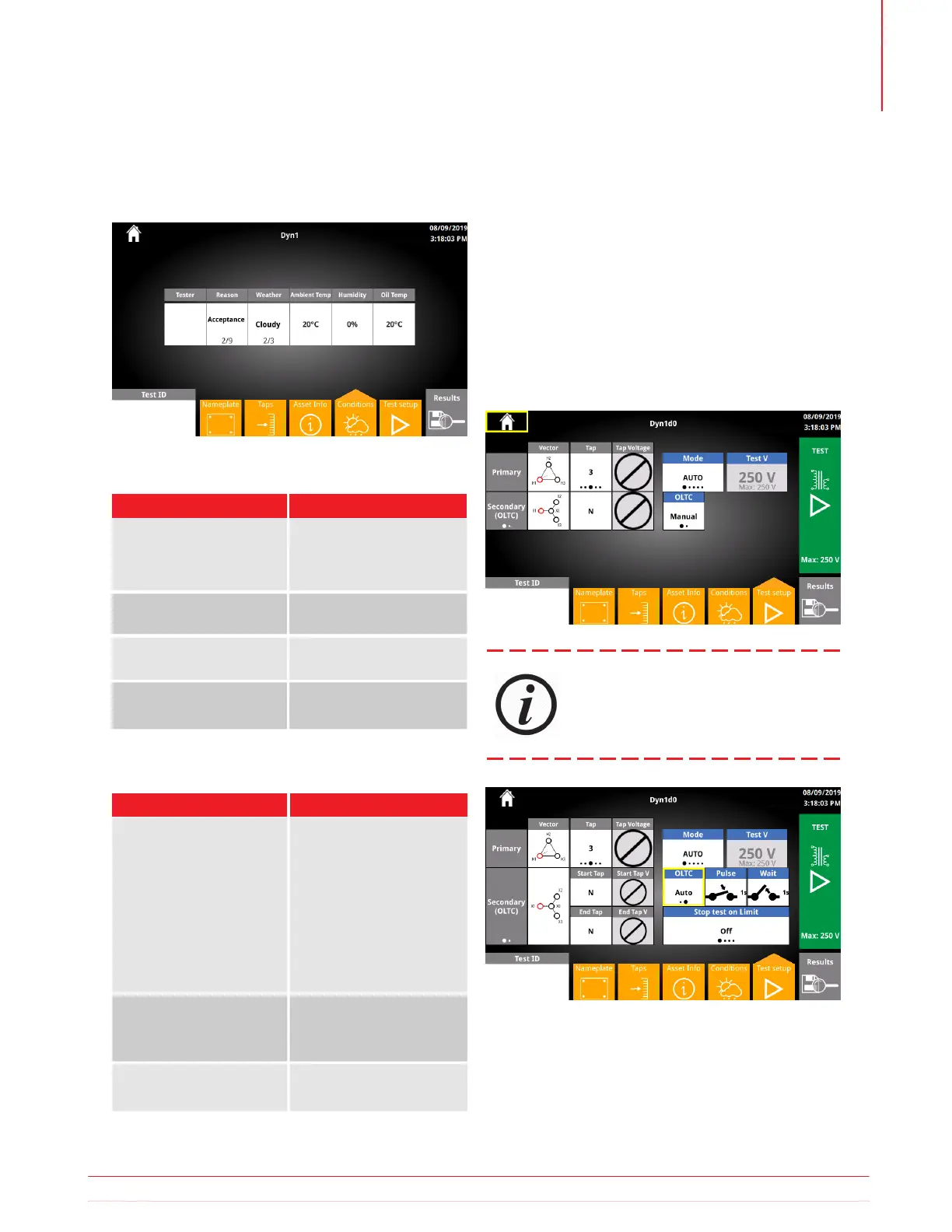
The Conditions screen is used to enter additional
information about the conditions during the test.
The Test Setup takes all previously entered Test Plan
information and allows for organized and automated
test execution. The Test Setup screen is similar to the
Quick Test setup.
Typical test setup as follows:
i. Select Primary tap
ii. Select the Secondary/Tertiary tap
iii. Click Test to start the test
Tests are executed similar to Quick Test.
5.19.12 Conditions Buttons
5.19.13 Asset Info Options
Button
Description
Enter name of the individ-
ual/company performing
tests
Enter Humidity during
tests
Tester
Humidity
Ambient Temp
Oil Temp
Enter Ambient Temp
during tests
Enter asset oil temp
If using Auto OLTC, select the desired start
and end tap.
Information subject to change without notice 39
Operation



 To Next Page