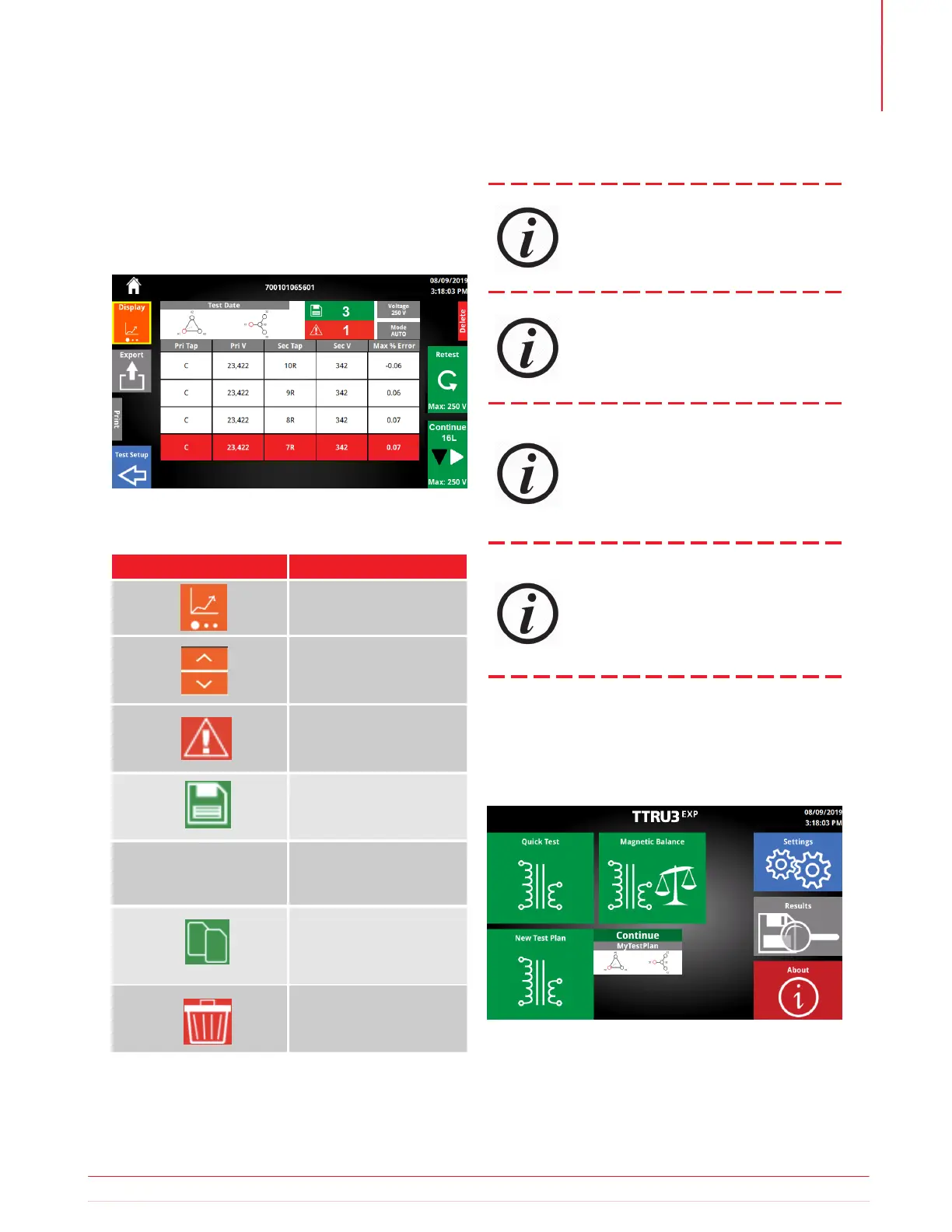
5.22.4 Results Summary
5.22.7 Continue
5.22.6 Test Plan Info
5.22.5 Summary Buttons
The last view available for Test Plan is the Test
Summary. Test summary provides the vector tested,
date & time, test voltage, test mode, number of taps
failed, and total number of results.
For convenience, the most recent test plan will be
displayed on the home screen next to Test Plan
Button Available Settings
Change Test Plan Display
Change winding tap
up or down
Show only failed results
Appears only if results failed
Switch to tap result view
for that tap result
Delete the Test Plan
Requires x2 confirmation
Show all results
Copy Setup
Generates new Test ID
with no results
Tap Result
Using the Physical Tap Changer Button will
not update the tap displayed! It will only
change the tap.
Results for different vectors and test
modes cannot be combined. If vector or
test mode is changed after tests have been
executed, a prompt will appear asking for
a new file name.
During Auto OLTC, overwrite results will
appear for EACH tap that has results. Use
the copy setup button in Test Summary
to create a duplicate result to avoid these
messages.
Continue will first change the from the
tap displayed, then execute a turns
ratio test.
Information subject to change without notice 43
Operation



 To Next Page