EasyManua.ls Logo

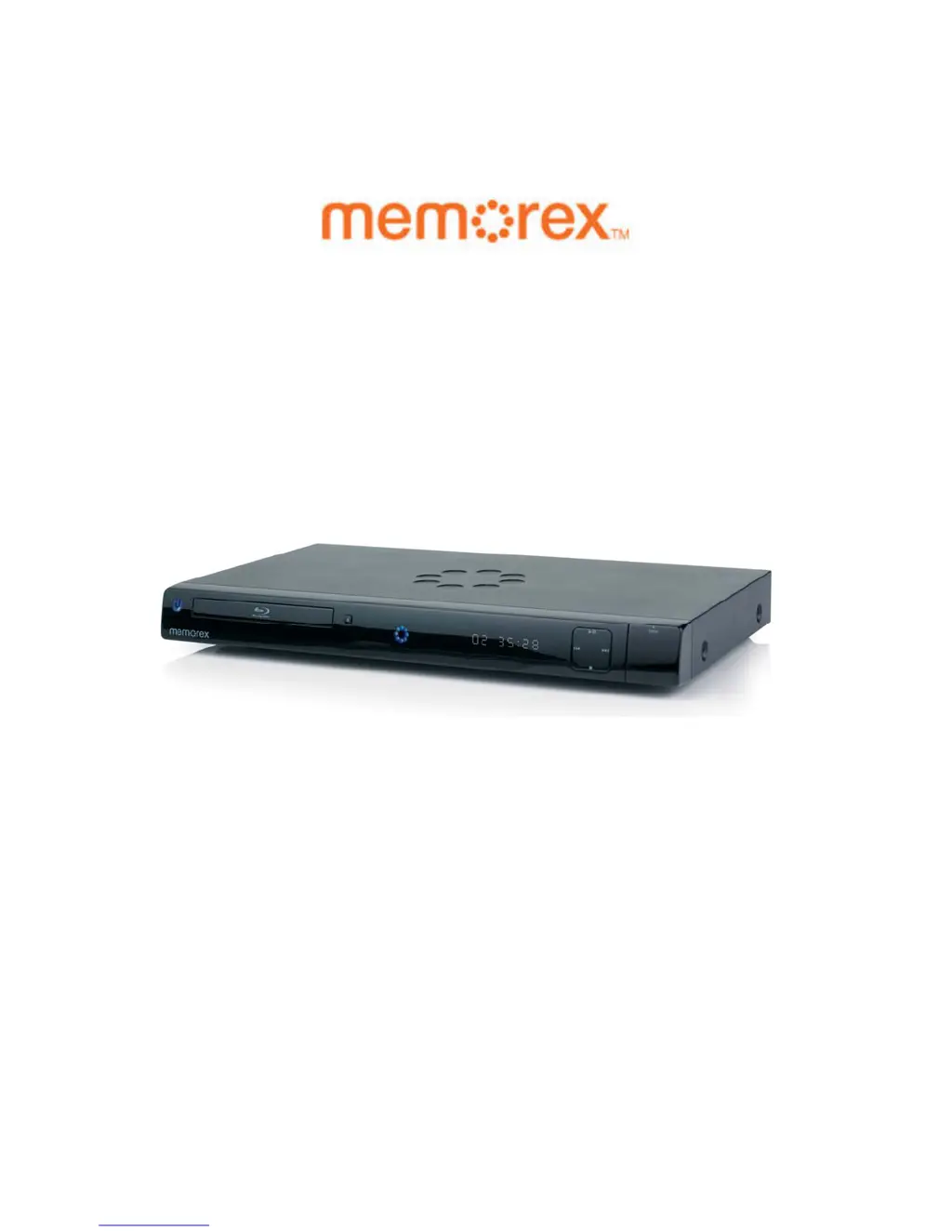
Memorex MVBD2520 - User Manual

Memorex MVBD2520
47 pages
Print Icon
To Next Page IconTo Next Page
Loading...
MVBD2520 Blu-Ray Player
User Manual

Table of Contents

Questions and Answers

  • S
    Steven BlackSep 9, 2025
    Why is the search feature not working on my Memorex MVBD2520 Blu-ray Player?
    • J
      Jonathan GriffinSep 10, 2025
      If the Search feature is not working on your Memorex Blu-ray Player, it is normal on some discs, as some discs have sections that do not allow searching.
  • J
    jgonzalezSep 12, 2025
    Why can't I access the Preferences menu on my Memorex Blu-ray Player?
    • M
      Mary ClineSep 12, 2025
      If the Preferences menu is dimmed and cannot be accessed in the Setup menu of your Memorex Blu-ray Player, remove the disc from the disc tray, as there cannot be a disc inserted when setting the preferences.
  • K
    Kenneth FrankSep 13, 2025
    Why is the selected language not showing on my Memorex MVBD2520?
    • J
      Jeanette BoydSep 14, 2025
      If the selected language is not being shown in the subtitles or spoken on your Memorex Blu-ray Player, it is normal if the audio or subtitle language does not appear on the disc. Try another disc.
  • B
    Brittany SmithSep 16, 2025
    Why can't I change the angle on my Memorex MVBD2520 Blu-ray Player?
    • E
      Elizabeth BradySep 16, 2025
      If the angle cannot be changed on your Memorex Blu-ray Player, it may be because angles are not recorded on the disc or are only recorded on certain scenes. Try another disc, or wait for a scene which allows a different camera angle.

Summary

Important Safety Instructions

Surge Protectors

Recommendations for using surge protectors for AC connection to protect against lightning.

Laser Warning

Warning about the laser system and the need for qualified service personnel to prevent eye injury.

FCC Notice

Information regarding compliance with FCC rules for digital devices and potential interference with radio communications.

FCC Caution

Cautionary notes for maintaining FCC compliance, including using shielded cables for connections.

Features

HDMI Digital Interface

Digital interface for high-definition video and multi-channel audio without degradation.

Precautions

Location of Controls

Front Panel Controls

Identification and description of controls located on the front panel of the player.

Rear Panel Connections

Identification and description of connections and ports located on the rear panel of the player.

Remote Control Overview

Details the buttons and functions of the remote control for operating the player.

Connection

Connecting via HDMI Output Jack

Guide for connecting the player to a TV via HDMI for high-definition audio and video.

BD-Live

Setup Menu

General Setup Menu

Setup options for general player settings, including restore settings.

Video Setup Menu

Menu for configuring video playback settings.

HDMI Setup

Configuration options for HDMI output, including resolution and color settings.

Audio Setup Menu

Menu for configuring audio playback settings.

Language Setup Menu

Menu for setting audio, subtitle, and menu languages.

Parental Control Options

Settings for parental controls and content rating restrictions.

Setting DVD-Video Ratings

Configuration of parental control levels for DVD playback based on ratings.

Setting BD-Video Age Limit

Configuration of parental control levels for Blu-ray playback based on age restrictions.

Setting Parental Password

Process to set or change the parental control password.

Network Setup Menu

Menu for configuring network connectivity and settings.

Basic Operation (General)

BD;DVD Operation

Playback of Blu-ray Disc or Standard DVD

Step-by-step guide to play Blu-ray discs and standard DVDs.

CD Operation

Playback of a CD

Step-by-step guide to play audio CDs on the player.

Data CD;USB;SD Card Operation

Playback of Data Discs, USB, or SD Cards

Guide for playing back data files from discs, USB drives, or SD cards.

Updating the Firmware

Instructions for updating the player's firmware via CD or DVD.

Troubleshooting Guide

General Troubleshooting

Troubleshooting common issues like no power, no picture, or no sound.

Picture and Remote Issues

Solutions for picture problems, rolling video, and remote control malfunctions.

Menu Access Issues

Solution for accessing dimmed setup menus, often due to disc presence.

Disc Playback Issues

Troubleshooting issues related to disc playback, function availability, and language settings.

BD-Live Troubleshooting

Solutions for errors encountered during BD-Live downloads or storage.

Care and Maintenance

Caring for Discs

Guidelines for handling, cleaning, and storing discs to prevent damage.

Memorex MVBD2520 Specifications

Power IconPower
power requirementsAC120V, 60Hz
power consumption<25W
standby power consumption1W
Operating Environment IconOperating Environment
operating temperature5°C to 35°C
operating humidity range10% to 75%
Video and Audio Formats IconVideo and Audio Formats
format disc supportBD (405nm), DVD (650nm), CD (780nm)
video formatAVC (H.264), VC-1, MPEG-2
audio formatDTS, DTS-HD, Dolby Digital, Dolby Digital Plus, Dolby True HD, Linear PCM
Video Output IconVideo Output
composite video output1.0 Vp-p
component video output Y1.0Vp-p
component video output Pr/Pb0.70Vp-p
Audio Output IconAudio Output
digital audio outputOptical/Coaxial
frequency response48kHz Sampling: 4Hz to 22kHz / 96kHz Sampling: 4Hz to 22kHz
s/n ratio95dB
Weight and Dimensions IconWeight and Dimensions
weight9.3 Lbs
width16.9 inches
depth9.8 inches
height2.1 inches

Related product manuals