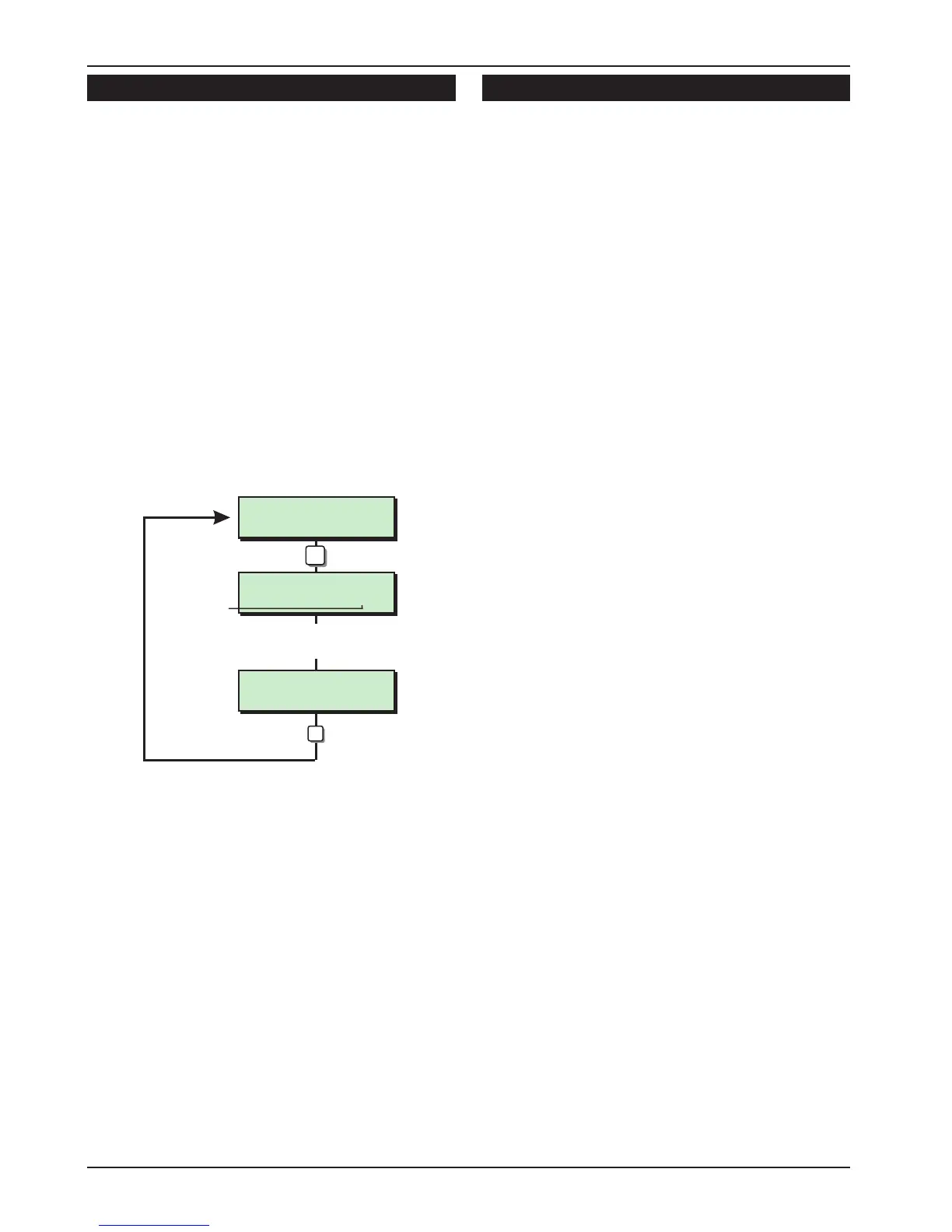
Remote Reset Algorithm [1.8]
When the system is programmed for “Engineer
Reset” the requirement to send an engineer to site
can be overridden by the user by using the
“Remote Reset” facility. If an alarm is generated
the system will respond with a four digit “seed”
code which the user quotes to the Alarm
Receiving Centre or alarm company. The “seed”
code is then entered into a decoder and a unique
“Remote Reset” code is generated. This is passed
back to the user and on entering the “Remote
Reset” code, the system is reset.
The “Remote Reset” code is generated using an
algorithm identified by a 3 digit number.
Alternative algorithms can be selected but these
must correspond to that used by the ARC (or alarm
company) otherwise the “Remote Reset” code will
be incorrect. (Default: 004)
Configuration [1.9]
The configuration options are as follows:
00 Bell is an SAB
When programmed as “Yes” the control panel
bell output applies 0V when active. When
programmed as “No” the control panel bell
output removes 0V when active. (Default: Yes)
01 User 1 Limited
When programmed as “Yes” user 1 is disabled
from options 6 and 8 in user menu 2. When
programmed as “No” user 1 has access to all
user menus and options. (Default: No)
02 Fire signals all
When programmed as “Yes” fire alarm
activations are signalled to the ARC at all
times. When programmed as “No” fire alarm
activations are signalled to the ARC only when
the system is full set. (Default: No)
03 Silent 24hr ccts
When programmed as “Yes” 24hr circuit are
silent. When programmed as “No” 24hr circuits
are audible. (Default: No)
04 Enable duress
When programmed as “Yes” the reversal of the
first two digits on any passcode will generate a
duress alarm. When programmed as “No” the
reversal of the first two digits on any passcode
will NOT generate a duress alarm. (Default: No)
05 Invert Abort O/P
When programmed as “Yes” the abort output is
normally active and deactivates for 5 seconds
when an alarm is aborted. When
programmed as “No” the abort output is
normally inactive and activates for 5 seconds
when an alarm is aborted. (Default: No)
06 SET with LF
When programmed as “Yes” the system can
be set with a telephone line fault, however the
user will be asked to confirm this at the time of
setting. When programmed as “No” the system
cannot be set with a telephone line fault.
(Default: Yes)
07 User reset
When programmed as “Yes" alarms can be
reset by the user. When programmed as ”No"
alarms can only be reset by the engineer or via
remote reset. (Default: Yes)
Note: Use in conjunction with option 37 for
Unconfirmed Alarms
30
Engineer’s Menu 1 TS590 Installation Manual
Remote Reset
Algorithm > 004
Remote Reset
Algorithm > 010
Engineers menu 1
Select Option :-
Algorithm No.
8
Enter new No.
e.g. 010
ENT
LCD
Remote Reset Alorithm Flowchart



 To Next Page