User Manual : Mixer Settings
User Manual
116
Mykerinos Daughter Card Settings
These settings provide hardware specific configuration for the currently installed Mykerinos daughter
card(s). Please see the documentation supplied with the card.
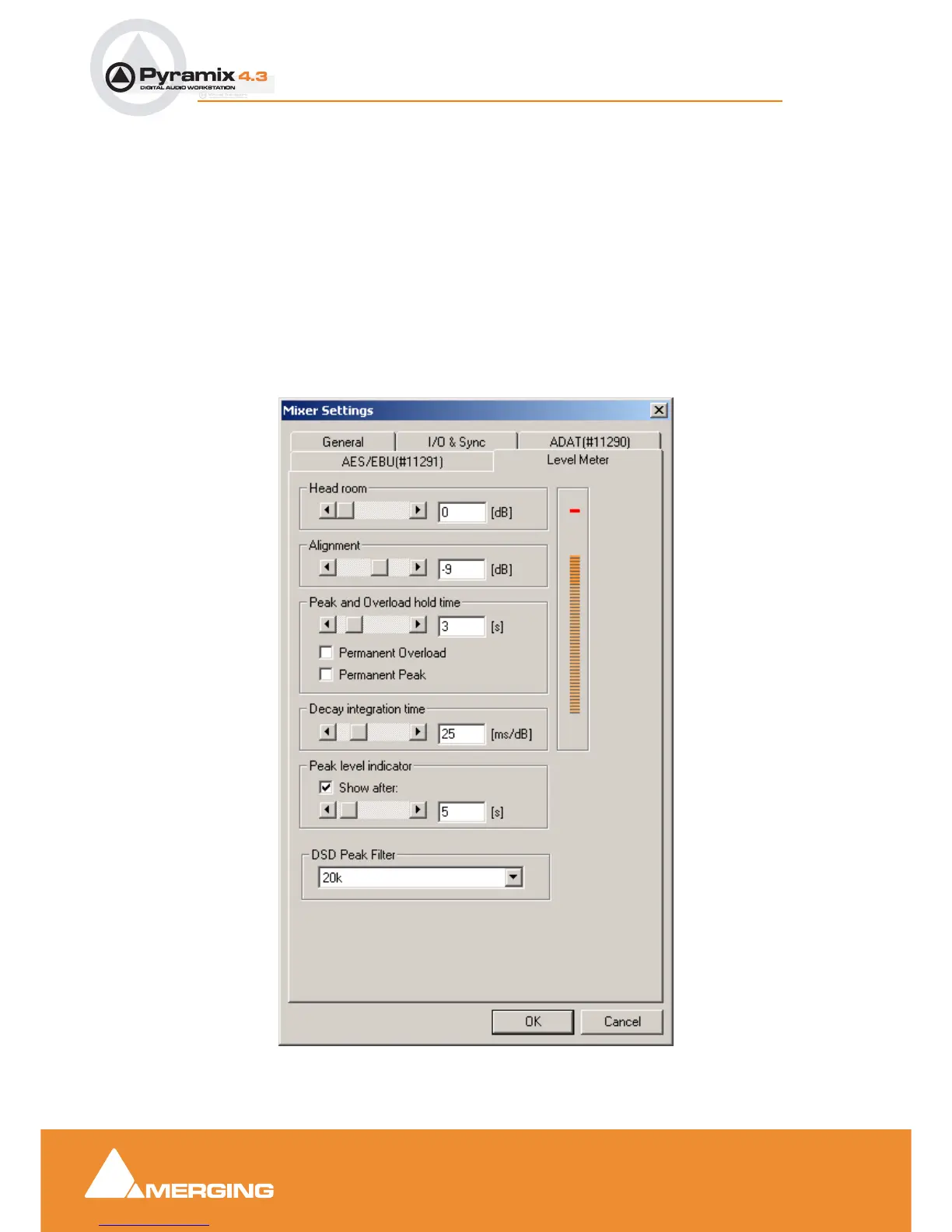
Level Meter
This page determines the appearance and behavior of the level meters in the Mixer and track Head-
ers. These settings only apply to the current Mixer. This allows each Mixer to have its own custom
General and Level Meter settings.
To change any of the settings, click the left or right buttons or drag the horizontal scroll bar to increment
or decrement the selected parameter. Alternatively, type directly into the number field for each parame-
ter (these fields will only accept numbers within the permissible range for each parameter). The color
graphic display of the level meter will respond immediately to show the effect of Headroom and Align-
ment parameter changes.
Mixer Settings dialog box - Level Meter Tab page



 To Next Page