User Manual : Project Management Panel Tabs
User Manual
145
Reverse Reverses the selection so it plays backwards
Export XML Description Exports Media Descriptions as an XML file
Quick Convert Process Properties Dialogs
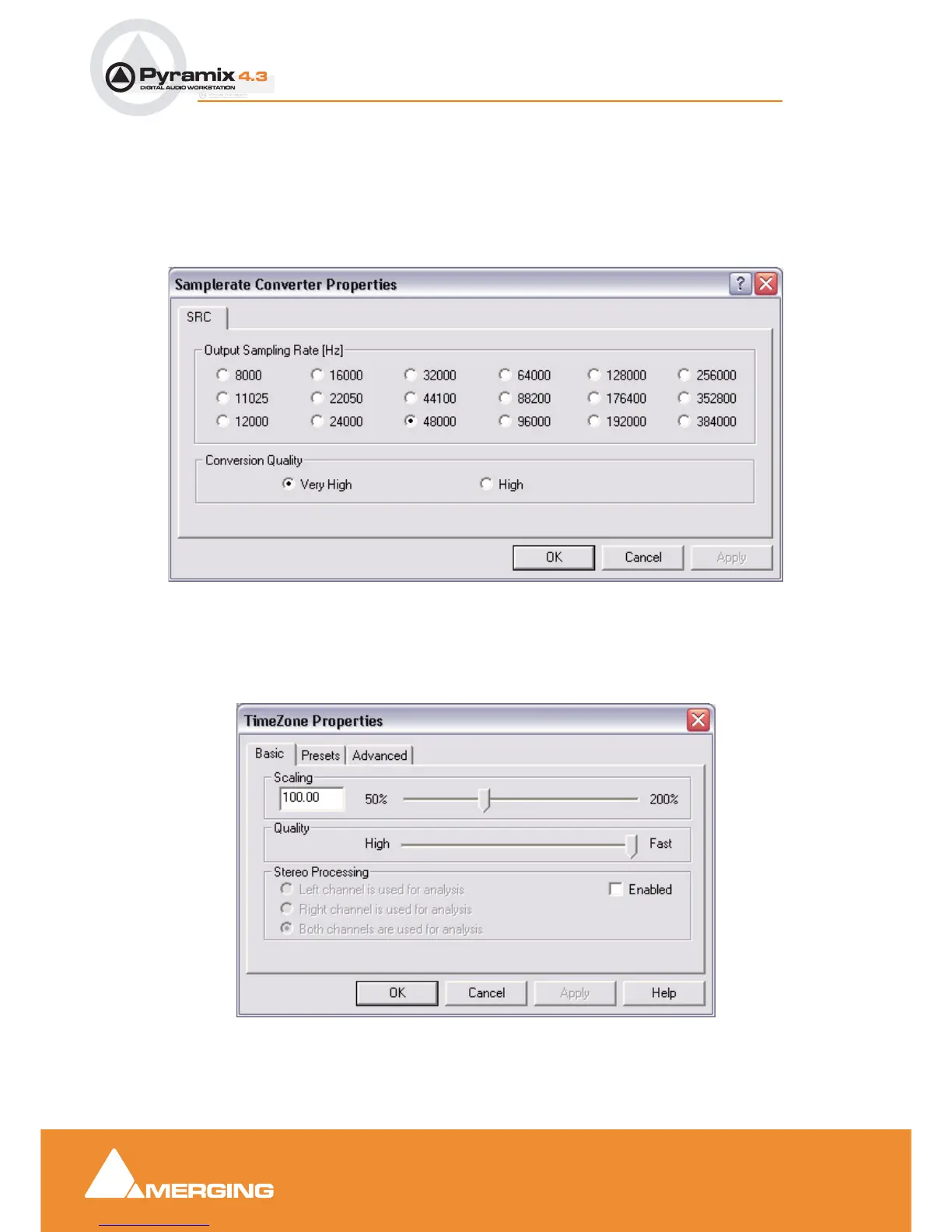
:Samplerate Converter Properties
Output Sampling Rate [Hz] select the desired sampling rate by clicking the relevant radio button.
Conversion Quality Select the desired quality. Very high offers better conversion but takes longer.
TimeZone Properties - Basic
Scaling Select the desired change in length in percentage by typing in the box or positioning the slider.
Quality The slider offers a choice between High Quality and Fast processing.
Samplerate Converter Properties dialog
TimeZone Basic Properties dialog



 To Next Page