User Manual : Navigation
User Manual
131
Snapshot Range inserts automation snapshots of all controls, specified in a list, on the current
Region Selection, if any, or between the Mark In and Mark Out cursor positions otherwise.
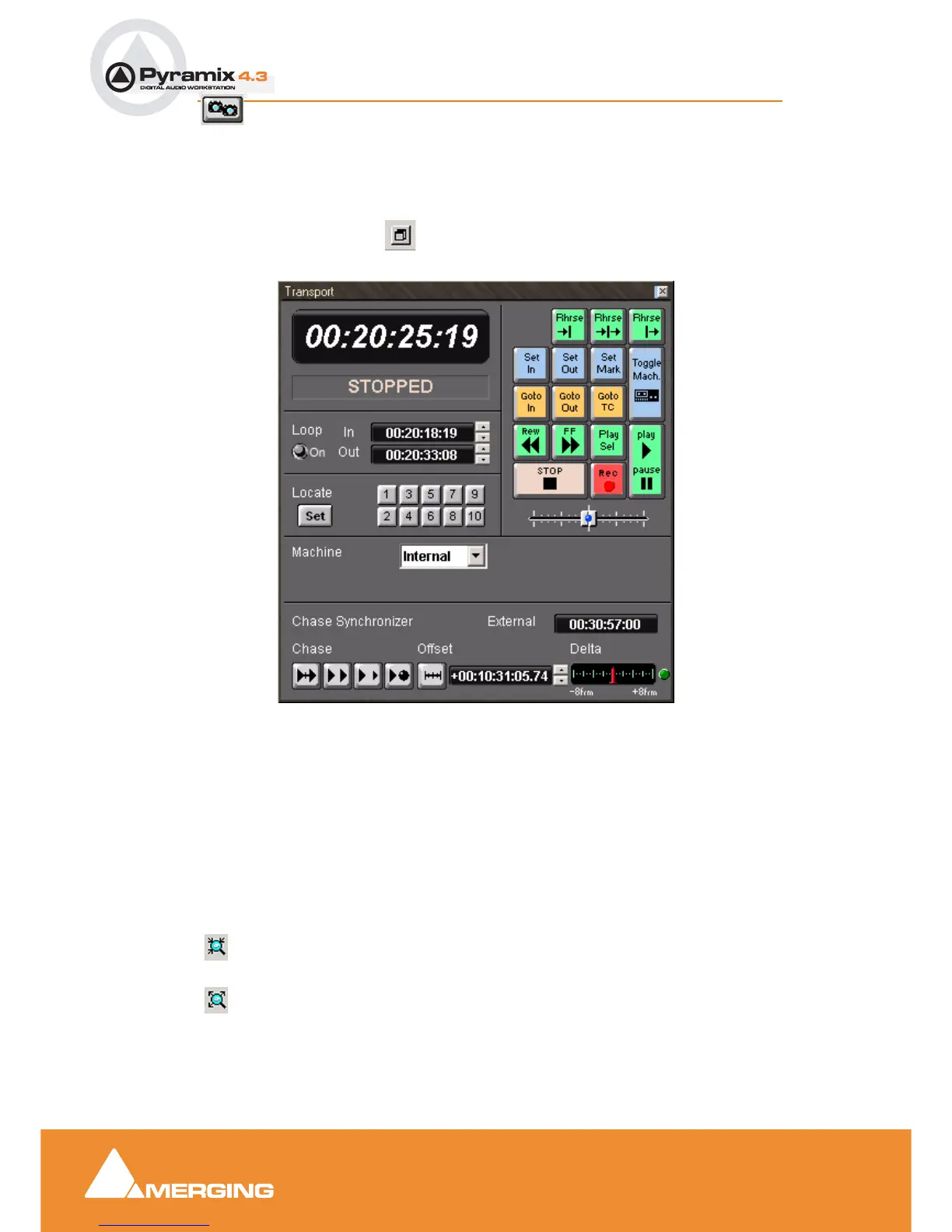
Transport Control Panel
When the Grow Box button is pressed the Transport Control bar opens into a larger, floating
control panel.
Note: The appearance of this window changes to reflect the capabilities and controls
of the current machine
Zooming and Panning
The Project Editing Panel allows two kinds of zoom: horizontal or Time Scale zooming; and vertical or
Track Height zooming.
Time Scale Zoom and Pan
Zoom In and
Zoom Out icons on the Toolbar zoom in or out at the current Play Head location. Multiple
presses continue zooming up to the limit of magnification.
Holding down the Alt key, then selecting an area of the Composition by clicking and dragging the
mouse to the left or right zooms in horizontally on the selected area.
Transport Control Panel floating Window



 To Next Page