User Manual : Cabling Pyramix in your System Environment
User Manual
24
Cabling Pyramix in your System Environment
Please read this in conjunction with the guide or guides for your specific interface daughter-cards and
external interfaces/converters.
Due to the number of possible I/O options and the variety of user environments it is impossible to cover
all the variations of cable connections to and from Pyramix.
However, here are some general rules and examples:
Audio Connections
Many users will have A/D Converters for feeding analog audio sources into Pyramix, and D/A Convert-
ers for playing analog audio out of Pyramix. In this case, connect your analog audio sources to the A/D
Converter analog audio inputs, and the A/D digital audio output(s) to the Mykerinos digital audio
input(s). Similarly, connect the Mykerinos digital audio output(s) to your D/A Converter digital audio
input(s), and the D/A Converter analog audio outputs to your studio monitors or recorders. It may be
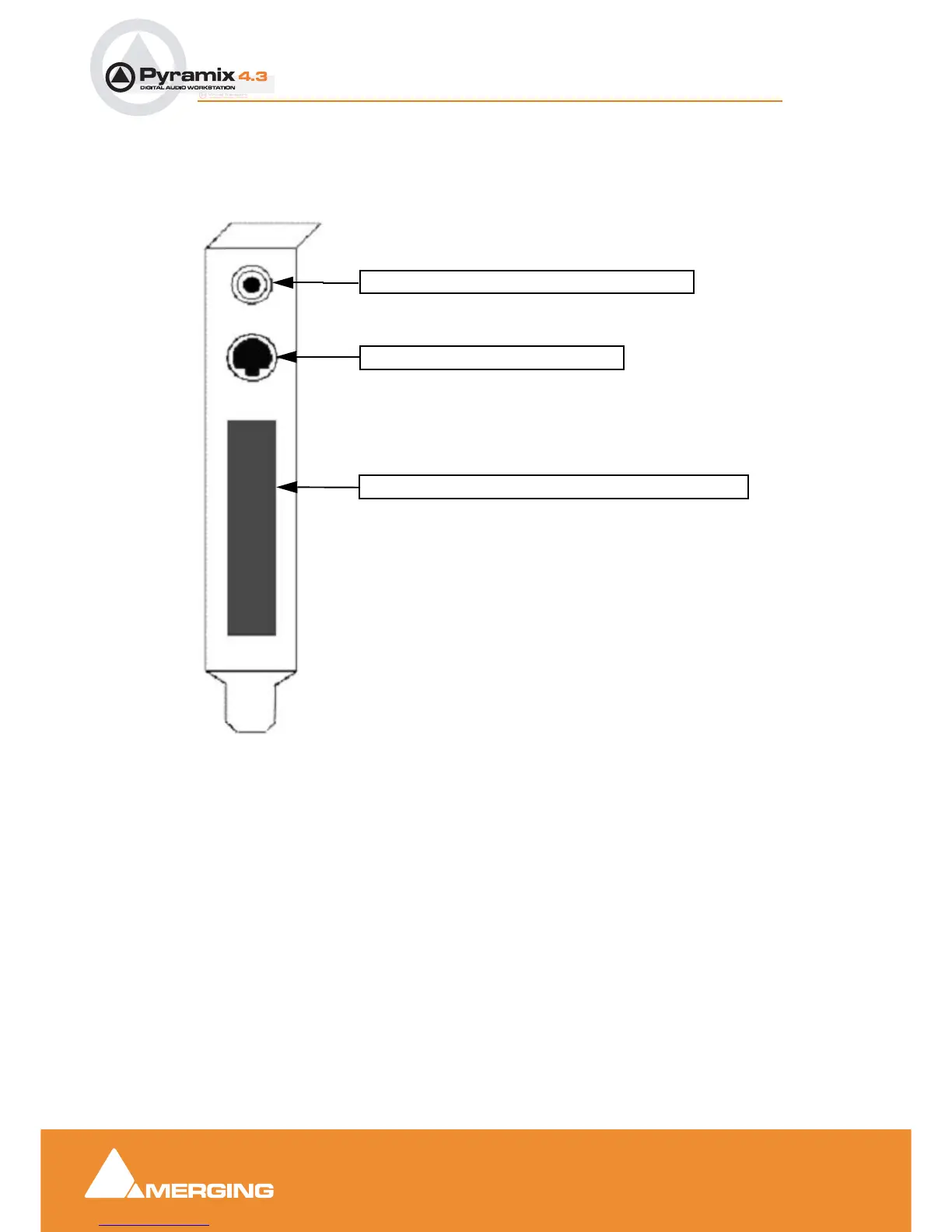
also be useful to connect the stereo mini-phone output on the Mykerinos card to either stereo head-
phones or a stereo monitor console input. The source for this jack can be configured inside the Pyramix
software.
3.5mm Mini-Phone Jack for analog monitor output
8-pin Mini-DIN for sync breakout cable
Area where I/O Daughter Card output connectors appear
Mykerinos Backplate



 To Next Page