Mettler Electronics Corp.— Rev.J_09/13/17
22
123
456
789
0
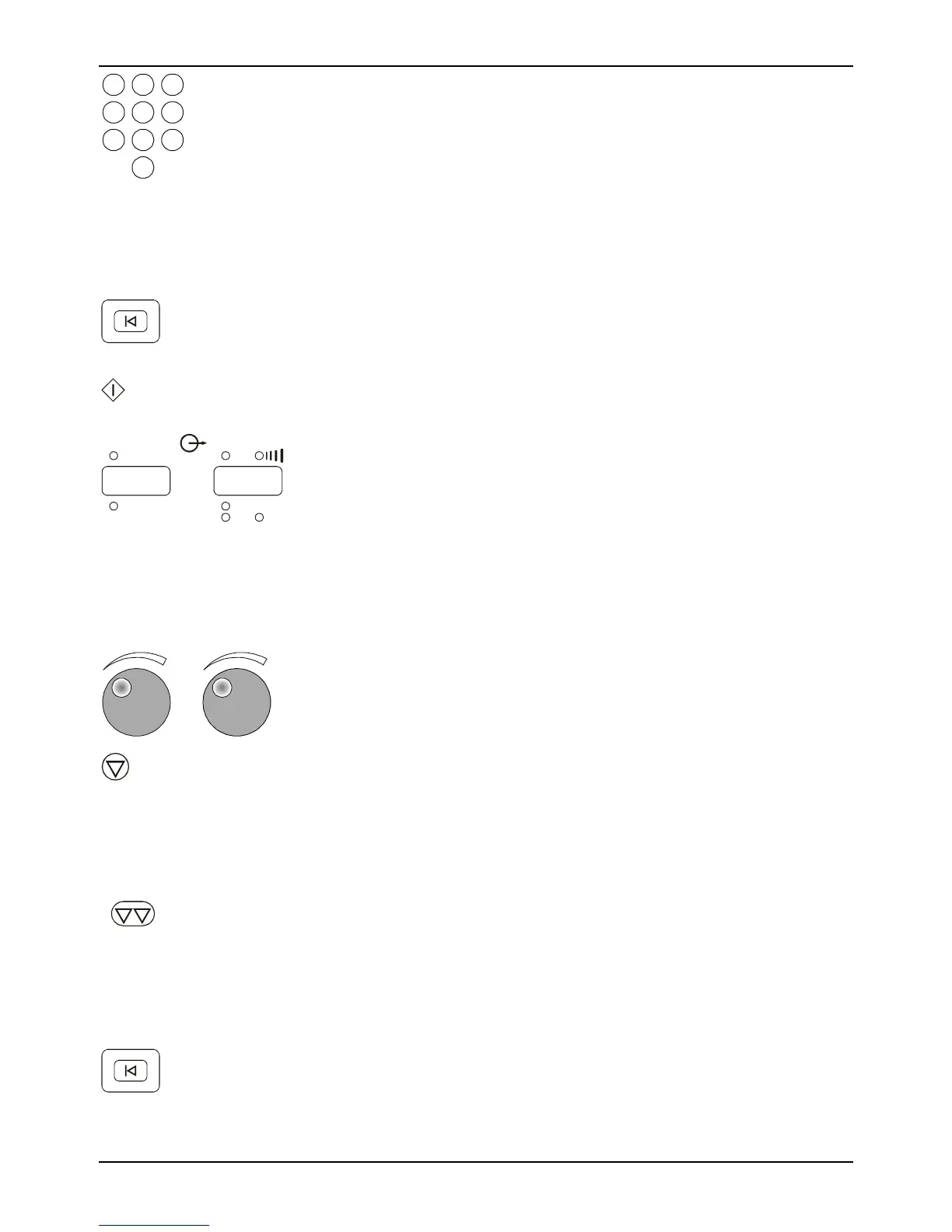
6. Select a treatment time using the numeric keypad. For
Ultrasound and Combination Therapy the maximum
treatment time is 30 minutes. For Electrical Stimulation the
maximum treatment time is 60 minutes. If no treatment time
is input, the timer will continue to run until the maximum
time elapses.
7. For ultrasound and combination therapy apply gel to the
treatment area. For electrical stimulation and combination
therapy apply electrode(s) to the patient as indicated.
Reset
Setup
8. At any time up until the start key is pressed, the “Reset
Setup” key may be pressed to clear the setup information.
Return to number 2 to restart the setup process.
Start
9. Press the start key to begin treatment.
Output
Stimulation/ Ultrasound
mA
W
12
mA
2
W/cm
000 000
10. Amber LED indicators for the outputs for electrical
stimulation and ultrasound will illuminate when you start a
treatment. The numeric display shows the output for the
selected channel(s) or ultrasound. The green LED indicators
located below the numeric display indicate the output units.
Flashing amber LED indicators indicate active channel(s)
whose output intensity is not currently displayed. If a
channel is not active, the numeric display will show
“- - -“.
11. Adjust treatment output intensity by rotating the knobs
clockwise to increase output and counterclockwise to
decrease output.
Hold
12. Use this button to stop the treatment output that is currently
being displayed by the Sonicator Plus 930. All treatment
parameters will still be as you programmed them. For
ultrasound, the output intensity will also be remembered. For
stimulation, you will be required to readjust the output
intensity starting at zero if you resume treatment.
Stop All Output
13. Use this button to stop all active treatments. Treatment
parameters will still be active so you would be able to resume
treatment at any time. For ultrasound, the output intensity
will also be remembered. For stimulation, you will be
required to readjust the output intensity starting at zero if
you resume treatment.
Reset
Setup
14. Remove the electrodes from the patient and return them to
their package for storage. Remove gel residue from the
patient’s skin. After the treatment ends, you can press the
“Reset Setup” or the channel selector to free up the channel(s)
for the next treatment selection.



 To Next Page