AirConditioningandAudioSystems
Keypad
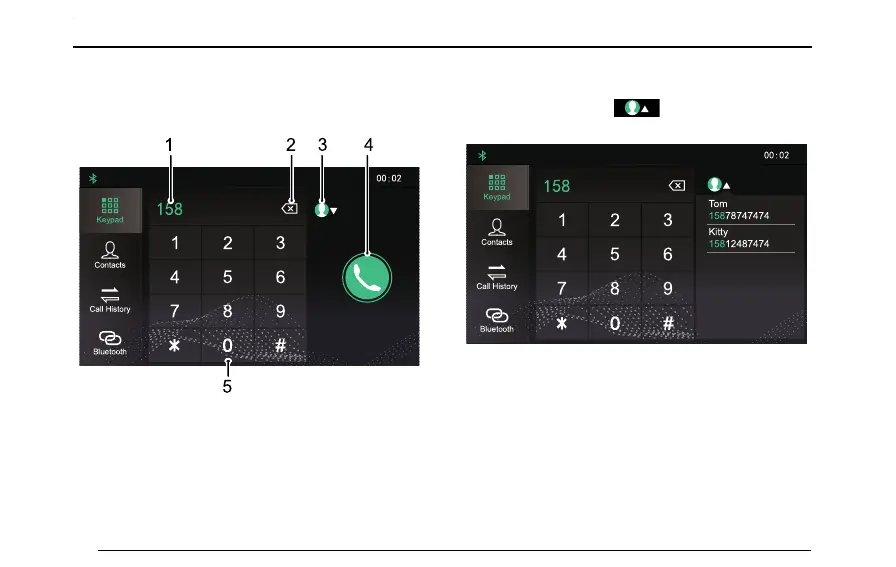
T ouchPhoneareainthemaininterfacetoentertheKeypad
inputinterface.
11 ;; 11 33
Bluetooth
Keypad
Contacts
Call History
2
2
6
6
9
9
1
5
2 3 4
1InputBox
Y oucaninputthephonenumbertobedialed.
2Backspace/DeleteButton
3MatchingaContact
Inputrstthreedigitsofthephonenumber,thesystem
willmatchthenumberwithacontactintheContacts
immediately.T ouchtoretractthematching
results.
11 ;; 11 33
2
2 66 99
To m
158 7874 7474
Kitty
1581248 7474
Bluetooth
Keypad
Contacts
Call History
4MakingaCall
5InputKeypadArea
Inputguresandsymbols.
90



 To Next Page