AirConditioningandAudioSystems
SystemOn/Off
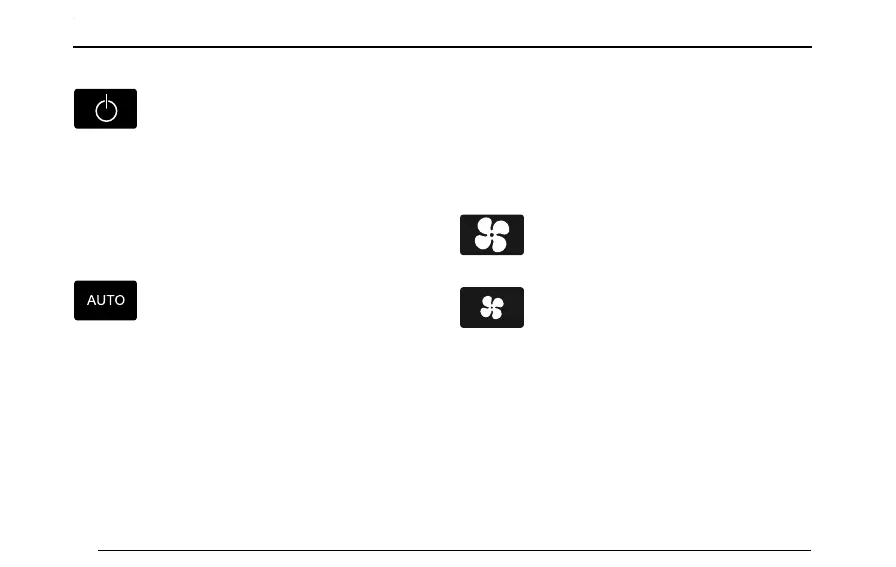
PresstheSystemSwitchButtononthecontrol
paneltoturnon/offtheairconditioningsystem.Whenthe
airconditioningsystemisswitchedon,itdefaultstothe
statebeforeitisturnedofflasttime.
Note:Turnofftheentertainmentsystemdisplay,the
airconditioningsystemcanstillbeoperational.
AUTOControl
RotatetheT emperatureControlKnobon
thecontrolpanel,aftersettingtherequiredtarget
temperature,presstheAUTOModeButtontoenterinto
theautomatictemperaturecontrolmode.
IntheAUTOmode,thesystemadjuststheairdistribution
modeandtheblowerspeedautomatically,toachieveand
maintaintherequiredtargettemperature..
Note:ToensuretheAUTOcontroloperatesefciently,
allwindowsandthesunroofmustbeclosedandthe
inletventsmustbeclearofobstruction.DONOT
shieldthesolarsensor(ontopofthedashboard).
Y oucansettheairdistributionandblowerspeedmanually,
ifyouprefer.Inthiscondition,AUTOsymbolisnotshown,
indicatingthatAUTOModeisnotselected.
BlowerSpeedControl
PresstheBlowerSpeedUpButtononthe
controlpaneltoincreasetheblowerspeed.
PresstheBlowerSpeedDownButtononthe
controlpaneltodecreasetheblowerspeed.
T emperatureControl
RotatetheRightZoneT emperatureControlKnobor
theleftZoneT emperatureControlKnobtosetthe
correspondingsidetemperatureinthecar.
RotatetheT emperatureControlKnobclockwiseto
increasethetemperatureorrotateanti-clockwiseto
reduce.
74



 To Next Page