AirConditioning
USBPort
KeeptheUSBportsclean,toavoidblocked
portwhichmayresultindevicefailure.
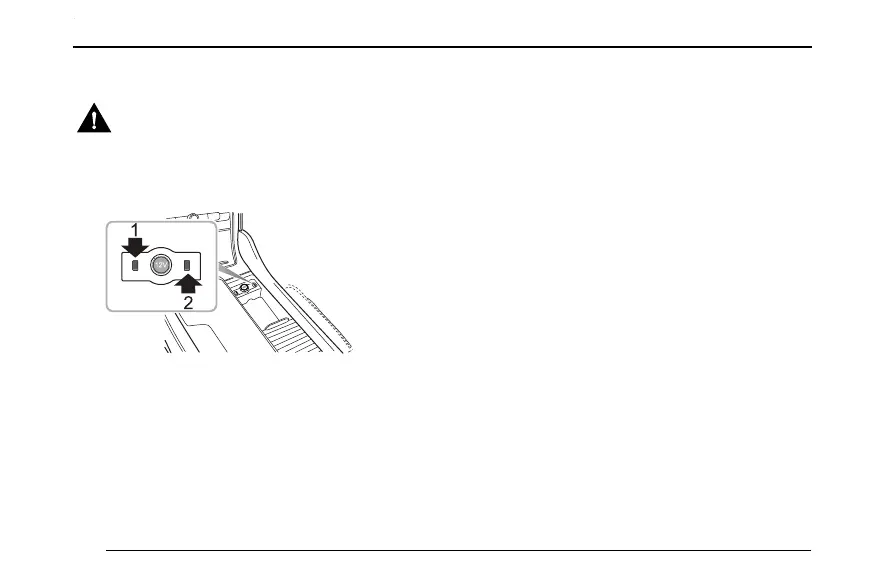
TheUSBportsarelocatedatthefrontofthecentre
consolecupholder.
USBPort1cannotonlyachievethedatatransmission
function,supportUSBmusic,video,AppleCarPlay,and
otherfunctions,butalsosupplya5Vvoltagewhenserving
asthepoweroutlet.
USBPort2canonlysupplya5Vvoltagewhenservingas
thepoweroutlet.
Note:IftheUSBashdriveisnotinuseforalong
time,DONOTleavetheUSBashdriveconnectedto
guaranteegoodconnectivity.
Connecting/DisconnectingtheUSBStorage
InsertingtheUSBStorageDevice
InserttheUSBstoragedeviceintotheUSBportfor
connection.
RemovingtheUSBStorageDevice
Note:Ifdatalossordamageoccurstothestorage
deviceforanyreason,datawillgenerallyneverbe
recovered.Fordamages,costsorexpensesdueto
datalossordamage,themanufacturerassumesno
responsibility.
Note:SomeUSBstoragedevicemaynotbe
recognized.
Note:Theentertainmentsystemmaynotachieve
itsoptimumperformancewhenusingwithsomeUSB
storagedevice.
110



 To Next Page