© Microhard Systems Inc. 15
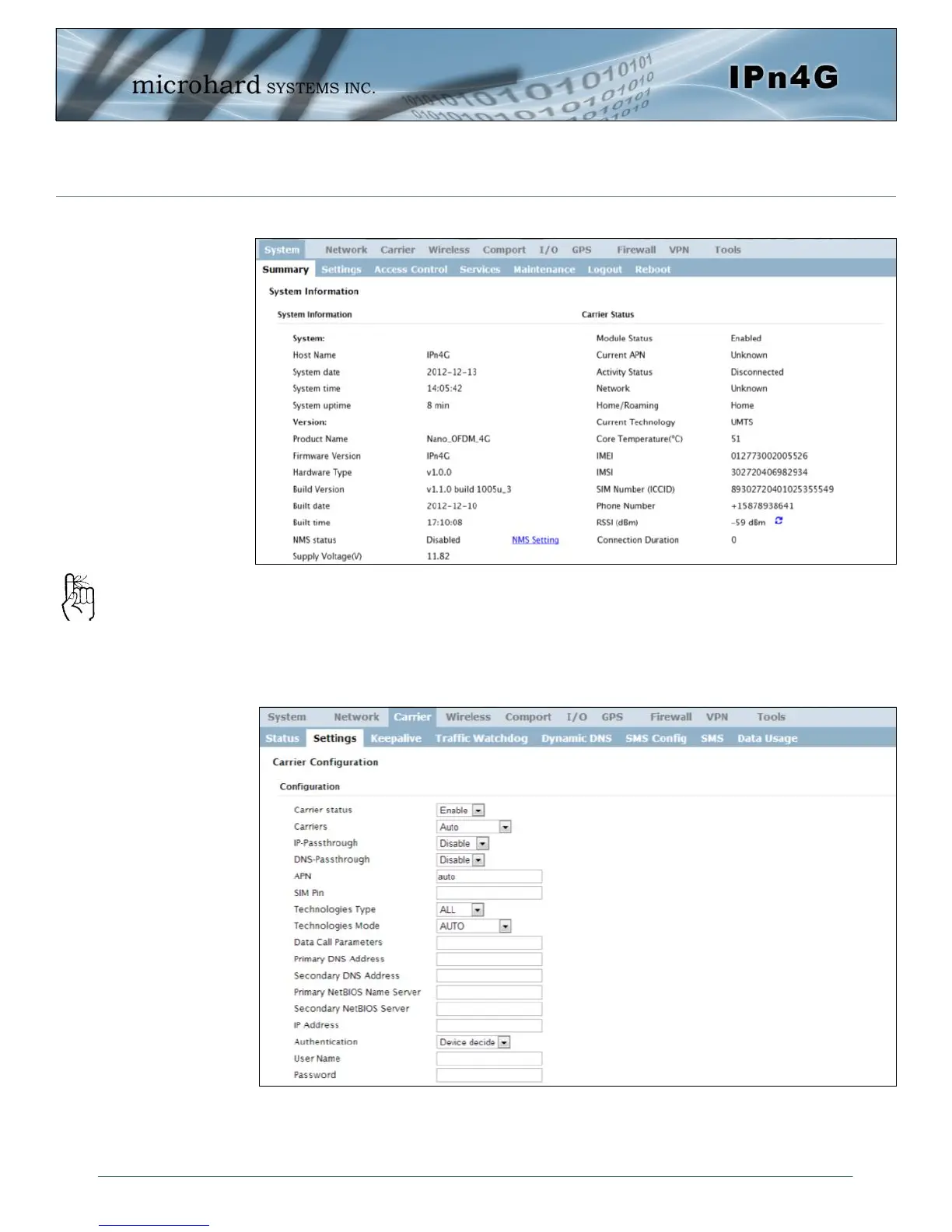
Once successfully logged in, the System Summary page will be displayed.
As seen above under Carrier Status, the SIM card is installed, but an APN has
not been specified. Setting the APN to auto (default) may provide quick network
connectivity, but may not work with some carriers, or with private APN’s. To set
or change the APN, click on the Carrier > Settings tab and enter the APN sup-
plied by your carrier in the APN field. Some carriers may also require a User-
name and Password.
Once the APN and any other required information is entered to connect to your
carrier, click on “Submit”. Return to the System > Summary tab.
2.0 Quick Start
Auto APN: Introduced in
firmware version v1.1.0-
r1038, the IPn4G will
attempt to detect the
carrier based on the SIM
card installed and cycle
through a list of
commonly used APN’s to
provide quick network
connectivity.



 To Next Page