© Microhard Systems Inc. 57
4.0 Configuration
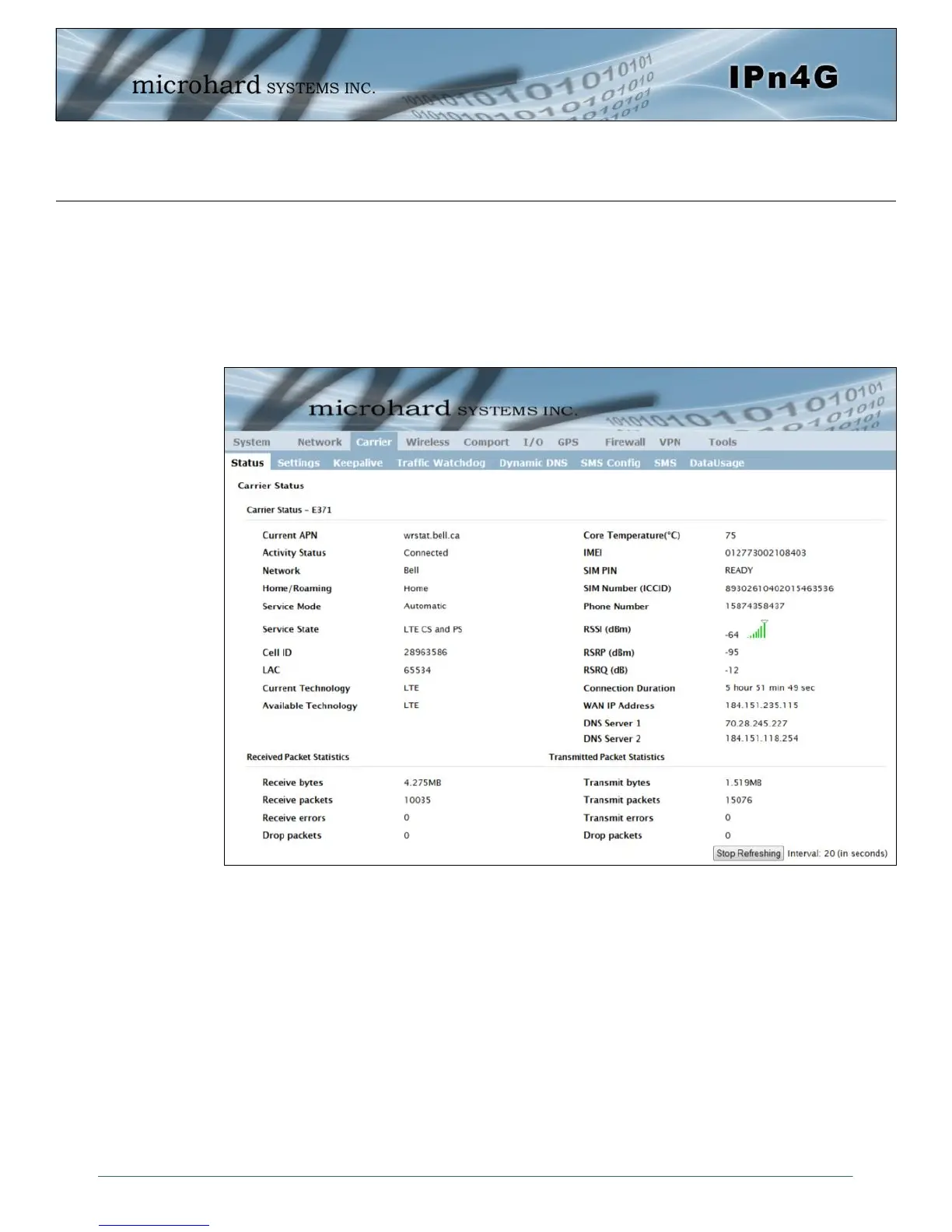
Image 4-3-1: Carrier > Status
4.3 Carrier
4.3.1 Carrier > Status
The Carrier Status window provides complete overview information related to the Cellular Carrier portion of
the IPn4G. A variety of information can be found here, such as Activity Status, Network (Name of Wireless
Carrier connected) , Data Service Type (WCDMA/HSPA/HSPA+/LTE etc), Frequency band, Phone
Number etc.
Not all statistics parameters displayed are applicable.
The Received and Transmitted bytes and packets indicate the respective amount of data which has been
moved through the radio.
The Error counts reflect those having occurred on the wireless link.



 To Next Page