© Microhard Systems Inc. 78
4.0 Configuration
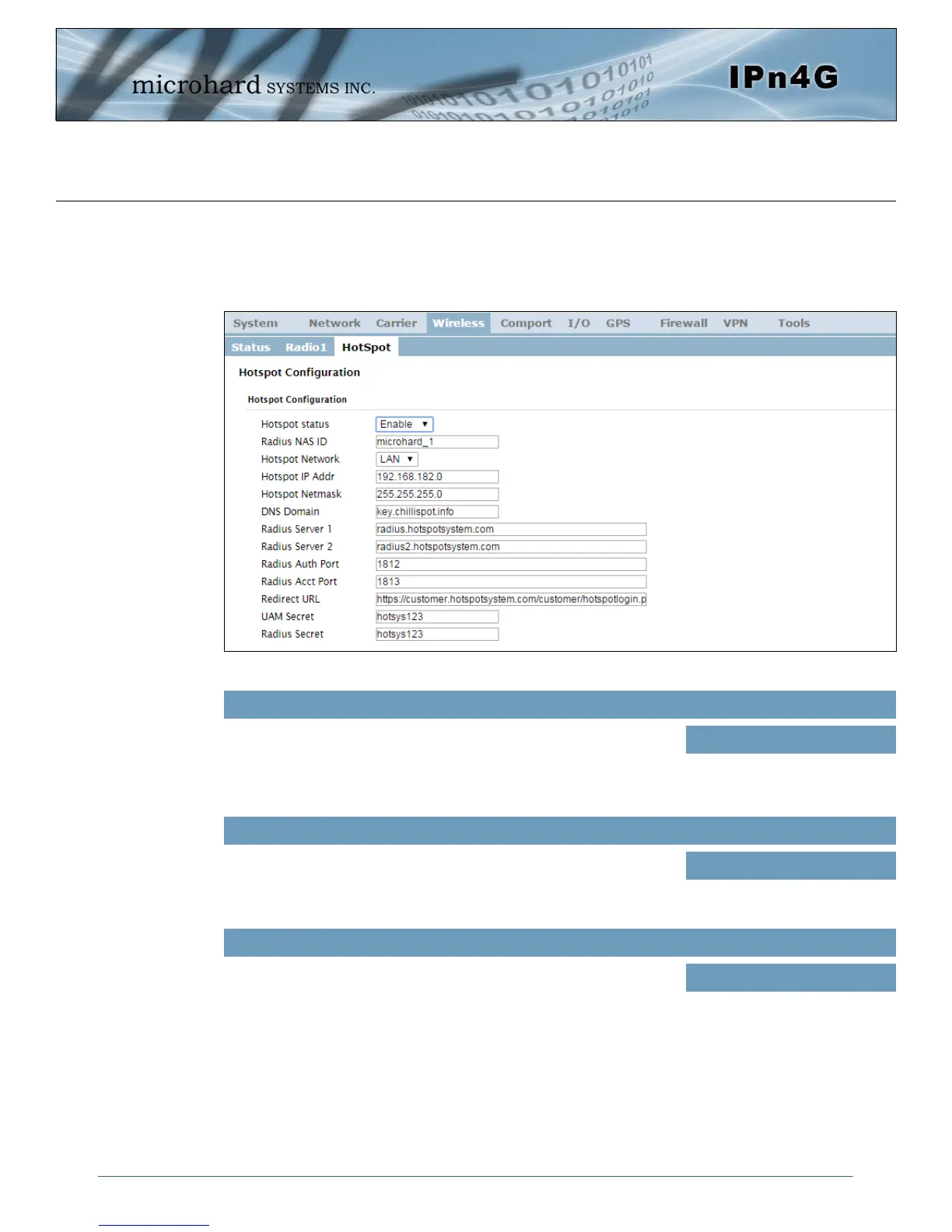
Image 4-4-5: Wireless > Hotspot
4.4.3 Wireless > HotSpot
The Wireless Hotspot configuration is used when providing public hotspot services and it is
required to use a server or web based authentication service to verify users.
Use this option to enable or disable the hotspot authentication
service.
Hotspot Status
Values (selection)
Enable / Disable
This is the RADIUS name of your Hotspot as given by your
Hotspot Service Provider.
Radius NAS ID
Values
Microhard_1
This field is used to specify which configured network is bonded
to the hotspot. Sub networks can be created in the Network >
LAN menu, which are dedicated to the hotspot devices.
*The DHCP service for the network used should be turned off
as all IP address assignments will be made by the hotspot
service provider.*
Hotspot Network
Values
Varies



 To Next Page