© Microhard Systems Inc. 72
4.0 Configuration
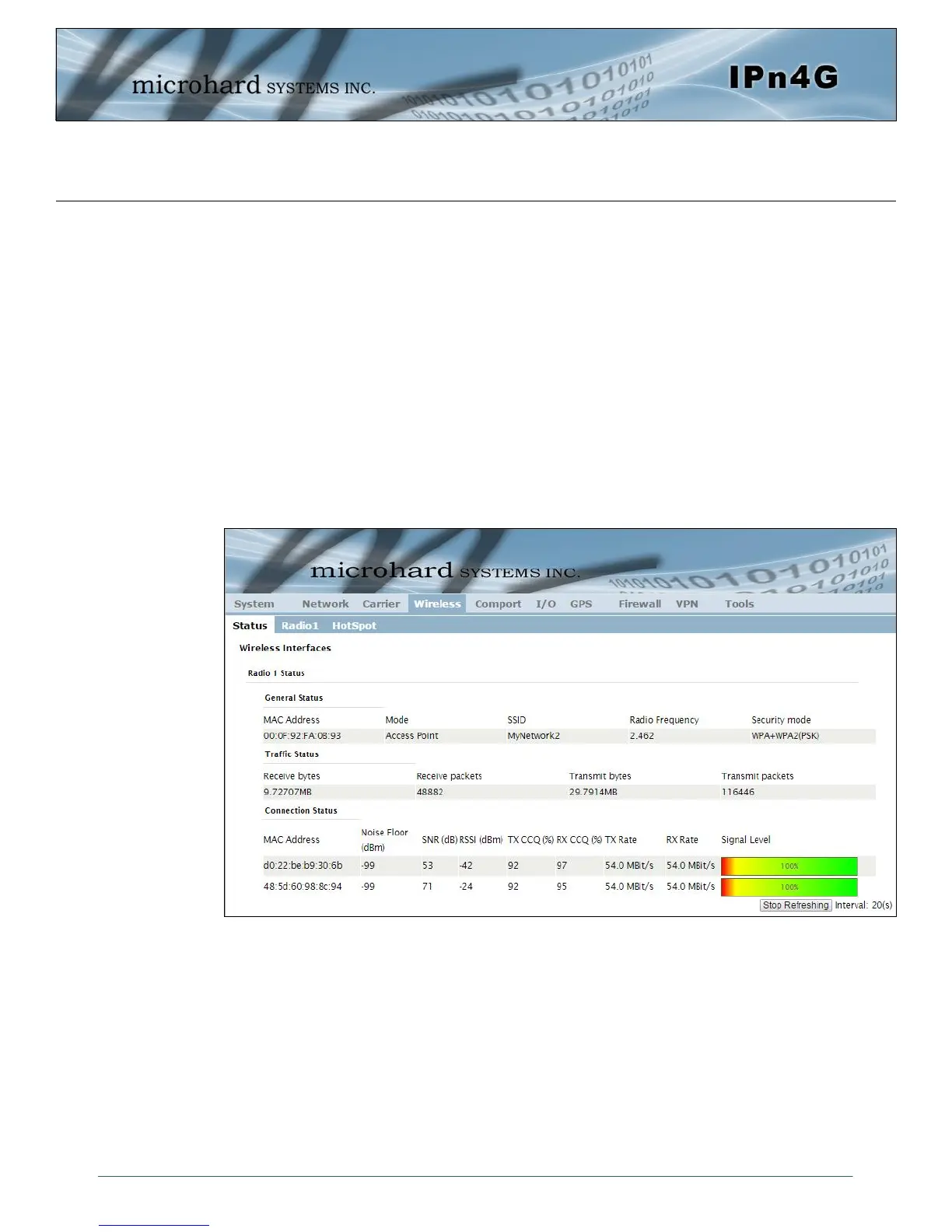
Image 4-4-1: Wireless > Status
4.4 Wireless (WiFi)
4.4.1 Wireless > Status
The Status window gives a summary of all radio or wireless related settings and connections.
The General Status section shows the Wireless MAC address of the current radio, the
Operating Mode (Access Point, Client, MESH etc), the SSID being used, frequency channel
information and the type of security used.
Traffic Status shows statistics about the transmitted and received data.
The IPn4G shows information about all Wireless connections in the Connection Status section.
The Wireless MAC address, Noise Floor, Signal to Noise ratio (SNR), Signal Strength (RSSI),
The transmit and receive Client Connection Quality (CCQ), TX and RX data rates, and a
graphical representation of the signal level or quality.



 To Next Page