© Microhard Systems Inc. 32
4.0 Configuration
4.1.3 System > Access Control
Users
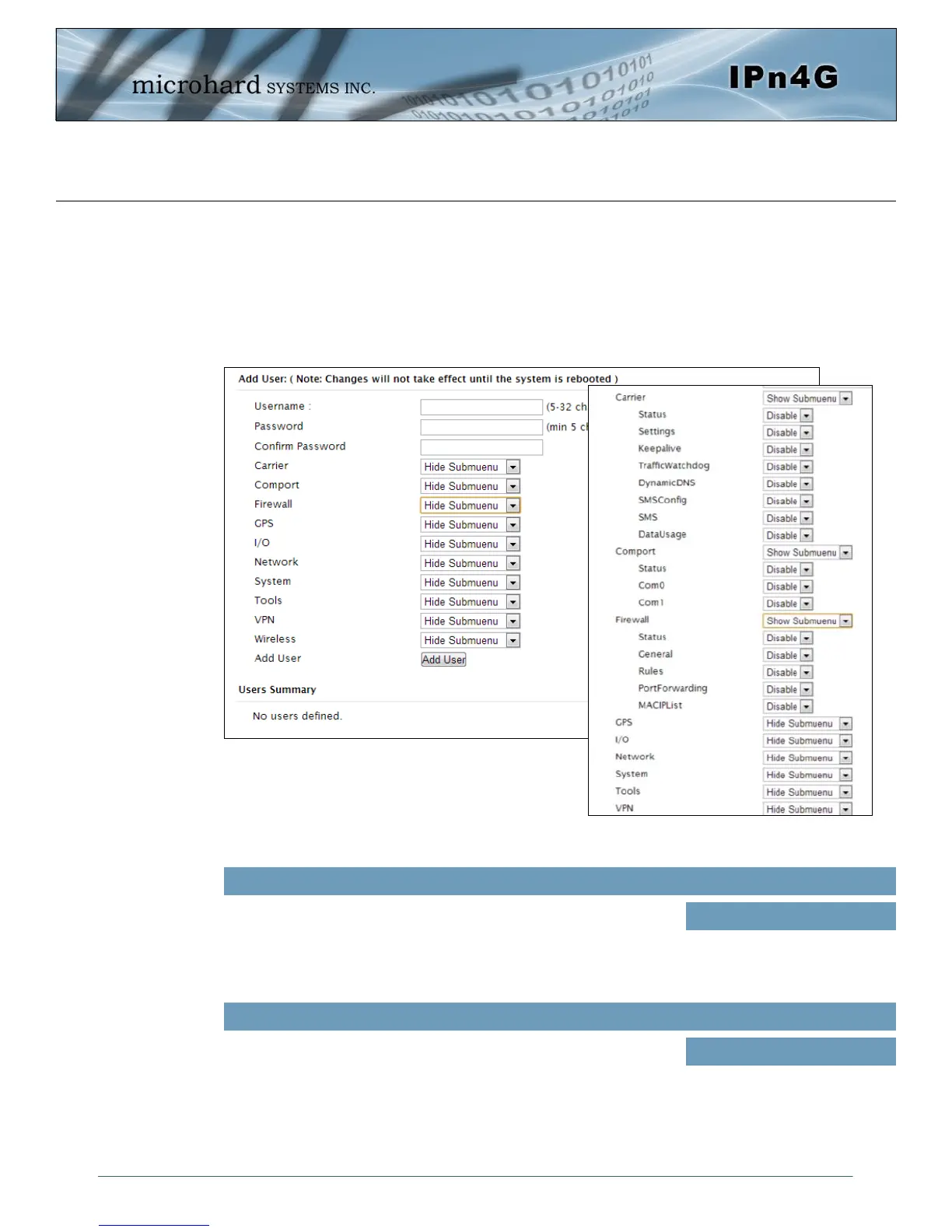
Different users can be set up with customized access to the WebUI. Each menu or tab of the
WebUI can be disabled on a per user basis as seen below.
Image 4-1-6: Access Control > Users
Enter the desired username. Minimum or 5 character and maximum of
32 character. Changes will not take effect until the system has been
restarted.
Username
Values (characters)
(no default)
Min 5 characters
Max 32 characters
Password / Confirm Password
Passwords must be a minimum of 5 characters. The Password must
be re-entered exactly in the Confirm Password box as well.
(no default)
min 5 characters
Values (characters)



 To Next Page