Technical and Functional Details
CE-500 MDT Hardware Guide
The USB Client functionality of this port is used to connect the CE-50X terminal to host devices, such as
PC or Notebook. Microsoft Active Sync protocol is implemented in the platform to support a variety of:
Microsoft Windows CE device configuration
Management tools
Application development
Debugging purposes.
In addition, the USB Client functionality is used by certain Micronet tools for device uploading and
management during the boot mode.
The USB Host functionality of this port is used to connect the CE-50X terminal to USB Client devices,
including USB keyboard and memory steak.
NOTE:
The USB OTG port is limited to provide up to 100mA of power consumption for non-self
powered client devices.
The USB OTG port supports USB2.0 - low, full, and high speeds of communication standard.
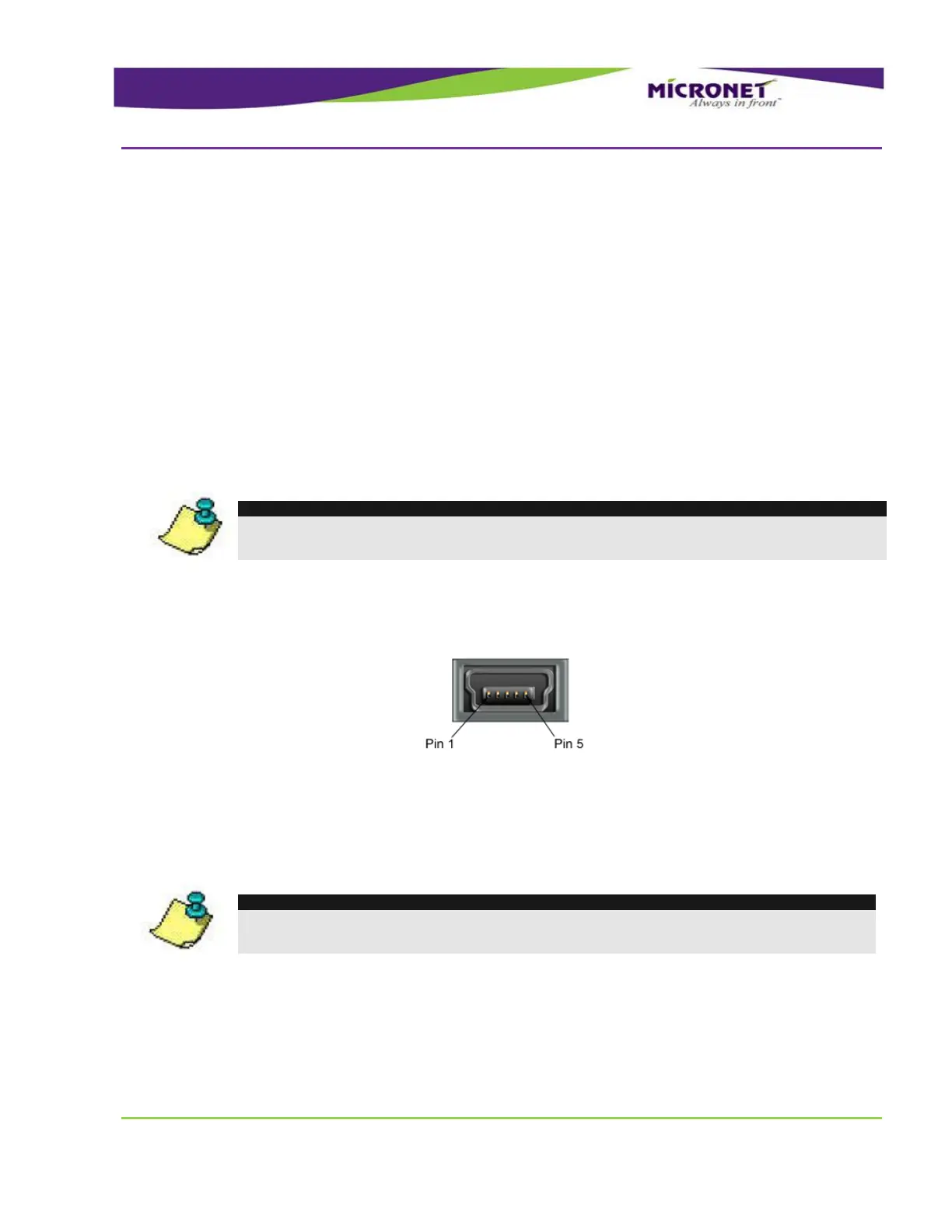
The USB OTG connector type is – Mini-AB Female.
The USB Host communication port is connected to the Main Terminal “Con1” connector, which is located
on the bottom panel of the device. This port supports USB2.0 - low, full, and high speeds of
communication standard.
NOTE:
The USB Host port is limited to provide up to 100 mA of power consumption for non-self
powered client devices.
For the disposition map of the signals of this port on Main Terminal “Con1” Connector, see page 38.
In the Fixed-mount mode, this port requires Main Accessory Cable connection. For the disposition map
of the signals of this port on the Main Accessory Cable, see Accessories Main Interface cable USB
Connector, on page 62.


 To Next Page