9
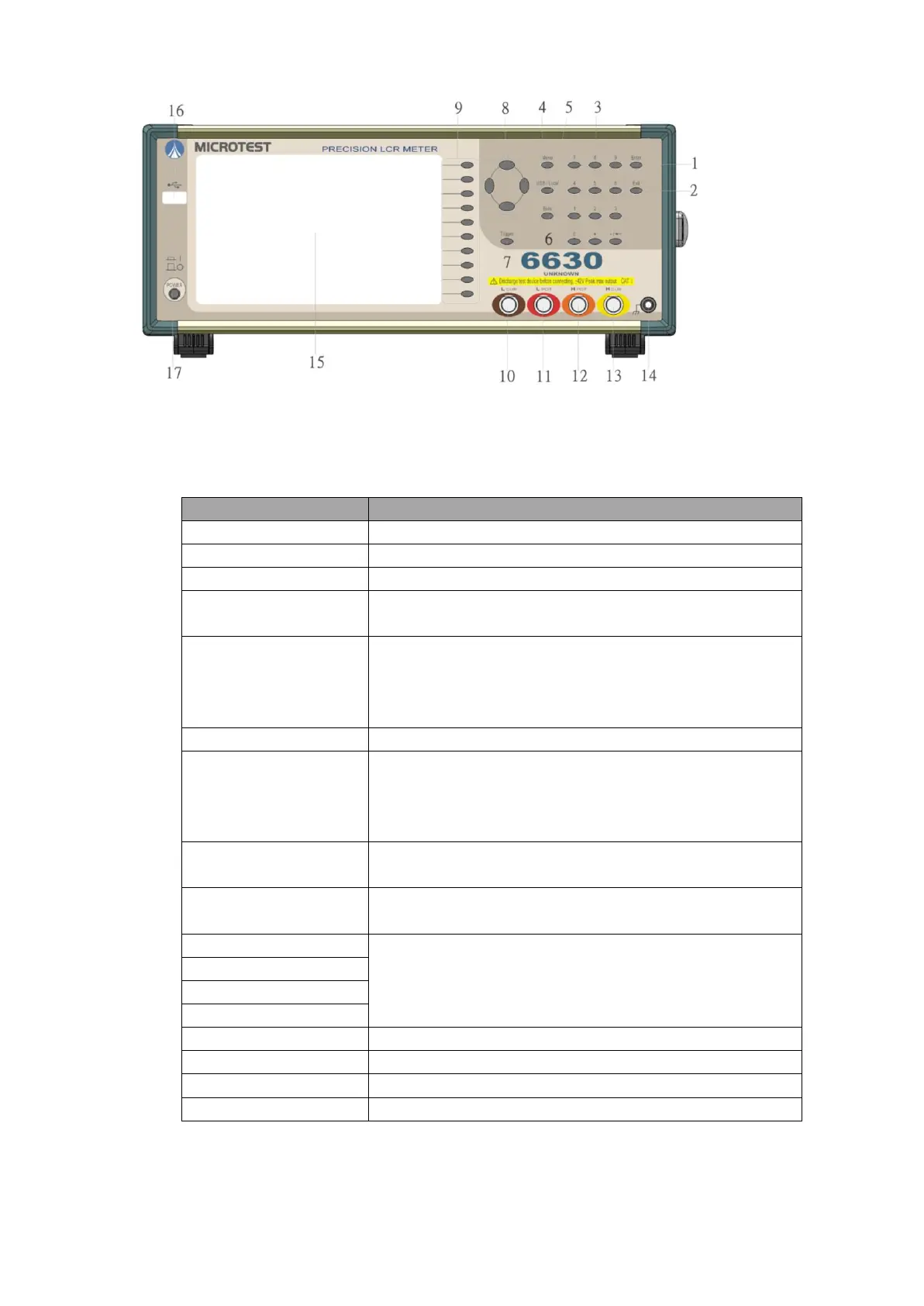
3.2 Description of function keys on front panel
*Rear view (millimeters)
For selecting Meter, Multi-step, Trace, Trim and System
modes, etc.
GPIB computer remote control wire. Such key will be
locked to prevent from controlling the push key and the
computer by both sides. To use the keypad again,
press this key again.
For connecting the Bias unit and for executing on/off.
For starting the test. When the instrument is under sin-
gle-mode testing status, press “Trigger” to obtain the re-
sult of such test and the instrument will stop the testing
action, waiting for next starting or other function change.
For selecting menu items. The “Up/Down/Left/Right”
key set and control the cursor movementon the screen.
For executing the function indicated for the position cor-
responding to the Function key.
This terminal is used for grounding
For accessing data and image.



 To Next Page