44
7. SYSTEM CNOFIG
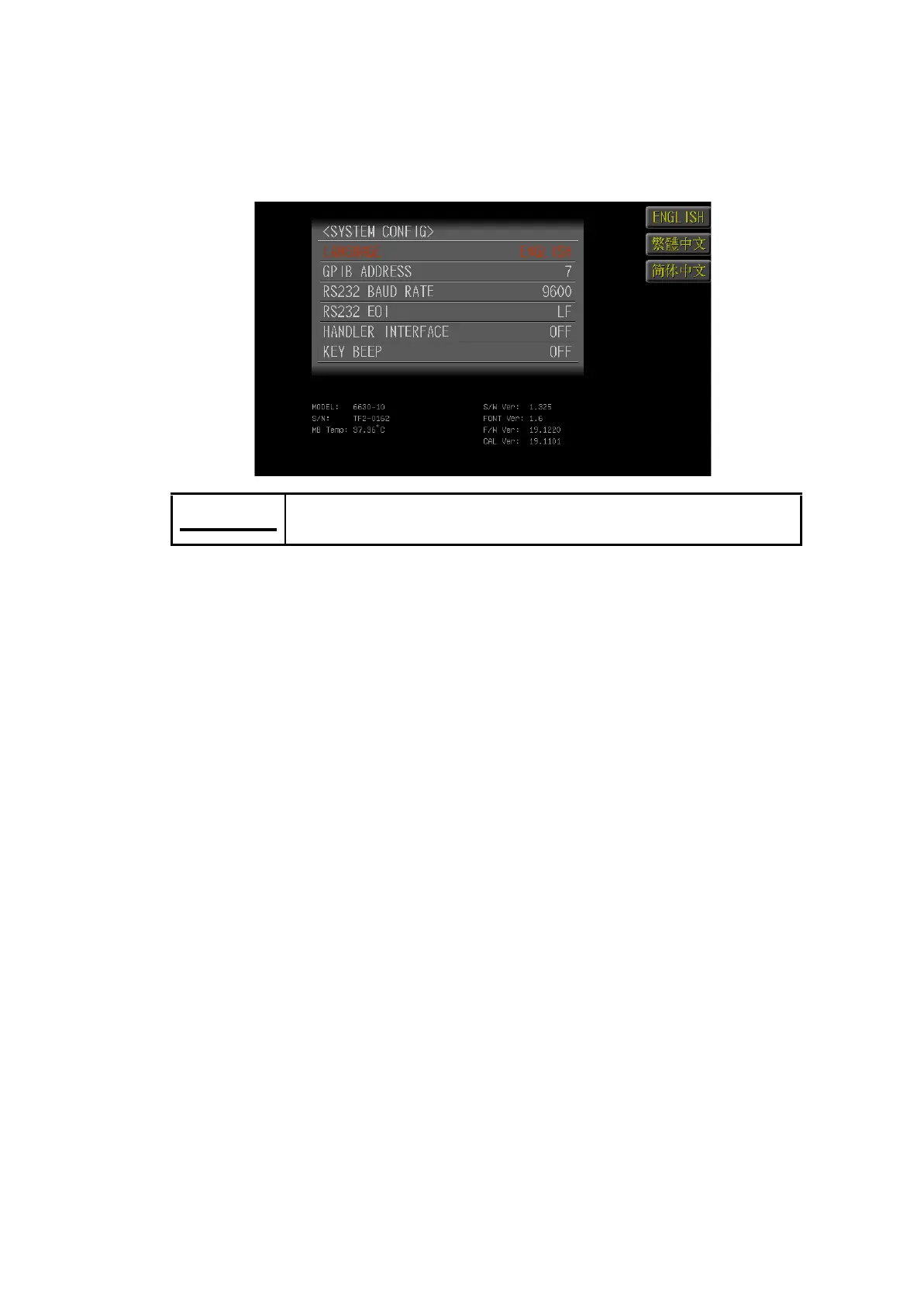
Press <Menu> key and then select <SYSTEM> mode for accessing the SYSTEM
CONFIG page. The 6630 LCR Meter supports 3 language interfaces, <English>,
<Traditional Chinese> and <Simplified Chinese>. The language can be preset with
the function key.
7.1 LANGUAGE
Under SYSTEM CONFIG page, select <LANGUAGE> and use<English>,<Tra-
ditional Chinese> and <Simplified Chinese> function key to set the language in-
terface.
7.2 GPIB ADDRESS
Under SYSTEM CONFIG page, select <GPIB ADDRESS> and set the GPIB Ad-
dress within the range of 1~30 with the numeric keypad.
7.3 RS232 BAUD RATE
Under SYSTEM CONFIG page, select <RS232 BAUD RATE> and use <14400>,
<19200>, <38400>, <56000> and <115200> function key to set the RS232 Baud
Rate.
7.4 RS232 EOI
Under SYSTEM CONFIG page, select <RS232 EOI>and use <LF>, <CR> and
<LF+CR> function key to set the RS232 End of Identify.
7.5 LAN PORT
Selecting <LAN PORT> from the system setting screen also allows selecting of
ON or OFF. The LAN setting may be set as manual or automatic, allowing users
to control the instrument using LAN functions.



 To Next Page