27
4.16 COMP (Comparison)
Under the Meter Mode page, select <COMP> with <Direction> key to access the
comparison setup page.It is preset as “No”. When selecting “Yes”, the high/low
limit range must be set for using as the measuring setup of the production line or
the automated process.
4.16.1 COMPARATOR SETUP
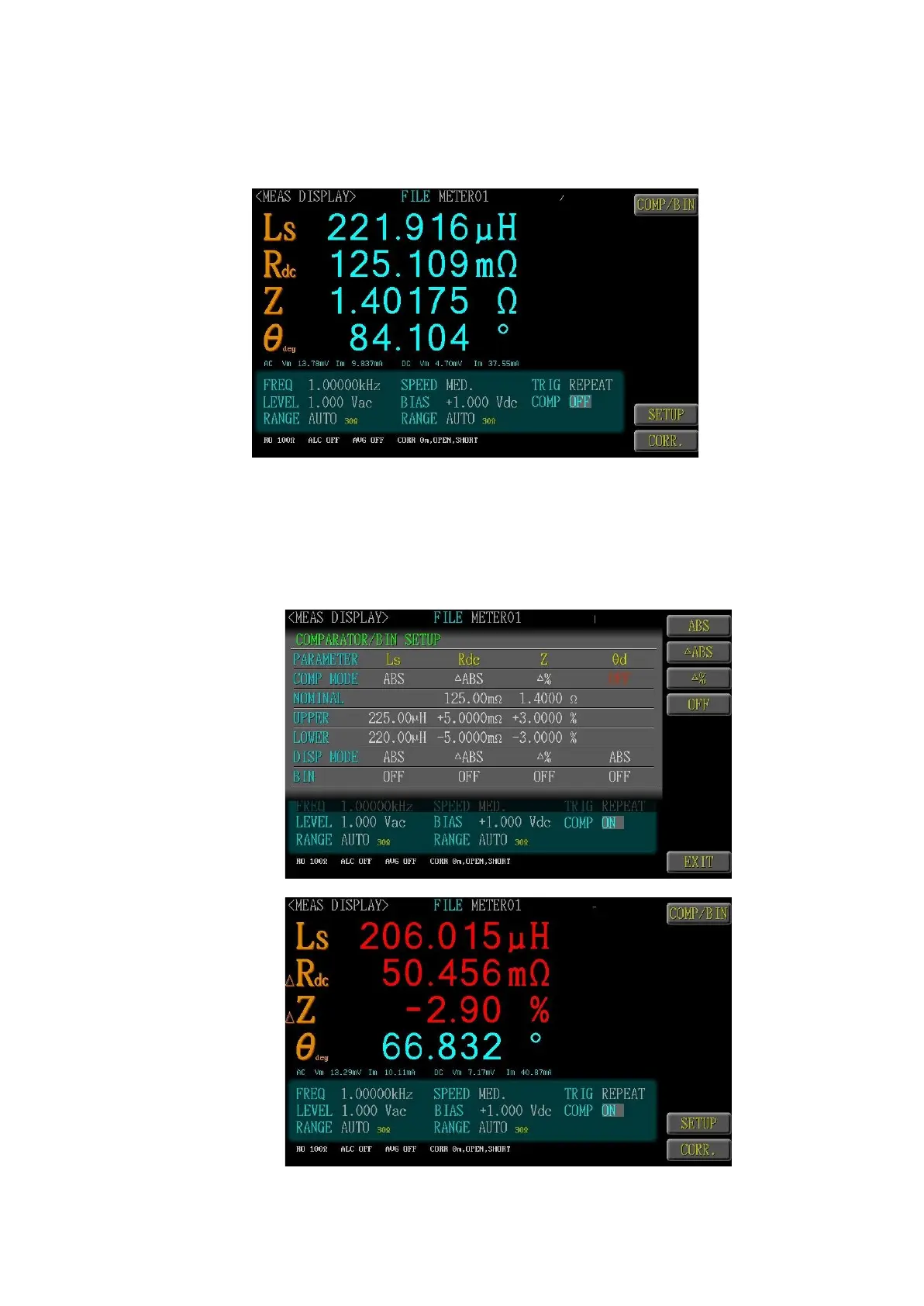
Preset a reference value and upper and lower limit values as the com-
parative reference, and displaya comparative result as green font (meas-
ured value is between UPPER and LOWER), red font (measured value
exceed UPPER and LOWER).



 To Next Page