21
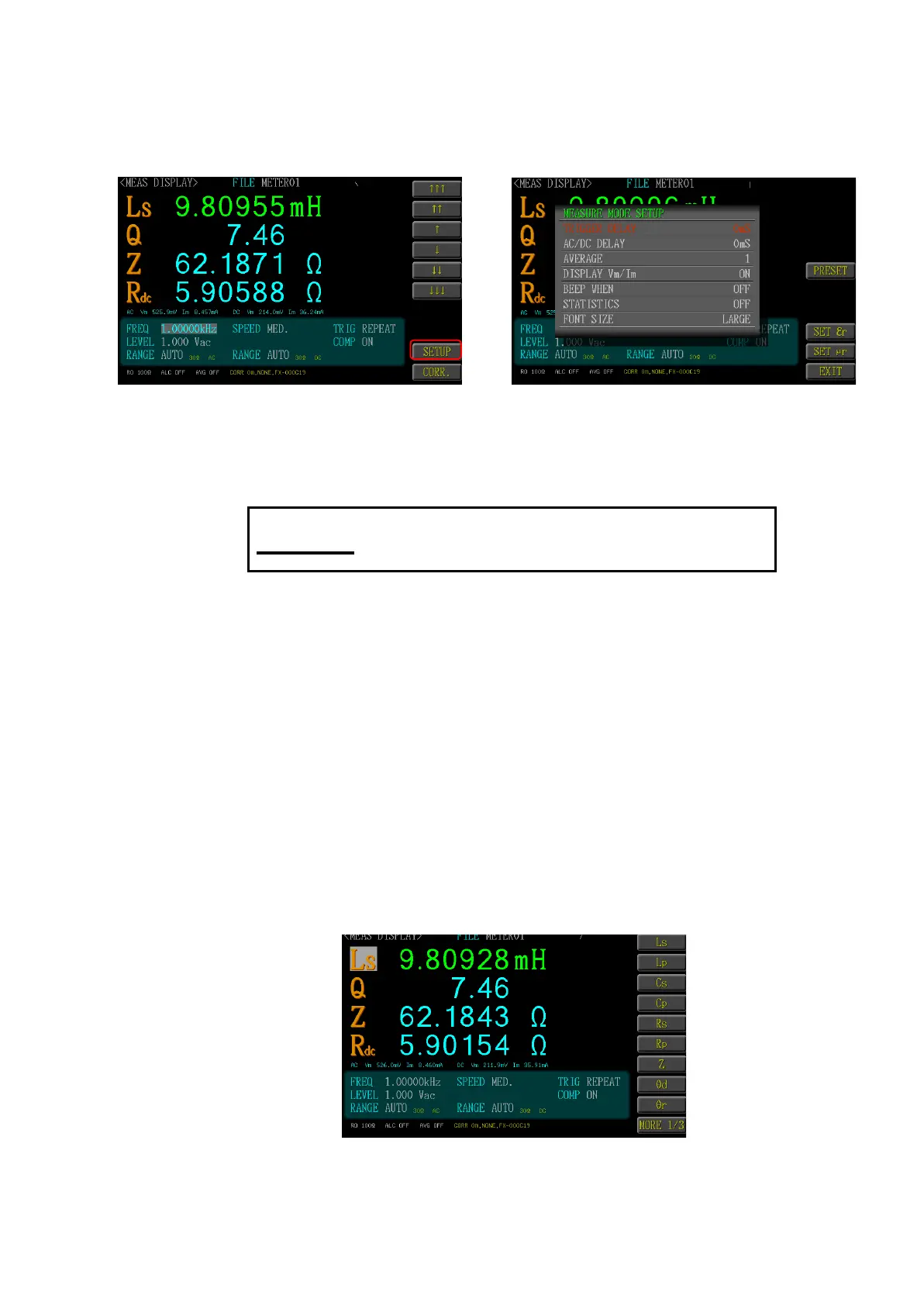
4.11 METER MODE SETUP
Under the Meter Mode page, selected <Setup> function key and you can access
the <Meter Mode Setup> page for executing the measuring setup.
4.11.1 TRIGGER DELAY
Set the trigger delay time, and such function is normally used by the auto-
mated equipment.
The trigger delay time is set as 0-5000mS. If exceeding
the high limit value, it will be adjusted back to 5000mS by
the system automatically.
4.11.2 AC/DC DELAY
If AC parameter and RDC are included in the measuring, it can set the
delay time between AC/DC measuring. This function is also suitable for
when the measuring value of the Test Piece between AC/DC is instable.
4.11.3 AVERAGE
If the measuring value is instable, the average measuring count can be
set within 1-64 times. The higher the average count, the steady the meas-
uring value; on the contrary, the slower the measuring speed.
4.11.4 DISPLAY Vm/Im
It is preset as <No>. To display Vm/lm, then select <Yes> and the page
will display the Vm/lm value of AC and DC. It recommend setting as <No>
because it will affect the measuring speed.



 To Next Page