18
4. Basic Measuring
4.1 Meter Mode
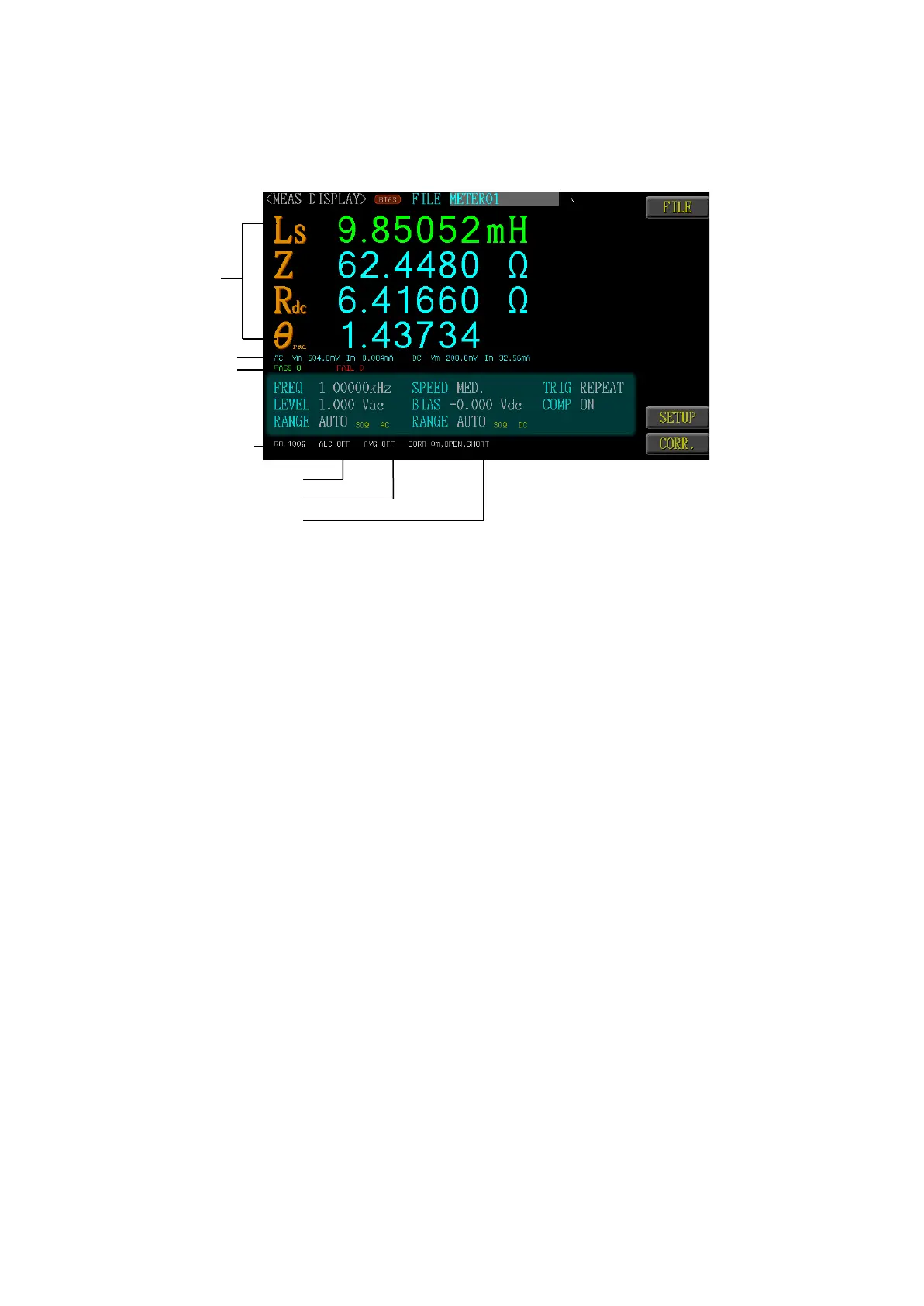
Press “Menu” key and then select “Meter” Mode for accessing the Meter Mode
page.
Measuring Value
Display Vm/Im
Statistics
Output Impedance100/25Ω
Auto Level Control
Average
Enable/Short Calibration
4.2 FREQ(Frequency)
The frequency range is 10Hz~30MHz, and the resolution is set at 6 digits. Press
Input Digit key and then<Enter> to confirm the value or use the function
key↑↑↑,↑↑,↑,↓,↓↓,↓↓↓ to adjust the frequency value by rough or minor adjusting
method.
4.3 LEVEL
Select<Level> with<Direction> key. Press Input Digit key and then <Enter>
to confirm the value for setting the signal level. The voltage range is
10mV~2Vrms, and the current range is 100µA~20mArms.
4.4 RANGE AC
Select<Range>with<Direction>key. It is preset as<Auto>. The measuring range
belongs to internal parameter, which will be based to search the bay according
to the measuring items. The range recommendssetting as<Auto>in order to ob-
tain better measuring accuracy. The range actually measured will be displayed
at the lower-left corner of LCD panel. Further, there are also <1-30Ω all fre-
quency>, <2-300Ω frequency below 1.2 MHz>, <3-3KΩ frequency below 120
KHz> and<4-30KΩ frequency below 12 KHz> ranges for option. Faster meas-
uring speed can be achieved when setting at “Range Hold”.
4.5 SPEED
Select <SPEED> with <Direction> key. The <MAX.>, <FAST>, <MED.>, <SLOW>
and <SLOW2> options are provided for the user to select according to their actual
need.



 To Next Page