25
4.14 SET ε
r
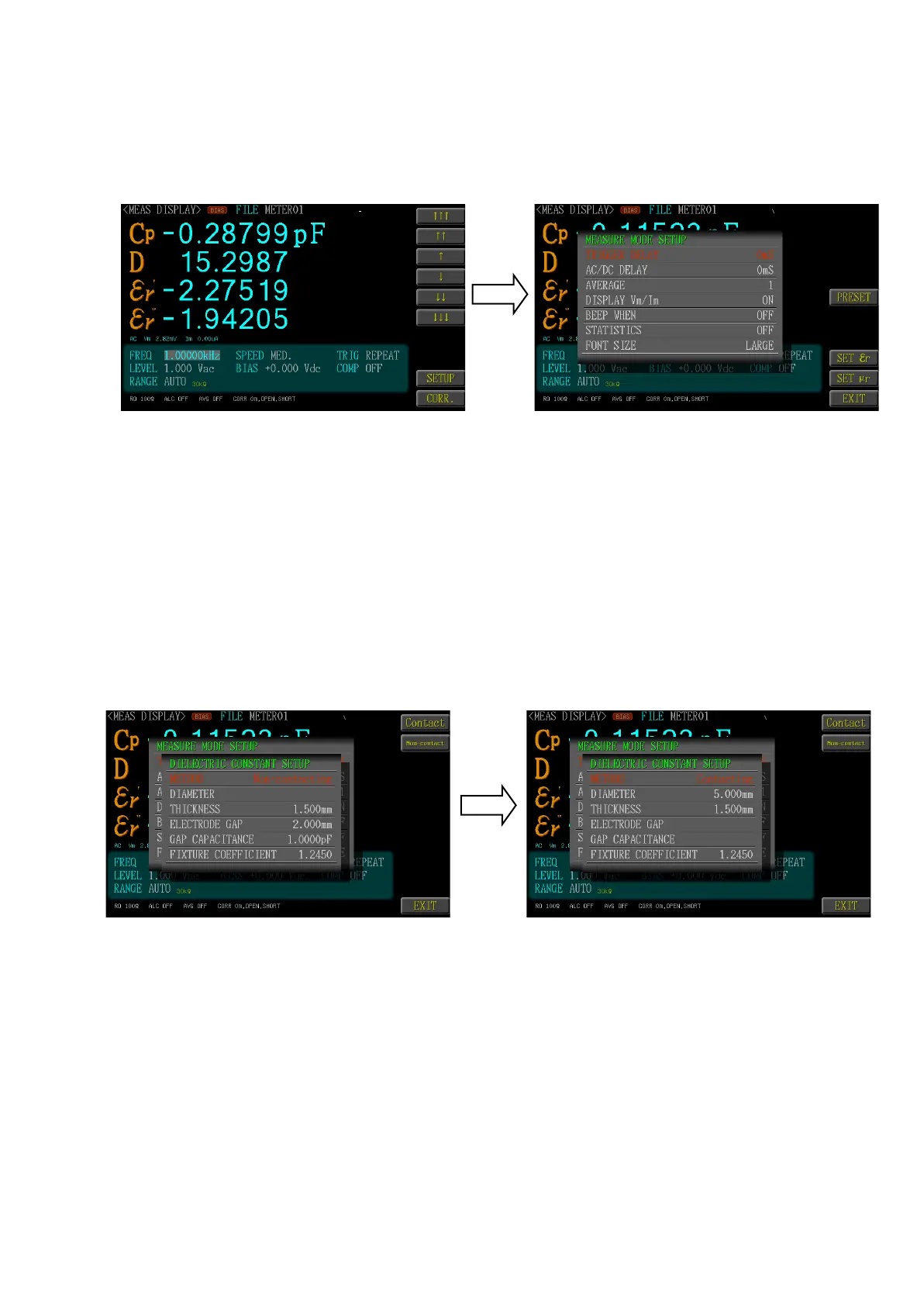
Under the Meter Mode page, selected <SETUP> function key then selected <SET
εr> .function key to access the <DIELECTRIC CONSTANT SETUP> page for set-
ting up ε
r
.
3.14.1. Measurement Method
The <Contact> or <Non-contact> can be selected according to the tested
material. If selecting the <Contact> measuring method, the user needs to
set up the <DIAMETER> of polarity plate for the fixture and the <THICK-
NESS> of the tested material and <fixture correction coefficient>.
If selecting the <Non-contact> measuring method, the user needs to set up
the <THICKNESS> of the tested material as well as the <GAP> between
the polarity plate of the fixture and the <EMPTY CAPACITACE> and <fix-
ture correction coefficient>.
Fixture correction coefficient: This is the compensation parameter used
for fixture Fx-0000c7 or Fx-000c20.



 To Next Page