1-3
98-05012
R3
ARC-6000
Application Rate: The desired application rate. (Pg.
2-2)** Once application has started, and metered
discharge is established, the actual measured
application rate is displayed here. (Also used to set
the control valve to manual control.) (Pg. 6-4)
Total Applied: The total volume of product applied,
as measured by the flow meter.*
Impl. Width: The active boom width, (Total width of
all boom sections turned “ ON” ).
Distance: The accumulated distance.
Prime: This position is used to lock the control valve
open during product pump priming. (Pg. 3-4)
Test Speed: The speed the console uses for stationary
tests of the sprayer. (Pg. 2-12)**
Scan: The display scans SPEED, FIELD AREA,
PRODUCT VOLUME, APPLICATION RATE,
and TOTAL APPLIED, holding at each position
for approximately two seconds before automati-
cally cycling to the next.
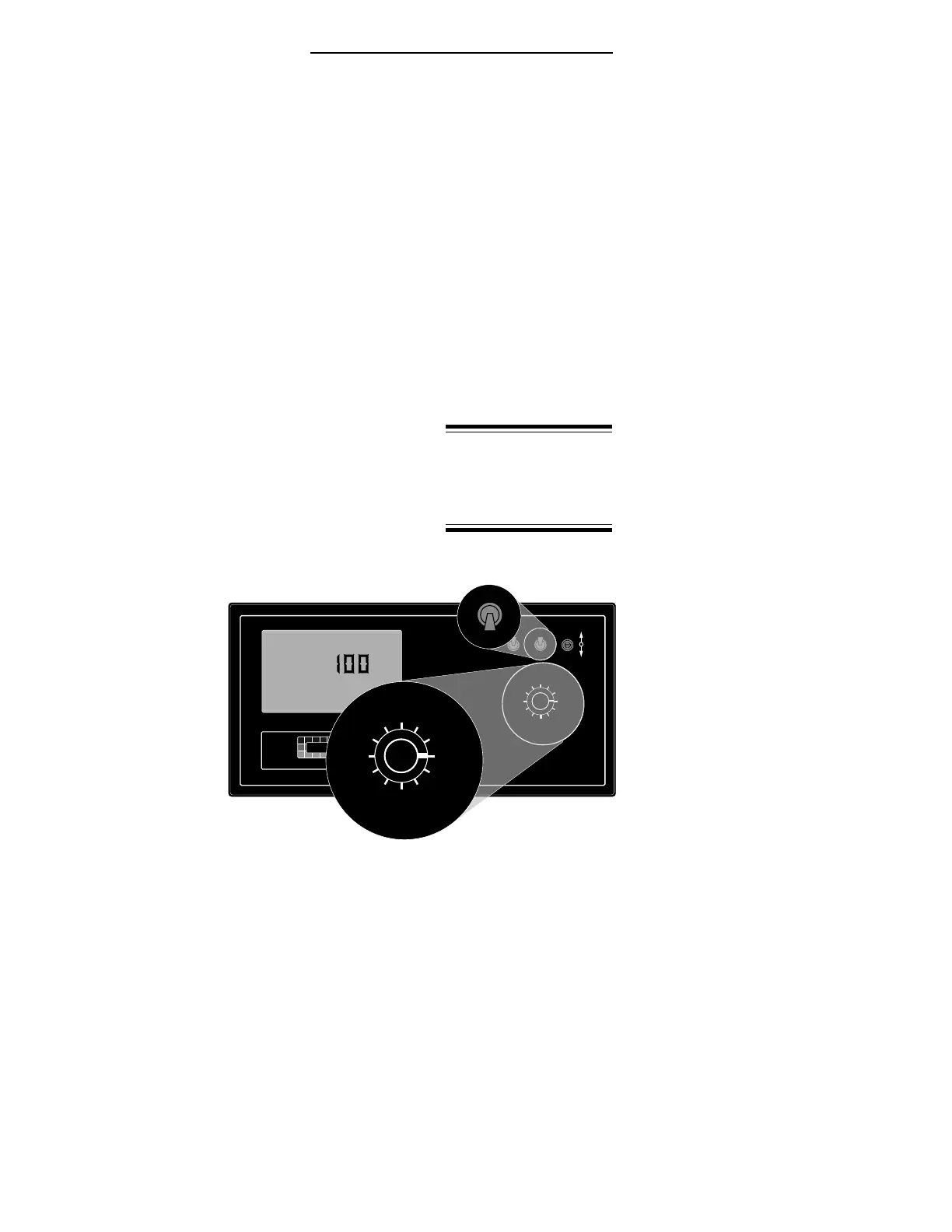
Display Selector Functions - Setup Mode
Speed: Ground
Speed Override
(GSO) Value.
(Pg. 2-13)**
Field Area: Select
area alarm. The
display flashes
and the console
beeps each time
a selected
increment is
reached. The
display reacts for about three seconds and then
stops until the next increment is reached. (Set to
zero to disable.) (Pg. 2-14)**
Total Area: Err, No function in the SETUP mode.
* Totals can be reset in this
mode.
** Values are programmable
in this mode.
*** Values changeable by a %
increase or decrease.
OFF SET- UP DEC.
ON OPERATE INC.
ARC-6000
Automatic
Rate Controller
MID-TECH
MIDWEST TECHNOLOGIES, INC.
123456789
%Rate
DISPLAY SELECTOR
Speed
Field Area Impl.Width
Distance
Test
Speed
Prime
Total Applied
Application Rate
Scan
Total Area
Product Vol.
BOOMS
.
-Ac
Flow
RATE
Gal./
12345678
%Rate
DISPLAY SELECTOR
Speed
Field Area Impl.Width
Distance
Test
Speed
Prime
Total Applied
Application Rate
Scan
Total Area
Product Vol.
BOOMS
¨
%Rate
DISPLAY SELECTOR
Speed
Field Area Impl.Width
Distance
Test
Speed
Prime
Total Applied
Application Rate
Scan
Total Area
Product Vol.
SET- UP
OPERATE
Fig. 1-3. Display Selector
Functions - Set-Up Mode


 To Next Page