2-8
ARC-6000
98-05012
R3
DISPLAY SELECTOR
Speed
Field Area Impl. Width
Distance
Test
Speed
Prime
Total Applied
Application Rate
OFF SET- UP DEC.
ON OPERATE INC.
Scan
Product Vol.
Total Area
BOOMS
123456789
B-3
B-2
B-4
% Rate
C
D-1
D-2
MASTER
ON
OFF
MI
B-1
DISPLAY SELECTOR
Speed
Field Area Impl. Width
Distance
Test
Speed
Prime
Total Applied
Application Rate
OFF SET- UP DEC.
ON
OPERATE INC.
Scan
Product Vol.
Total Area
BOOMS
123456789
% Rate
D-3
D-1
D-2
FINE TUNING THE FLOW METER CALIBRATION NUMBER
Once the initial calibration number is determined and
entered into the console, run a calibration test to adjust
the number for maximum accuracy. The accuracy of this
test improves with the increase of both the volume of
material discharged and the accuracy of measuring that
volume. Volume of liquid discharged can be measured
using a second, calibrated flow meter, using a truck scale
and calculating volumes based on weight and density of
the liquid discharged, or by discharging into a marked,
calibrated tank.
It is necessary to pump and measure at least 100 gallons
and, preferably, as much as 300 gallons, depending on
the accuracy required.
A stationary test like the following is recommended.
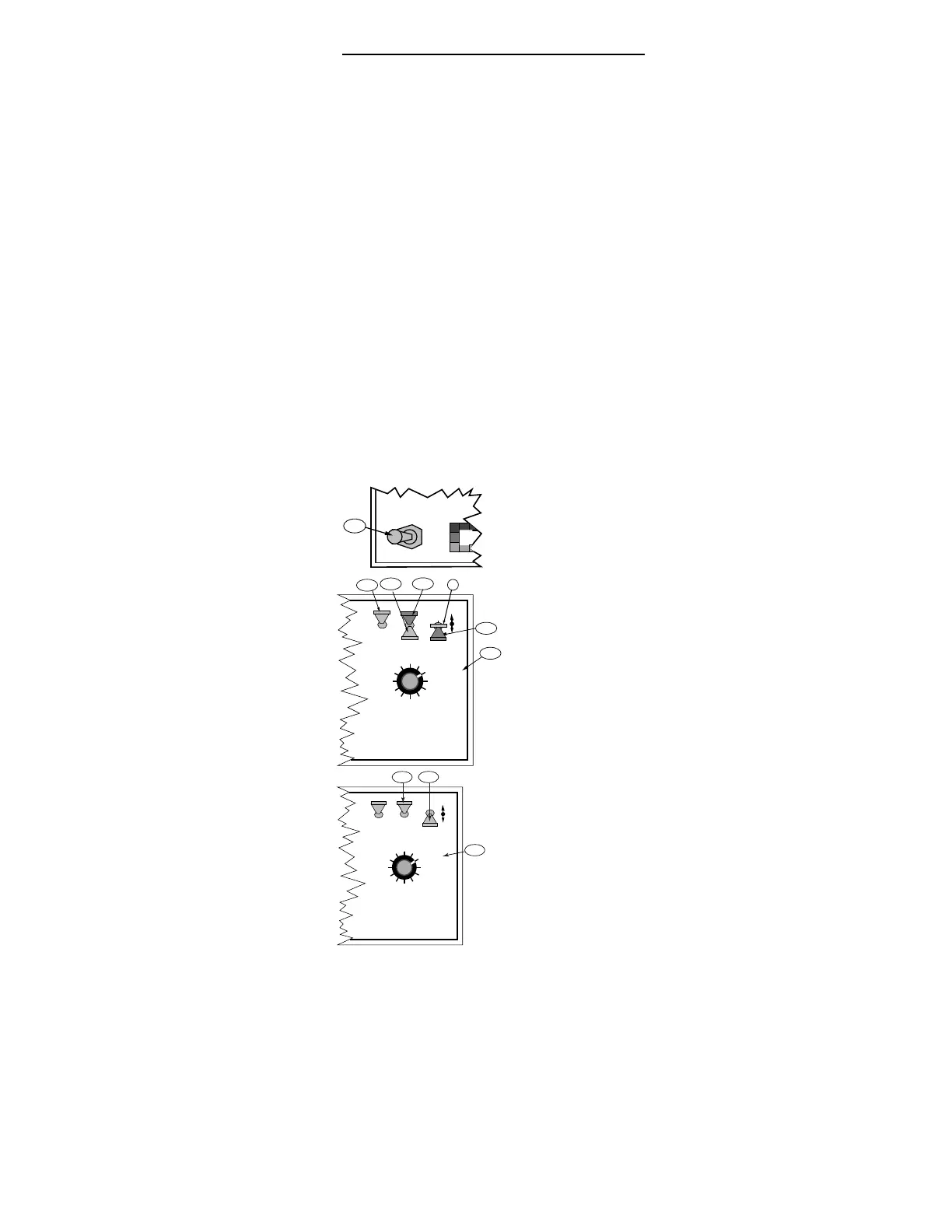
A. Disconnect the line leading from one of the boom
valves to its boom, at the boom, and direct the
output to an appropriate catch basin.
B. Condition the console.
1. Verify that the Boom Switches (or Master Switch)
are "OFF".
2. Turn the Control Console "ON".
3. Select the "SETUP" mode.
4. Rotate the display selector to "TOTAL APPLIED".
C. The current flow meter calibration number is dis-
played. Verify that it is the recommended initial
calibration number for the flow meter installed in the
system. Use the INC/DEC switch to adjust as
necessary.
D. Reset the Total Applied Accumulator to zero.
1. Select "OPERATE" with the Mode Selector Switch.
2. Turn the Display Selector to “ TOTAL APPLIED”
3. Hold the DEC switch down for three to five
seconds to reset the accumulated gallons to zero.
E. Make sure there is enough liquid in the main tank to
do the test. Start the main carrier pump.


 To Next Page