2-7
98-05012
R3
ARC-6000
Flow Meter Calibration
T
he Control Console requires calibration to the flow
meter being used. Flow meters are calibrated at the
factory, and this number is accurate enough for
most applications, but actual flow characteristics may vary
due to plumbing and/or chemical differences. If you have
any doubts about the accuracy of the flow meter readings,
perform a field calibration/catch test using the actual
product solution. (see page 2-8)
DETERMINING THE INITIAL FLOW METER CALIBRATION
NUMBER
The following table gives calibration numbers for flow
meters commonly found in MID-TECH systems.
* For Raven flow meters use the factory calibration
number divided by 10. For all other flow meters-use the
manufacturers' supplied information regarding the
pulses per gallon.
Once the initial calibration number is entered into the
console, proceed to the next section to “ fine tune” the
flow meter for maximum accuracy.
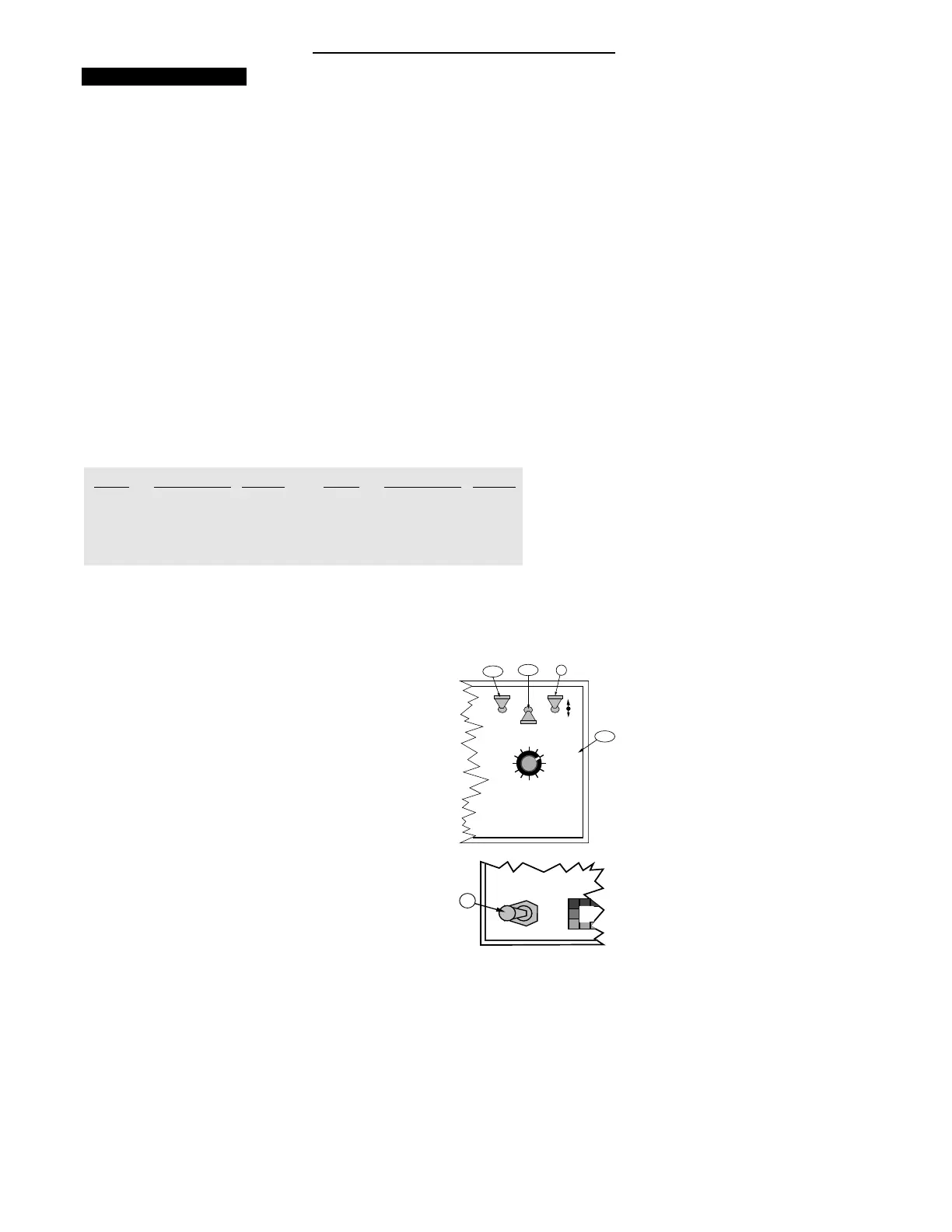
Use the following procedure to enter the flow sensor
calibration number.
A. Set the Console to the following positions;
1. Power “ ON”
2. Mode Selector “ SET- UP”
3. Display Selector “ TOTAL APPLIED”
B. Booms or Master Switch "OFF"
C. Use the INC/DEC switch to set the desired flow
sensor calibration number.
SIZE SUPPLIER CAL # SIZE SUPPLIER CAL #
.75 Inch MID-TECH 396.9 3.00 Inch MID-TECH 5.0
1.00 Inch MID-TECH 153.1 1.50 Inch MID-TECH 38.8
1.25 Inch Raven 75.0* 2.00 Inch MID-TECH 23.8
3.00 Inch Raven 16.4*
MASTER
ON
OFF
MI
B
DISPLAY SELECTOR
Speed
Field Area Impl. Width
Distance
Test
Speed
Prime
Total Applied
Application Rate
OFF SET- UP DEC.
ON
OPERATE INC.
Scan
Product Vol.
Total Area
BOOMS
123456789
A-2
A-1
A-3
% Rate
C


 To Next Page