6-1
98-05012
R3
ARC-6000
I
f the operator is experiencing a failure of the
ground speed sensor, the main flow control valve
or, the flowmeter, the first step is to carefully
check the wiring harnesses for obvious problems and
follow the suggested troubleshooting advice outlined
in chapter 5.0 of this manual. Assuming there is no
success in getting the failed component to respond,
MID-TECH suggests the following procedures, as a
temporary measure, until the component can be
repaired or replaced.
If the operator chooses to follow one of the follow-
ing procedures, he must realize that application
accuracy is reduced. If this reduced accuracy is
acceptable, these procedures will allow the operator
to continue on a temporary basis.
Ground Speed Sensor Failure
T
he control console internally generates a speed
signal when operated with the "GROUND
SPEED OVERRIDE" (GSO) function activated.
When the unit is operated in the GSO mode, the
Control Console will establish the application rate as if
the vehicle were actually moving across the field at the
programmed GSO speed. This feature can be used to
operate the sprayer, under reduced accuracy, in the
event of a failure of the speed sensor.
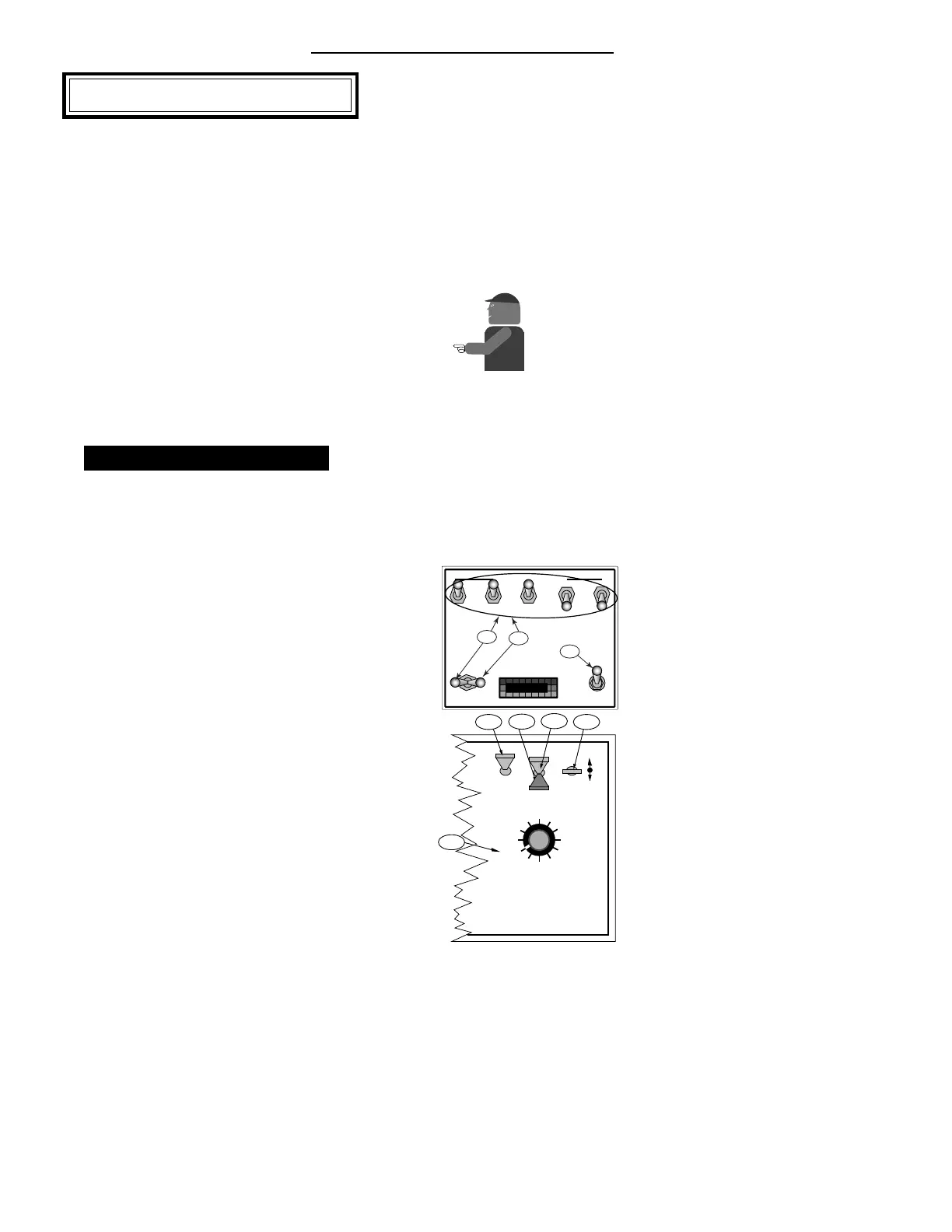
A. Disconnect the speed sensor cable from the back
of the ARC console.
B. With the vehicle stopped condition the console as
follows:
1. All Boom Switches (or Master Switch)
“ OFF”
2. Power “ON”
3. Mode Selector in the “SET UP” position
4. Display Selector to the “SPEED” position
5. Using the INC/DEC switch, set the GSO
speed for the normal spraying speed, (See
Page 3-5 for additional information).
Mid-T
ech
Chapter 6 Emergency Operation
DISPLAY SELECTOR
Speed
Field Area Impl. Width
Distance
Test
Speed
Prime
Total Applied
Application Rate
OFF SET- UP DEC.
ON
OPERATE INC.
Scan
Product Vol.
Total Area
BOOMS
123456789
% Rate
B-2
B-3
B-4
B-5
C-1
BOOM CONTROL SWITCHES
MASTER
ON
OFF
OFF
GSO
AUTO
MIDWEST TECHNOLOGIES, INC.
MID-TECH
B-1
D-2
D-1


 To Next Page