2-13
98-05012
R3
ARC-6000
DISPLAY SELECTOR
Speed
Field Area Impl. Width
Distance
Test
Speed
Prime
Total Applied
Application Rate
OFF SET- UP DEC.
ON
OPERATE INC.
Scan
Product Vol.
Total Area
BOOMS
123456789
% Rate
C
A-1
A-2
A-3
MASTER
ON
OFF
MI
B
DISPLAY SELECTOR
Speed
Field Area Impl. Width
Distance
Test
Speed
Prime
Total Applied
Application Rate
OFF SET- UP DEC.
ON
OPERATE INC.
Scan
Product Vol.
Total Area
BOOMS
123456789
% Rate
C
A-1
A-2
A-3
MASTER
ON
OFF
MI
B
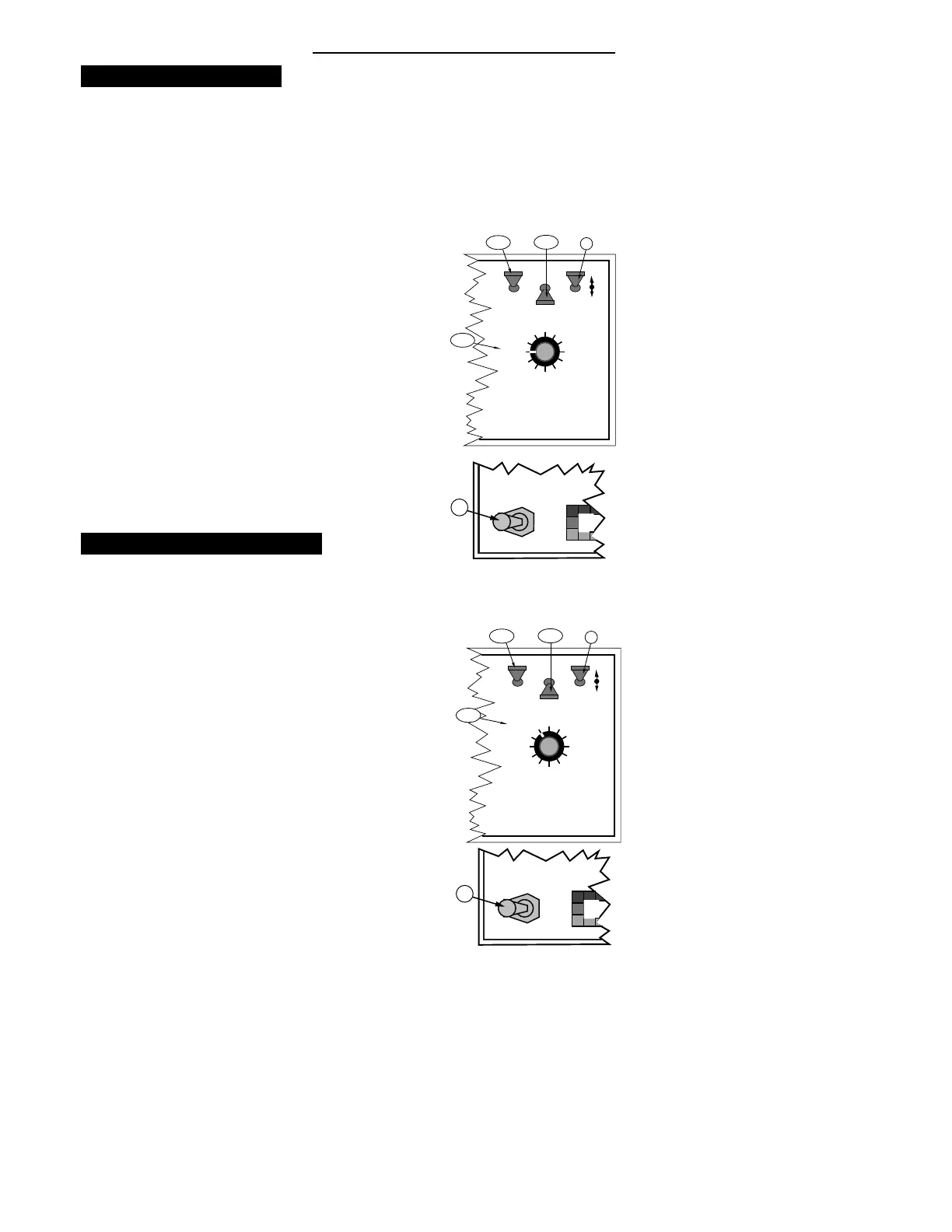
Setting the Field Area Alarm
T
he field area alarm alerts the operator, by
flashing and beeping, as selected area amounts
accumulate.
The operator can use this feature as a reminder to check
the load to verify that it is being dispensed at the correct
rate. This feature can also be used by the operator to
verify acreage estimates.
A. Set the Console to the following switch settings:
1. Power "ON"
2. Mode Selector "SETUP"
3. Display Selector "FIELD AREA"
B. All Booms (or Master Switch) “ OFF”
The display now shows the current selected acreage
increments.
C. Use the INC/DEC switch to set the desired increments.
Product Volume (Full Load Value)
SETTING THE FULL LOAD VALUE
T
he Full Load Value of the vehicle can be preset
into the console and automatically recalled when
the vehicle is reloaded.
A. Set the Console to the following switch settings:
1. Power "ON"
2. Mode Selector "SETUP"
3. Display Selector "PRODUCT VOL."
B. All booms (or Master Switch) “ OFF”
The display shows the current Full Load Value.
C. Use the INC/DEC switch to set the desired Full Load
Value.


 To Next Page