6-4
ARC-6000
98-05012
R3
Flowmeter Failure
T
his procedure is very similar to operating
without the flow control valve except the flow
control valve is controlled using a manual
override procedure.
A. With the vehicle stopped:
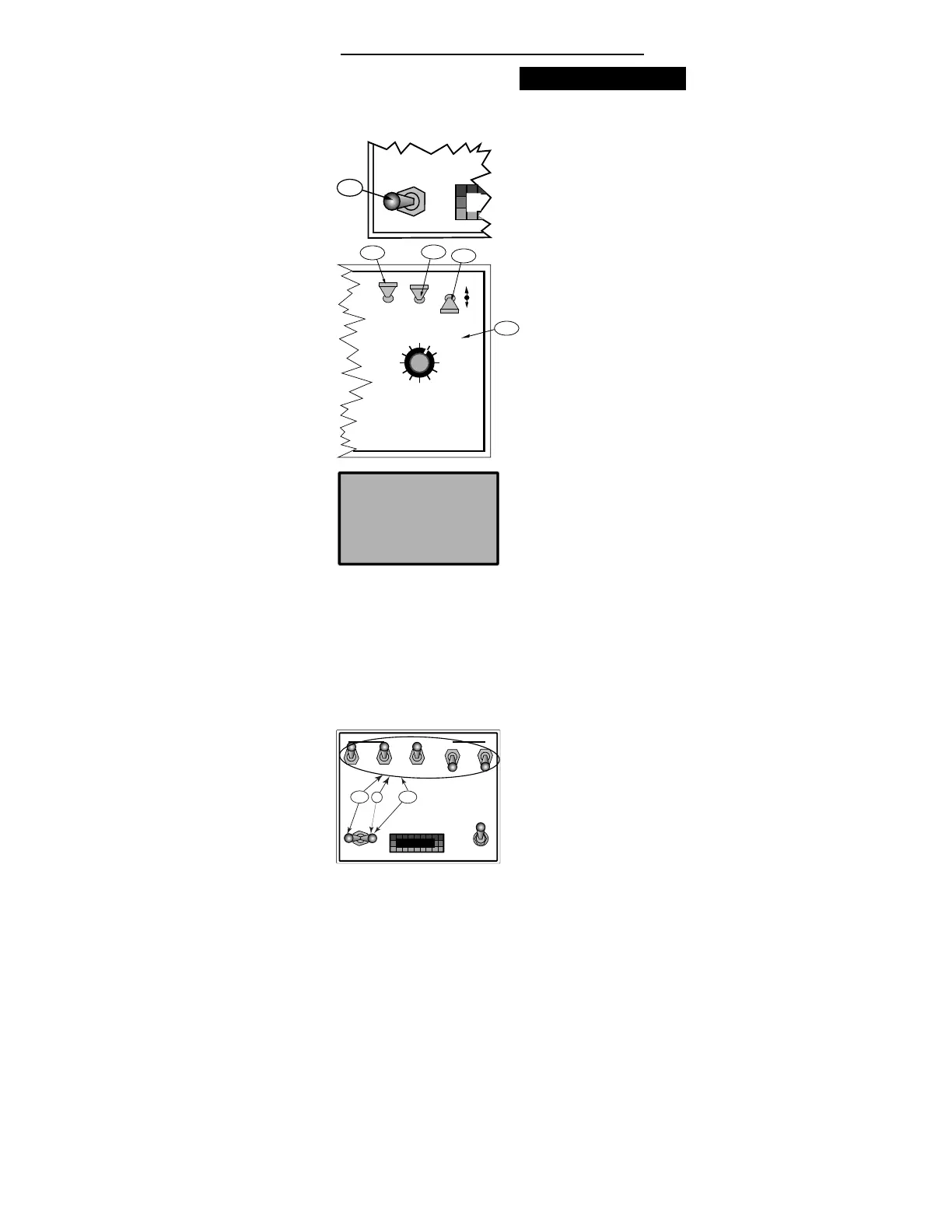
1. Turn all boom sections “ OFF” .
2. Disconnect the flowmeter cable at the first
connector back from the flowmeter (3 pin
connector).
3. Turn the control console Power “ ON”
4. Set the Mode Selector switch to "OPERATE"
5. Set the Display Selector to “APPLICATION
RATE".
6. Using the DEC switch, set the display to 0.0.
and continue to hold the DEC switch down
for another 5 seconds until the display
indicates "Flow Contl OFF Auto".
B. The flow control valve now responds only to
manual commands from the INC/DEC switch on
the control console. The control system remains in
this mode until the control console power has
been switched "OFF" and back on. NOTE: When
returning to automatic control, the application
rate must be reentered.
C. Adjust the Boom Pressure.
1. Turn “ ON” the desired boom sections and
allow spray.
2. Use a nozzle chart to determine the boom
pressure that will give the desired applica-
tion rate at the target speed.
3. Adjust the boom pressure using the INC/
DEC switch on the control console. INC
will open the flow control valve and DEC
will close the valve.
4. Once the desired pressure is attained, turn all
boom sections “ OFF” .
MASTER
ON
OFF
MI
A-1
DISPLAY SELECTOR
Speed
Field Area Impl. Width
Distance
Test
Speed
Prime
Total Applied
Application Rate
OFF SET- UP DEC.
ON OPERATE INC.
Scan
Product Vol.
Total Area
BOOMS
123456789
% Rate
A-3
A-5
A-6
A-4
BOOM CONTROL SWITCHES
MASTER
ON
OFF
OFF
GSO
AUTO
MIDWEST TECHNOLOGIES, INC.
MID-TECH
¨
C-4
C-1
D
Flow
ContL
OFF
Auto


 To Next Page