2-3
98-05012
R3
ARC-6000
MASTER
ON
OFF
MI
B
F
DISPLAY SELECTOR
Speed
Field Area Impl. Width
Distance
Test
Speed
Prime
Total Applied
Application Rate
OFF SET- UP DEC.
ON
OPERATE INC.
Scan
Product Vol.
Total Area
BOOMS
123456789
% Rate
B
A-1
A-2
A-3
DISPLAY SELECTOR
Speed
Field Area Impl. Width
Distance
Test
Speed
Prime
Total Applied
Application Rate
OFF SET- UP DEC.
ON OPERATE INC.
Scan
Product Vol.
Total Area
BOOMS
123456789
% Rate
C, D, E
A-1
A-2
A-3
F
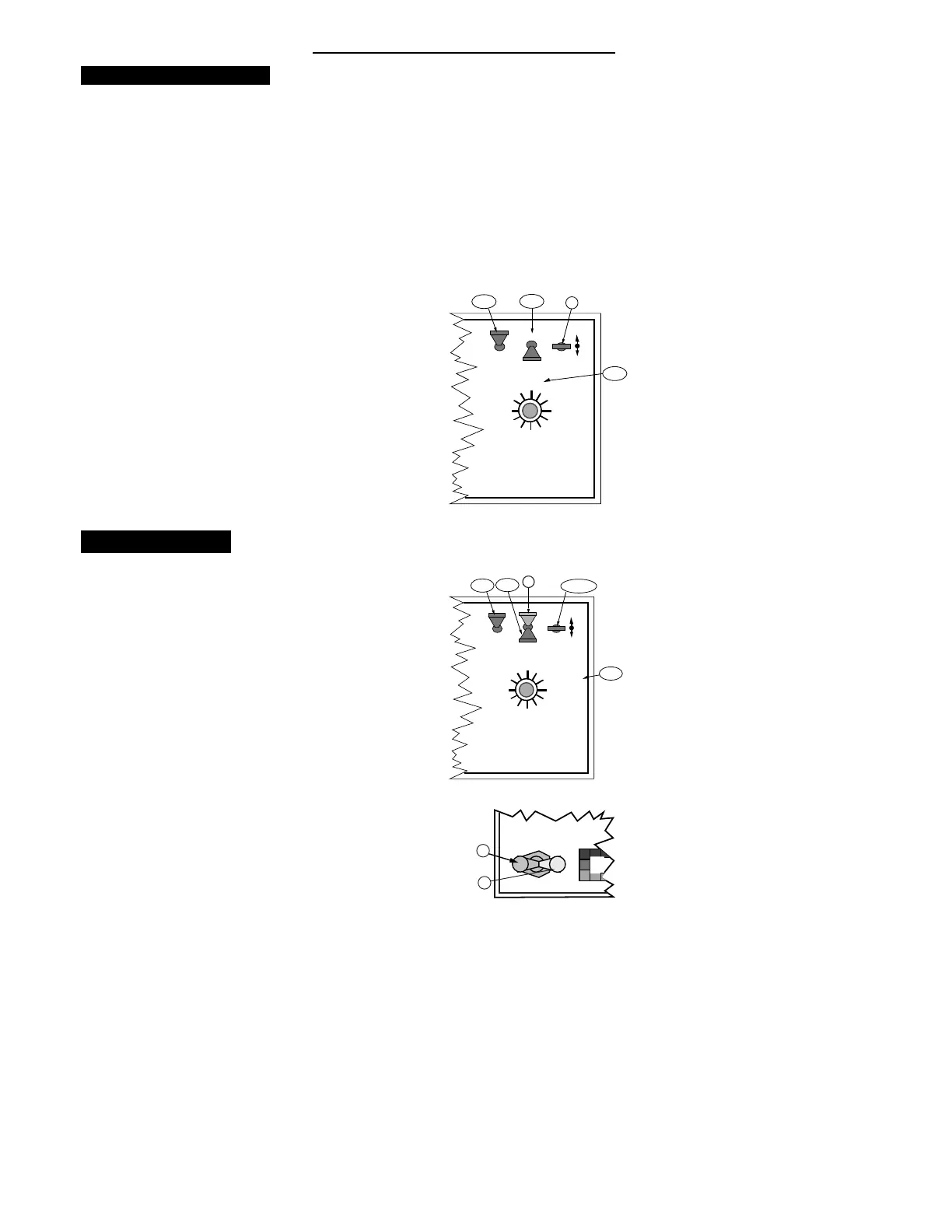
Setting the % Rate Change
T
his feature allows the operator to change the
application rate “ ON THE GO” with a simple
actuation of the INC/DEC switch. The amount of
change each switch actuation makes is proportional to the
value programmed into this position, (e.g. 20 =20% change
in the target rate). For example, with the liquid application
rate set to 10.0 gallons per acre, a single actuation of the
INC switch causes the system to control flow at the rate of
12.0 gallons per acre (10.0 + 20% = 12.0). To set the
desired % Rate Change value:
A. Set the console switches to the following positions:
1. Power “ON”
2. Mode Selector “SETUP
3. Display Selector “% RATE”
The display shows the current % change value.
B. Using the INC/DEC switch, set this number to the
desired % change value.
Setting Boom Widths
T
he MIDWEST TECHNOLOGIES Control Console
is designed to automatically compensate for
changes in the swath width, caused by turning
boom sections on or off. To accurately respond to
changes in swath width, the console must know the size
of each boom section. To set the desired boom section
widths:
A. Set the Console to the following positions;
1. Power “ON”
2. Mode Selector “SET- UP”
3. Display Selector “IMPL. WIDTH”
B. All Boom Switches (or Master Switch) “ OFF”
The display cycles through each boom position (1
through 9) and displays its current width in inches.


 To Next Page