2-9
98-05012
R3
ARC-6000
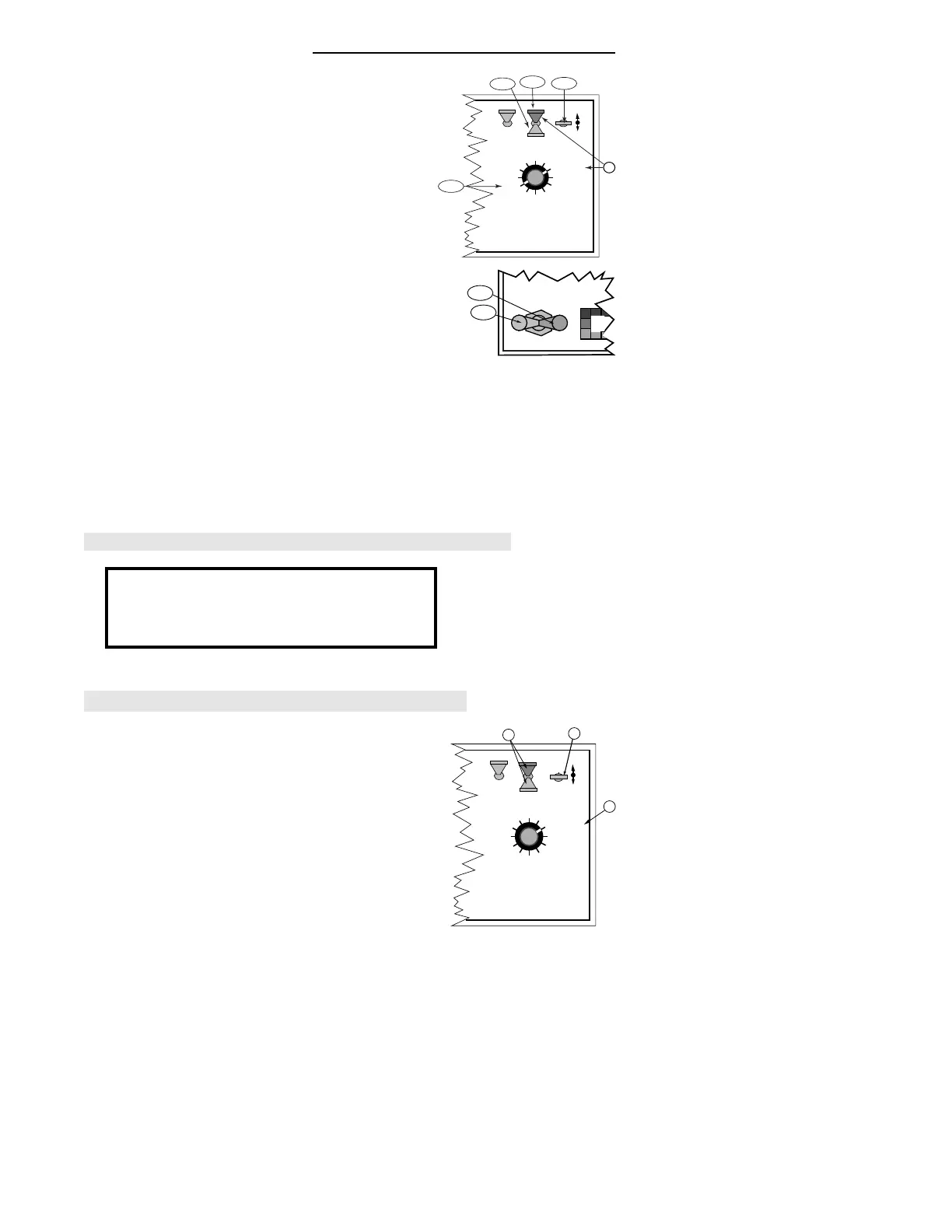
F. Generate a speed input to the console.
1. Set the GSO Speed.
a) Turn the Display Selector to “ Speed” .
b) Select ‘SETUP” mode.
c) Use the INC/DEC Switch to set a 10 MPH GSO
speed.
d) Switch back to “ OPERATE” mode.
2. Turn on the Boom Switch for the selected boom
(Make sure the Master Switch is turned on). Allow
the sprayer to discharge until the desired amount
has been pumped.
3. Turn "OFF" the Boom.
G. Select "TOTAL APPLIED" and “ OPERATE” . If the
total shown on the console agrees with the total
discharge actually measured, no further action is
necessary. The flow meter is already calibrated.
H. If the indicated volume pumped does not agree with
the actual volume pumped, calculate a new calibration
# as follows:
•If the measured amount is more than the indicated
amount, the new Cal. # is smaller.
•If the measured amount is less than the indicated
amount, the new Cal. # is larger.
I. Enter the correct Cal. # per steps B and C on page 8.
An alternate method, of correcting the cal. #, at this point,
is to:
A. Switch back and forth, between: "OPERATE/TOTAL
APPLIED" and "SETUP/TOTAL APPLIED"
B. Using the INC/DEC Switch, change the cal # until the
Total Applied display equals the amount actually
dispensed. The cal. #, at this point, is the corrected
number.
DISPLAY SELECTOR
Speed
Field Area Impl. Width
Distance
Test
Speed
Prime
Total Applied
Application Rate
OFF SET- UP DEC.
ON
OPERATE INC.
Scan
Product Vol.
Total Area
BOOMS
123456789
% Rate
F-1a
F-1b
F-1c
F-1d
G
MASTER
ON
OFF
MI
F-3
F-2
New Cal. # =(INDICATED AMOUNT / MEASURED AMOUNT) X Old
Cal. #
DISPLAY SELECTOR
Speed
Field Area Impl. Width
Distance
Test
Speed
Prime
Total Applied
Application Rate
OFF SET- UP DEC.
ON
OPERATE INC.
Scan
Product Vol.
Total Area
BOOMS
123456789
A
A
% Rate
B
RECORD THIS CALIBRATION NUMBER ON LAST PAGE OF MANUAL.


 To Next Page