Touchmaster
®
Conversion Kit Setup - 11
REMOVE ORIGINAL EQUIPMENT ELECTRONICS
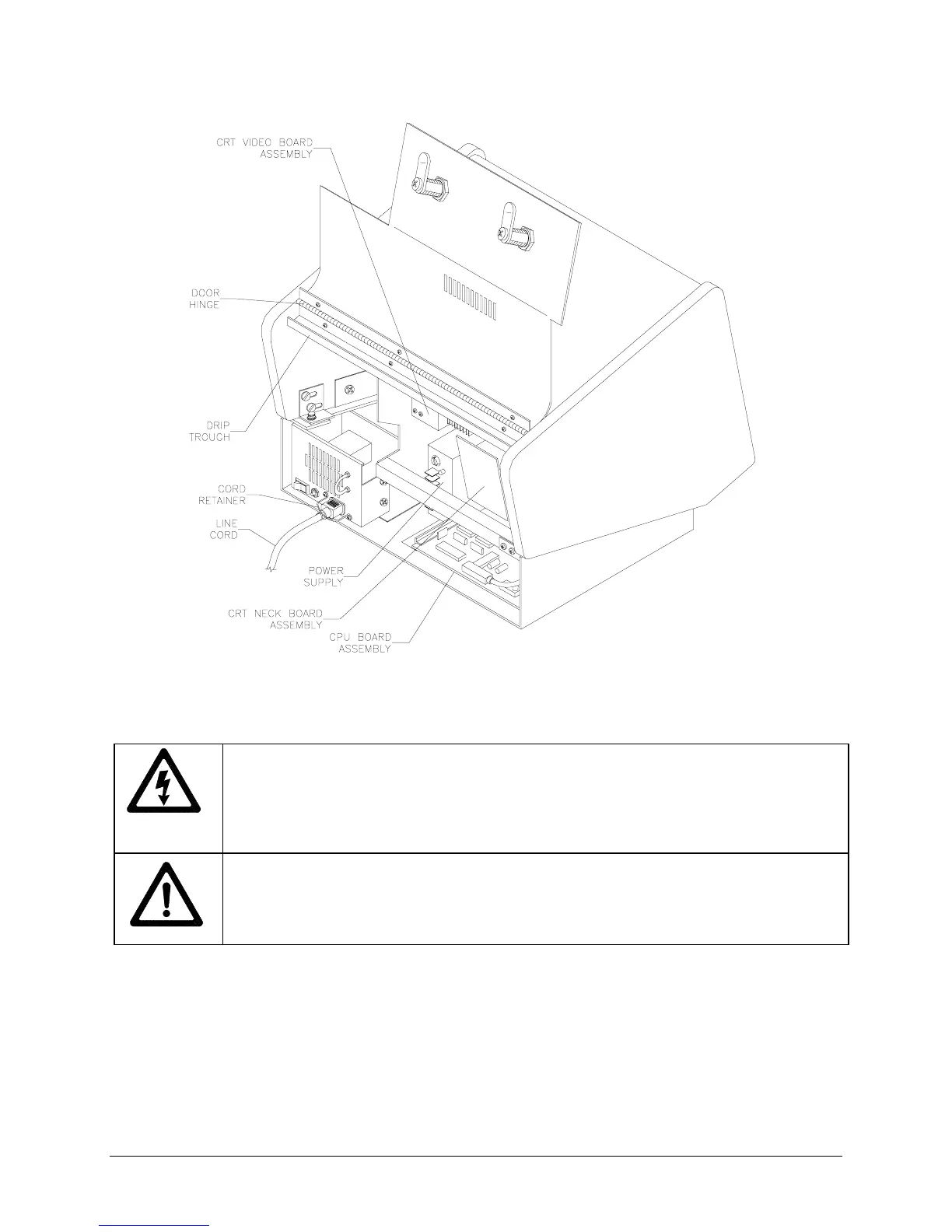
REAR OF CABINET WITH DOOR OPEN
1. Unplug VGM. Insert key or keys into rear lock or locks and turn clockwise to unlock. Open cabinet
door.
DANGER: HIGH VOLTAGE
CRTs and their power supplies can retain energy for long
periods of time after power has been turned off. This is especially true when a defective
circuit prevents a normal discharge. Connect a very well insulated ground strap to the
metal chassis. Slide the free end of the strap under the CRT anode cap until contact is
made. Wait two minutes for charge recovery, then discharge the anode a second time.
DANGER: RADIATION
The high voltages used in the video monitor assembly can
generate X-rays under fault conditions. Do not substitute high voltage components or
modify the circuit without factory authorization. Follow the manufacturer’s directions for
measuring and adjusting the CRT anode voltage.
2.
GROUND WIRE
Remove ground wire, if present.
3. Locate each of the original equipment manufacturer’s cable and wire connections prior to
disconnecting them from the VGM electronics.
4.
TOUCHSCREEN
If the touchscreen connector cable (a rectangular connector) is connected to the
CPU Board Assembly at J5, disconnect it from the CPU Board Assembly. If a separate touchscreen
controller connector cable is also present, disconnect it (a D-subminiature connector) from the CPU
Board Assembly. You may have either or both connectors.
5.
CONTROLLER
Remove the touchscreen controller from the VGM. Detach touchscreen connector
cable from the controller, if present. Leave the cable inside the cabinet and retain mounting hardware.












 To Next Page