Touchmaster
®
Conversion Kit System - 5
OPERATOR CONTROLS
CABINET SWITCHES
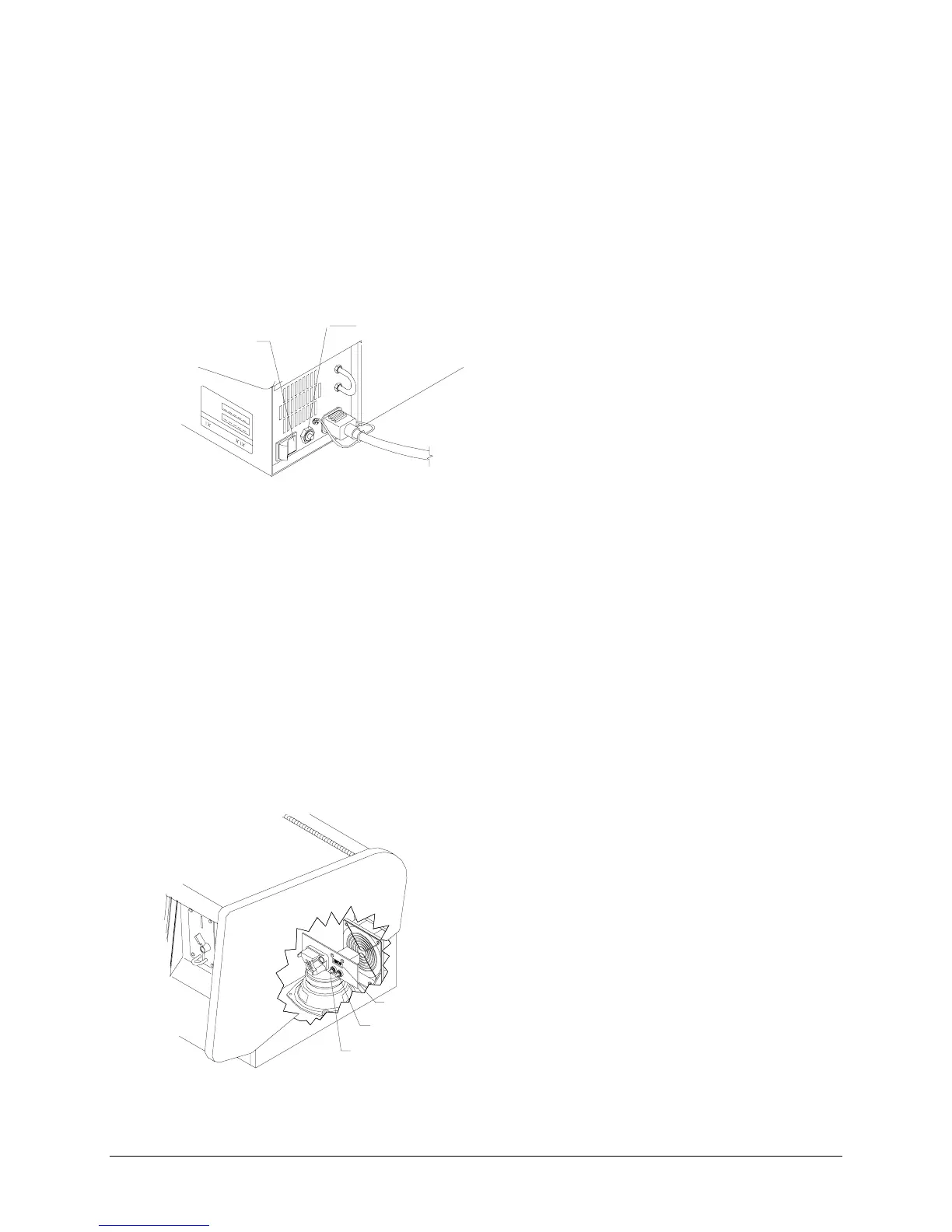
The external switches are located on the rear of the game near the line cord.
♦
Power Switch
The
Power Switch
turns the game on or off. It does not reset the game variables.
♦
Circuit Breaker
The
Circuit Breaker
protects the game from fault conditions. It does not reset the game variables.
POWER
SWITCH
CIRCUIT
BREAKER
TYPICAL CABINET SWITCH LOCATIONS
CONTROL SWITCHES
The internal switches are located behind the cash door. They are attached to a mounting bracket.
♦
SETUP BUTTON
The
SETUP
button takes you into the menu system to set game characteristics. An on-screen EXIT
button lets you to leave the menu system and return to Attract mode.
♦
CALIBRATE button
The
CALIBRATE
button takes you to a Touchscreen adjustment screen and verification routine. After
verification, normal game operation returns automatically.
♦
Master Volume Control
The
Master Volume Control
(on the CPU Board Assembly) sets the maximum sound level for the
game. Adjust the game volume at the initial System Setup screen after pressing the SETUP button.
♦
Monitor Remote Adjustments
(inside cabinet in the rear)
The
Monitor Remote Adjustment Board
sets the video display for optimum viewing.
CALIBRATE BUTTON
COIN METER
SETUP BUTTON
TYPICAL CONTROL SWITCH LOCATIONS












 To Next Page